
beko BDUN Dishwasher


Operation of the product
6-
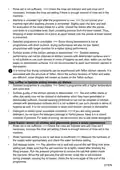
4. Add adequate amount of detergent in
the detergent compartment.
Read “Safety Instructions” section first!
Read “Quick Quide” before this
section.
Program selection
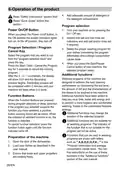
Power On/Off Button
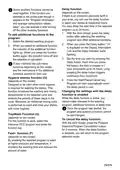
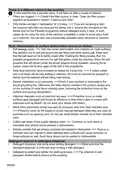
1. Turn your machine on by pressing the
On / Off key.
When you press the Power on/off button, in
the ON position the screen indicators lights
turn on. In the off position, they turn off.
2. Inspect low salt and low rinse aid
indicators and add salt and/or rinse aid
if required.
Program Selection / Program
Cancel Key
3. Select the proper washing program for
your dishes considering the program
information and average consumption
values table.
Select the program that you want to run
from the "program selection keys" and
press the key.
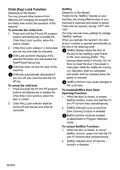
Press the Start / Hold / Cancel the Program
key for 3 seconds to cancel the running
program
After the 3 - 2 - 1 countdown, the display
will show 0:01 and the discarding
process begins. Discarding process will
be completed within 2 minutes and your
machine will beep when it is done.
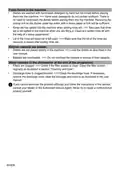
4. When you press the Start/Pause/
Cancel button of your machine, the
selected program starts.
Additional functions
Washing programs of the machine are
designed to achieve the best cleaning
performance by considering the soil level,
the amount of dirt and the characteristics of
the dishes to be washed in the machine.
Additional functions have been added to
help you save time, water and energy and
to perform a more hygienic and comfortable
washing, thanks to the customized features
settings.
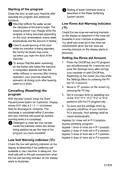
Function Buttons
When the Function Buttons are pressed
during program selection or delay selection,
if the program you selected supports the
function you have selected, a positive
button warning sound will be heard. When
the indicator of selected function is on, the
function is selected.
To cancel function selection, press the
function button again until the function
indicator turns off.
Additional functions may change the
duration of the selected program.
Additional functions are not suitable for
all washing programs. The indicator of
the function that is not suitable for the
program will not be active.
Functions that can be used in washing
programs are shown with letters
such as " A,B,D,E,G,F,K..." in the
"Program information and average
consumption values table. You can
find instructions on the use of these
functions in the "Additional functions"
section of the user manual.
Preparation of the machine
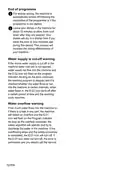
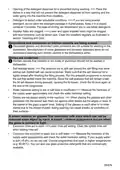
1. Open the door of the dishwasher.
2. Load your dishes as described in the
user manual.
3. Ensure that lower and upper propellers
are rotating freely.
28/EN

| General | Details |
|---|---|
| Name | beko BDUN Dishwasher |
| Make | Beko |
| Language | English |
| Filetype | PDF (Download) |
| File size | 4.86 MB |
 (1 votes, average: 5.00 out of 5)
 Loading...

beko DUT25401WHW Front Pocket Handle Dishwasher

beko BDIN38522Q Dishwasher

beko BDFN26450A Dishwasher

beko BDFS26046XQ Dishwasher

beko BDFN26521XQ Dishwasher

NMG0724BEKODI Dishwasher

beko 943711 Dishwasher

beko DIN15210 Full-Size Dishwasher

beko 57 6190 0000 Tall Tub Dishwasher

beko BDIN38650C Dishwasher


BOSCH SMH6YCX02E Dishwasher

dacor EDWH24S Dishwasher

BOSCH SBH8TB800E/41 Dishwasher

GERMAN DWH-121 Dishwasher

BOSCH SBT6TB801E-46 Dishwasher

BOSCH SHX5AEM4N 24 Bar Handle Dishwasher

GE Monogram UDT165SIVII 18 Inch Dishwasher

Westinghouse WSF6606XB Dishwasher

Haier HDW10F1S1 Compact Dishwasher

BOSCH SMS4HMB62T Free Standing Dishwasher