
beko BDUN Dishwasher
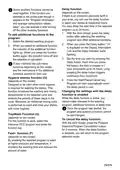


Delay function
(depends on the model)
Some auxiliary functions cannot be
used together. If the function you
selected is not active even though it
appears in the "Program information
and average consumption values
table", you can activate it after turning
off the other auxiliary functions.
If there is an economic electricity tariff in
your area, you can use the delay function
to wash your dishes at respective hours.
You may delay the start time of the selected
program up to 24 hours.
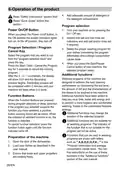
1. With the door closed, press the delay
button after selecting the washing
program and other additional functions.
To add additional functions to the
program:
1. Select the desired washing program.
2. When you press the Delay button, “1h”
is displayed on the Display Information
Line and the Delay indicator starts
flashing.
2. When you select an additional function,
the indicator of the additional function
lights up. When you press the function
button again, the indicator turns off and
the selection is cancelled.
3. Set the time you want by pressing the
delay button. Each time you press
the button, the time increases in 1
hour increments up to 24 hours. Long
pressing the delay button triggers
continuous hour increment.
If your machine has sub-menu
functions depending on the model,
see the instructions in the additional
functions section for their use.
Hygiene Intense function (O)
(depends on the model)
4. Press the Start/Pause/Cancel key.
Program will start automatically when
the delay period is over.
Designed to be used when more hygiene
is required for washing the dishes. This
function increases the washing and rinsing
temperatures in the selected cycle and
extends the periods of these steps in the
cycle. Moreover, an additional rinsing cycle
is performed to wash and rinse your dishes
with more hygiene.
Changing the settings with the delay
function is enabled
While the delay function is active, you
cannot make changes in the washing
program, additional functions or delay time.
Once the program has started, the
program and auxiliary functions cannot
be set/changed.
TrayWash Function (U)
(depends on the model)
For this function to work, select the
Intensive 70°C program and press the
function key.
To cancel the delay function:
With the door closed, press the Program
Selection/Program Cancellation button
for 3 seconds. When the delay function
is disabled, you will return to the program
selection mode.
Fast+ function (F)
(depends on the model)
By enabling the selected program to wash
at higher pressure and temperature, it
shortens the washing time and reduces the
amount of water.
29/EN

| General | Details |
|---|---|
| Name | beko BDUN Dishwasher |
| Make | Beko |
| Language | English |
| Filetype | PDF (Download) |
| File size | 4.86 MB |
 (1 votes, average: 5.00 out of 5)
 Loading...

beko DUT25401WHW Front Pocket Handle Dishwasher

beko BDIN38522Q Dishwasher

beko BDFN26450A Dishwasher

beko BDFS26046XQ Dishwasher

beko BDFN26521XQ Dishwasher

NMG0724BEKODI Dishwasher

beko 943711 Dishwasher

beko DIN15210 Full-Size Dishwasher

beko 57 6190 0000 Tall Tub Dishwasher

beko BDIN38650C Dishwasher


Electrolux EEA27200L Dishwasher

hermitlux HMX-DW04 Table Top Dishwasher

FISHER PAYKEL DD24DT2NX9 Drawer Dishwasher

Whirlpool W11323304H Heavy Duty Dishwasher

Whirlpool WDT705PAKW Dishwasher with Sensor Cycle

Hotpoint H7F HS41 X Dishwasher

BOSCH SMS4HCI19E Free Standing Dishwasher

SIEMENS SN87YX01CE Dishwasher

SIEMENS SN25EI56CE Dishwasher

BOSCH SHE3AEE5N 100 Series Full Console Dishwasher