
beko DIN15210 Full-Size Dishwasher
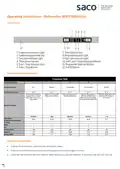


Operating Instructions - Dishwasher BEKO DIN15210
Control Panel
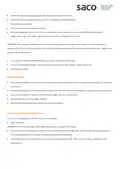
Selecting the correct programme
Operating the Dishwasher
•
•
•
Load up the dishwasher, and insert the dishwasher tablet.
Push in the on/off button and check that the programme indicator lights come on.
Check the salt and rinse aid level indicator lights before you start the machine. If necessary add salt and rinse aid.


| General | Details |
|---|---|
| Name | beko DIN15210 Full-Size Dishwasher |
| Make | Beko |
| Language | English |
| Filetype | PDF (Download) |
| File size | 0.81 MB |
 (1 votes, average: 5.00 out of 5)
 Loading...

beko DUT25401WHW Front Pocket Handle Dishwasher

beko BDIN38522Q Dishwasher

beko BDFN26450A Dishwasher

beko BDFS26046XQ Dishwasher

beko BDFN26521XQ Dishwasher

NMG0724BEKODI Dishwasher

beko 943711 Dishwasher

beko 57 6190 0000 Tall Tub Dishwasher

beko BDIN38650C Dishwasher

beko DDS25842X Dishwasher

beko DIN15210 Full-Size Dishwasher Overview
Summary of Contents
- Page 1: Operating instructions - Dishwasher BEKO DIN15210 Control panel Selecting the correct programme Operating the dishwasher Load up the dishwasher, and insert the dishwasher tablet. Push in the on/off button and check that the programme indicator lights come on. Check the salt and rinse aid level indicator lights before you start the machine. If necessary add salt and rinse aid.
- Page 2: Select the required programme by referring to the programme chart. Select the desired programme by using the Programme Selection Button. Press start/stop button. Close the door then programme starts. An audio signal warns you to switch your machine off when the selected programme ends. Do not open the dishwasher door whilst the appliance is in operation. Care must be taken if opening the door, as steam and water will escape. Press the on/off button after the programme is completed. Place the most difficult to clean items on the bottom rack. To cancel a programme while the machine is operating, open the door and press and hold the start/stop button for 3 seconds.
- Page 3: Note: Depending on the stage of the programme you have cancelled, there may be detergent residue or rinse aid inside the machine and on the load. Make sure the items in the dishwasher are not used before being washed properly. How to change the washing programme. To change the programme selection while the machine is operating, open the door. Care must be taken when opening the door, as steam will escape. Press the start/stop button. The indicator light will go off. Select the new programme. Press the start/stop button. The indicator light will be on and the new programme will start. The new programme will not start right from the beginning. It will start from the stage last carried out by the previous programme selection.

BOSCH SMH8ZCX01E 60 cm Dishwasher

element ENB5322HECW Dishwasher

Whirlpool 400011659130 Dishwasher

IKEA MEDELSTOR Dishwasher

BOSCH SHP88PZ55N Dishwasher

Gaggenau 200 Series 24 Dishwasher

FISHER AND PAYKEL DW60FC4B2 Dishwasher

SIEMENS SN63EX02CE Dishwasher

Whirlpool WIC3C33PFEUK Dishwasher
FISHER PAYKEL DD60SCX9 DishDrawer Dishwasher