
×
- 1. Einbaugeschirrspüler (Dishwasher → Посудомоечная Машина)
- 2. Teil I Allgemeine Beschreibung (Sicherheitsinformationen → Geratebeschreibung → Installationsanleitung → Fehlersuche Und Fehlerseitigung)
- 3. Sicherheitsinformationen (Beachten Sie Bei Der Verwendung → Installation Und Reparatur Nur Von Fachpersonal Ausführen Lassen. → Dieses Gerät Ist Für Den Gebrauch Im Haushalt Und Für Ähnliche Anwendungen Vorgesehen. → Reinigung Und Wartung Des Gerätes Dürfen Nur Von Kindern Unter Aufsicht Eines Erwachsenen Durchgeführt Werden.)
- 4. Erdungsanleitung (Behandeln Sie Die Tür Des Geschirrspülers Und Den Geschirrkorb Vorsichtig → Schalten Sie Den Geschirrspüler Erst Ein, Wenn Alle Schutzabdeckungen Am Schrank Angebracht Sind → Es Ist Nicht Gestattet, Schwere Gegenstände Auf Die Offene Tür Zu Stellen Oder Darauf Zu Stehen → Beim Laden Von Geschirr)
- 5. Kontaktdaten (Sicherheitshinweise → Geräteanschluss → Energieeinsparung → Entsorgung)
- 6. Entsorgung (Recyclinginformationen → Umweltverschmutzung Vermeiden)
- 7. Geratebeschreibung (Hinweis → Innenrohr → Unterer Sprüharm → Salzbehälter)
- 8. Gebrauch Spülmaschinens (Vor Verwendung Der Spülmaschine → Salz In Einen Wasserenthärter Laden → Anweisungen)
- 9. Entfernen Sie Den Unterkorb Und Schrauben Sie Den Tankdeckel Ab. (Füllen Sie Den Salzbehälter Bis Zum Maximum Mit Wasser. → Ziehen Sie Den Deckel Nach Dem Befüllen Des Behälters Fest An. → Nachdem Der Salzbehälter Voll Ist, Hört Die Salzstandsanzeige Auf Zu Leuchten. → Unmittelbar Nach Dem Befüllen Des Salzbehälters Muss Das Spülprogramm Gestartet Werden.)
- 10. Tipps Zur Verwendung Eines Korbes (Oberkorbverstellung → Typ 1)
- 11. Um Den Oberkorb In Die Obere Position (Faltbecherregale → Klapphalter)
- 12. Wartung Und Reinigung (Aussenflächen Pflege → Bedienfeld → Wartung Der Inneren Oberflächen → Filtrationssystem)
- 13. Coarse Filter (Main Filter → Fine Filter → Cleaning The Filter → Installation Of The Filter)
- 14. Die Sprüharme (Spülmaschinenpflege → Frostschutz)
- 15. Trennen Sie Den Geschirrspüler Von Der Stromquelle. (Nach Jedem Abwasch → Verwenden Sie Keine Lösungsmittel Oder Scheuermittel. → Wenn Sie Das Gerät Längere Zeit Nicht Benutzen Möchten → Dichtungen)
- 16. Installationsanleitung (Energieanforderungen → Stromanschluss)
- 17. Wasserversorgung Und Wasserablauf (Kaltwasseranschluss → Über Den Sicheren Wasserschlauch → Anschließen Eines Sicheren Wasserversorgungsschlauchs → Trennen Sie Den Sicheren Wasserzulaufschlauch)
- 18. Schlauchanschluss Ablassen (Arbeitsplatte → Restwasser Aus Schläuchen Ablassen → Ablaßstutzen → Siphonanschluss)
- 19. Geräteplatzierung (Einbau (für Einbaugeräte) → Schritt 1 Auswählen Eines Installationsorts Für Einen Geschirrspüler)
- 20. Wenn Der Geschirrspüler In Der Ecke Des Küchenmoduls Installiert Ist, Müssen Geeignete Räume Für Das Freie Öffnen Der Tür Vorhanden Sein.
- 21. Vollständig Eingebautes Modell (Einstellung Der Türfederspannung)
- 22. Schritt 4. Vorgehensweise Beim Einbau Des Geschirrspülers (Bringen Sie Das Kondensationsband Unter Der Schrankoberseite An. → Schließen Sie Den Wasserversorgungsschlauch An Das Kaltwassersystem An. → Den Ablaufschlauch Anschließen. → Stecken Sie Das Netzkabel Ein.)
- 23. Schritt 5. Justierung (Überprüfen Sie Die Ausrichtung → Anmerkungen:)
- 24. Fehlersuche Und Fehlerseitigung (Bevor Sie Sich An Ein Servicecenter Wenden → Mögliche Ursache → Lösungs Methode → Fehler)
- 25. Mögliche Ursache (Lösungs Methode → Verwendung → Besteck Hat Rostflecken → Geschirr Wird Nicht Gereinigt)
- 26. Mögliche Ursache (Lösungs Methode → Fehler → Geschirr Wird Nicht Gereinigt. → Geschirr Trocknet Nicht Vollständig)
- 27. Mögliche Ursache (Lösungs Methode → Fehler → Laden Von Geschirr In Körbe Nach Dem Standard En 50242)
- 28. Besteckkorb (Informationen Zur Vergleichsprüfung Nach En 50242 → Kapazität: 12 Gedecke → Obere Korbposition: Untere → Programm: Eco)
- 29. Geschirrspüler Benutzen (Bedienfeld → Wasserenthärter → Zubereitung Und Beladung Von Speisen → Klarspüler Und Waschmittel Verwenden)
- 30. Kurzanleitung (Installationsanweisungen → Das Innere Des Geräts → Die Außenseite Des Geräts → Stellen Sie Das Geschirr In Die Körbe)
- 31. Bedientasten (Einschalten → Halbfüllung → Startverzögerung → Programm)
- 32. Eco (Selbstreinigung → Schnell Waschen → Klarspüleranzeige → Salzzugangsanzeige)
- 33. Regulierung Der Salzaufnahme (Wasserhärte → Wasserenthärter Einstellen → Salzverbrauch)
- 34. Einfüllen Von Salz In Den Wasserenthärter (Wasserenthärtungsgerät → Vorbereitung Des Geschirrs Zum Einladen In Die Spülmaschine → Empfehlungen Zum Einlegen Von Geschirr In Die Spülmaschine)
- 35. Laden Sie Das Geschirr In Den Geschirrspüler (Geschirr Entfernen)
- 36. Warmes Geschirr! (Geschirr In Den Oberkorb Legen → Geschirr In Den Unterkorb Legen → Besteck Laden)
- 37. Erwendung Von Spülmittel Und Waschmittel (Wenn Der Klarspüler Nachgefüllt Werden Muss → Verwendung Von Waschmittel)
- 38. Spülmittelbehältersfülung (Einstellung Des Klarspüler-dosierers)
- 39. Füllen Des Waschmitteldosierers (Anmerkungen)
- 40. Programmierung Eines Spülmaschinens (Waschprogrammtabelle → Hinweis)
- 41. Starten Des Waschzyklus (Änderung Gestartete Programme)
- 42. Geschirr Hinzufügen
- 43. Fehler/fehlercodes (Codes → Beachten Sie!)
- 44. Technische Information (Höhe (h) → Breite (w) → Tiefe (d1) → Tiefe (d2))
- 45. Technische Daten (Technische Merkmale Eines Haushaltsgeschirrspülers Gemäß Eu-richtlinien → Unternehmen-hersteller → Modell / Beschreibung → Energiesparklasse)
- 46. Anmerkungen (Energieverbrauch → Wasserverbrauch → Effizienz Des Programms)
- 47. Bestimmung Des Datums Der Erzeugung Von Waren (Hersteller: → Fabriken-niederlassungen Des Herstellers: → Importeure: → Der Hersteller Behält Sich Das Recht Vor, Änderungen An Design, Ausstattung Von Geräten Vorzunehmen.)
- 48. Safety Information (Product Overview → Using Your Dishwasher → Maintenance And Cleaning → Troubleshooting Tips)
- 49. Safety Information (Installation And Repair → Intended Use → Use By Children → Cleaning And Maintenance)
- 50. Earthing Instructions (Do Not Modify The Plug Provided With The Appliance → When Loading Items To Be Washed → Warning: Knives And Other Utensils With Sharp Points Must Be Loaded In The Basket → Some Dishwasher Detergents Are Strongly Alkaline)
- 51. Never Use Soap, Laundry Detergent, Or Hand Washing Detergent In Your Dishwasher. (Disposal)
- 52. Product Overview (Important → Note:)
- 53. Using Your Dishwasher (Before Using Your Dishwasher → Set The Water Softener → Loading The Salt Into The Softener)
- 54. Remove The Lower Basket And Unscrew The Reservoir Cap. (Only Use Salt Specifically Designed For Dishwashers Use! → Only Fill With Salt Before Running A Cycle.)
- 55. Note: (Basket Used Tips → Adjusting The Upper Basket)
- 56. Type 2: (Folding Back The Cup Shelves → Folding Back The Rack Shelves)
- 57. Maintenance And Cleaning (External Care → Internal Care)
- 58. Coarse Filter (Fine Filter → Reassemble The Filters → Do Not Over Tighten The Filters → Never Use The Dishwasher Without Filters In Place)
- 59. Spray Arms
- 60. Caring For The Dishwasher (Frost Precaution → After Every Wash → Remove The Plug → No Solvents Or Abrasive Cleaning)
- 61. Installation Instruction (About Power Connection → Electrical Requirements → Electrical Connection)
- 62. Water Supply And Drain (Cold Water Connection → Ordinary Supply Hose → Safety Supply Hose → How To Connect The Safety Supply Hose)
- 63. Connection Of Drain Hoses (How To Drain Excess Water From Hoses → Water Outlet → Extension Hose → Syphon Connection)
- 64. Position The Appliance (Built-in Installation(for The Integrated Model) → Step 1. Selecting The Best Location For The Dishwasher)
- 65. If Dishwasher Is Installed At The Corner Of The Cabinet, There Should Be Some Space When The Door Is Opened.
- 66. Full-integrated Model (Tension Adjustment Of The Door Spring)
- 67. Step 4. Dishwasher Installation Steps (Connect The Inlet Hose To The Cold Water Supply. → Level The Dishwasher. → Install The Furniture Door To The Outer Door Of The Dishwasher. → Adjust The Tension Of The Door Springs.)
- 68. Step 5. Levelling The Dishwasher (Check Level Front To Back → Check Level Side To Side)
- 69. Troubleshooting Tips (Before Calling For Service → Problem → Possible Causes → What To Do)
- 70. Problem (Possible Causes → What To Do → The Dishes Are Not Clean → Knocking Noise In The Dishwasher)
- 71. Problem (Possible Causes → What To Do → The Dishes Arent Drying. → Cloudiness On Glassware.)
- 72. Problem (Possible Causes → What To Do → Loading The Baskets According To En 50242)
- 73. Cutlery (Information For Comparability Tests In Accordance With En 50242 → Capacity: 12 Place Settings → Position Of The Upper Basket: Lower Position → Program: Eco)
- 74. Using Your Dishwasher (Control Panel → Water Softener → Preparing And Loading Dishes → Error Codes)
- 75. Quick User Guide (Install The Dishwasher → Removing The Larger Residue On The Cutlery → Loading The Baskets → Filling The Dispenser)
- 76. Using Your Dishwasher (Control Panel → Operation (button) → Half-load → Delay)
- 77. Eco (Min → Self-cleaning → Mini-party → Water Softener)
- 78. Adjusting Salt Consumption (Water Hardness → Water Softener Level → Salt Consumption (gram/cycle) → The Manufactory Setting: H3)
- 79. Water Softener (Preparing And Loading Dishes)
- 80. Recommendations For Loading The Dishwasher (Removing The Dishes)
- 81. Loading The Upper Basket (Loading The Lower Basket → Loading The Cutlery Basket)
- 82. Function Of The Rinse Aid And Detergent (When To Refill The Rinse Aid Dispenser → Function Of Detergent → Proper Use Of Detergent)
- 83. Filling The Rinse Aid Reservoir (Adjusting The Rinse Aid Reservoir)
- 84. Filling The Detergent Dispenser
- 85. Programming The Dishwasher (Wash Cycle Table → Running Energy)
- 86. Starting A Cycle Wash (Changing The Program Mid-cycle)
- 87. Forget To Add A Dish? (It Is Dangerous To Open The Door Mid-cycle, As Hot Steam May Scald You.)
- 88. Error Codes (Please Note!)
- 89. Technical Information (Height (h) → Width (w) → Depth (d1) → Depth (d2))
- 90. Product Fiche (Manufacturer → Energy Efficiency Class → Annual Energy Consumption → Noise Level)
- 91. Energy Consumption Based On 280 Standard Cleaning Cycles Using Cold Water Fill And The Consumption Of The Low Power Modes. Actual Energy Con…
- 92. Determination Of The Production Date (By Serial Number → Manufacturers: → Factories-branches Of The Manufacturer: → Importers:)
- 93. Информация По Технике Безопасности (Описание Прибора → Использование Посудомоечной Машины → Техническое Обслуживание И Чистка → Инструкция По Установке)
- 94. Информация По Технике Безопасности (При Использовании Посудомоечной Машины → Предупреждение! Соблюдайте Указанные Ниже Меры Предосторожности: → Установка И Ремонт Должны Выполняться Только Квалифицированным Техническим Специалистом. → Данный Прибор Предназначен Для Бытового Использования.)
- 95. Инструкция По Заземлению (Во Время Загрузки Посуды)
- 96. Чрезвычайная Опасность При Проглатывании (Уход За Посудой Из Пластмассы → Рекомендованные Моющие Средства → Опасность Опрокидывания → Замена Поврежденного Кабеля Питания)
- 97. Утилизация
- 98. Описание Прибора (Внимание! → Внутренняя Труба → Нижнее Распылительное Коромысло → Контейнер Для Соли)
- 99. Использование Посудомоечной Машины (Перед Использованием Посудомоечной Машины → Устройство Умягчения Воды → Загрузка Соли В Устройство → Особые Указания)
- 100. Соль Для Посудомоечной Машины (Заполнение Емкости Для Соли → Запуск Программы Мойки → Применение Специальной Соли → Предотвращение Коррозии)
- 101. Дозаправка Соли (Советы По Использованию Корзины → Регулировка Верхней Корзины)
- 102. Тип 2: (Складывание Полок Для Чашек → Складывание Держателей)
- 103. Техническое Обслуживание И Очистка (Уход За Внешними Поверхностями → Панель Управления → Уход За Внутренними Поверхностями → Система Фильтрации)
- 104. Фильтр Грубой Очистки (Основной Фильтр → Фильтр Тонкой Очистки → Сборка Фильтра → Предупреждение)
- 105. Распылительные Коромысла (Необходимость Регулярной Очистки → Процесс Снятия Верхнего Распылительного Коромысла → Процесс Снятия Нижнего Распылительного Коромысла → Очистка Коромысел)
- 106. Уход За Посудомоечной Машиной (Предотвращение Замораживания → После Каждого Мытья Посуды → Извлекайте Вилку Из Розетки → Не Используйте Растворители Или Абразивные Чистящие Средства)
- 107. Инструкция По Установке (Подключение К Источнику Питания → Требования К Сети Электропитания → Подключение К Сети Электропитания)
- 108. Подача Воды И Слив (Подсоединение К Водопроводу С Холодной Водой → О Безопасном Шланге Подачи Воды → Подсоединение Безопасного Шланга Подачи Воды → Отсоединение Безопасного Шланга Подачи Воды)
- 109. Подсоединение Сливных Шлангов (Как Слить Остатки Воды Из Шлангов → Удлинительный Шланг → Подсоединение Сифона)
- 110. Размещение Прибора (Встраивание Прибора (для Встраиваемых Моделей) → Шаг 1. Выбор Места Для Установки Посудомоечной Машины)
- 111. Если Посудомоечная Машина Установлена В Углу (Шаг 2. Размеры И Порядок Установки Декоративной Панели → Полувстраиваемая Модель)
- 112. Полностью Встраиваемая Модель (Шаг 3. Регулировка Натяжения Пружины Двери)
- 113. Шаг 4. Порядок Установки Посудомоечной Машины (Закрепите Ленту Для Улавливания Конденсата Под Столешницей Шкафа. → Подсоедините Шланг Для Подачи Воды К Системе Холодного Водоснабжения. → Установите Посудомоечную Машину В Рабочее Положение. → Посудомоечная Машина Должна Быть Закреплена На Месте.)
- 114. Шаг 5. Выравнивание Посудомоечной Машины (Проверка Выравнивания Переднего И Заднего Края → Проверка Выравнивания В Боковом Направления)
- 115. Советы По Поиску И Устранению Неисправностей (Перед Обращением В Сервисный Центр → Нарушение В Работе (неисправность) → Возможная Причина → Способ Устранения)
- 116. Нарушение В Работе (Возможная Причина → Способ Устранения → Посуда Неправильно Загружена В Машину. → Выбрана Недостаточно Интенсивная Программа.)
- 117. Нарушение В Работе (Возможная Причина → Способ Устранения → Посуда Не Очищается → Посуда Не Высушивается Полностью)
- 118. Нарушение В Работе (неисправность) (Загрузка Посуды В Корзины В Соответствии Со Стандартом En50242)
- 119. Лоток Для Столовых Приборов (Что Можно Разместить → Информация Для Сравнительного Тестирования В Соответствии С En 50242 → Вместимость: 12 Комплектов Посуды → Положение Верхней Корзины: Нижнее)
- 120. Использование Посудомоечной Машины (Панель Управления → Устройство Умягчения Воды → Программирование Посудомоечной Машины → Коды Неисправностей/сбоев)
- 121. Краткое Руководство Пользователя (Установите Посудомоечную Машину → Очистите Посуду От Крупных Остатков Пищи → Загрузите Посуду В Корзины → Выберите Программу И Выполните Пуск Посудомоечной Машины)
- 122. Использование Посудомоечной Машины (Панель Управления → Кнопки Управления → Дисплей → Дисплей Выбора Программ)
- 123. Эко (Дисплей Выбора Программ → Самоочистка → Индикатор Необходимости Добавления Ополаскивателя → Устройство Умягчения Воды)
- 124. Регулировка Расхода Соли (Жесткость Воды → Настройка)
- 125. Части I: Общее Описание (Устройство Умягчения Воды → Подготовка И Загрузка Посуды → Мытье Перечисленных Ниже Столовых Приборов И Посуды В Посудомоечной Машине → Допускается С Некоторыми Ограничениями)
- 126. Рекомендации По Загрузке Посуды В Посудомоечную Машину (Загрузка Посуды → Извлечение Посуды)
- 127. Горячая Посуда (Загрузка Посуды В Верхнюю Корзину → Загрузка Посуды В Нижнюю Корзину → Загрузка Столовых Приборов В Корзину Для Столовых Приборов)
- 128. Использование Ополаскивателя И Моющего Средства (Когда Необходимо Заправлять Дозатор Ополаскивателя → Использование Моющего Средства)
- 129. Заполнение Емкости Ополаскивателя (Регулировка Дозатора Ополаскивателя)
- 130. Заполнение Дозатора Моющего Средства (Положение Переключателя → Количество Ополаскивателя (мл))
- 131. Программирование Посудомоечной Машины (Таблица С Описанием Программ Мытья Посуды → Описание Программы)
- 132. Запуск Цикла Мытья (Изменение Запущенной Программы)
- 133. Добавление Дополнительной Посуды (Предупреждение)
- 134. Коды Неисправностей/сбоев (Возможная Причина → Предупреждение! → Неисправностями Изделия Не Являются)
- 135. Техническая Информация (Высота (h) → Ширина (w) → Глубина (d1) → Глубина (d2))
- 136. Технические Характеристики (Компания-изготовитель → Модель / Описание → Класс Энергосбережения → Ежегодное Потребление Воды)
- 137. Энергопотребление (Годовое Потребление Воды → Эффективность Программы → Безопасность Использования → Предупреждение)
- 138. Определение Даты Производства Товара (Изготовитель → Заводы-филиалы Изготовителя → Импортер)
- 139. Условия Гарантийного Обслуживания (Срок Службы И Гарантия → Гарантийный Срок На Комплектующие Изделия → Гарантийный Ремонт)
- 140. Доступ К Авторизованному Сервисному Центру (Претензии По Качеству Изделия → Сохранение Документов В Гарантийный Срок → Ответственность Изготовителя → Случаи, Не Подлежащие Гарантии)
- 141. Установка И Подключение Крупной Бытовой Техники (Образования На Нагревательных Элементах → Механических Повреждений Изделия Потребителем → Длительных Термических Воздействиях → Ответственность За Причиненный Ущерб)
- 142. Сервисная Книжка (Гарантийное Обслуживание → Требования Потребителя → Производитель Обязуется Обеспечить Бесплатный Гарантийный Ремонт)
- 143. Установка, Гарантийное И Послегарантийное Обслуживание, Продажа (Сведения О Ремонтах)
- 144. Гарантийный Сертификат (Обратите Особое Внимание! → Гарантийные Обязательства Не Распространяются На Технику С Неисправностями, Возникшими Вследствие)
- 145. Сведения Об Установке (Внимание: Monsher Настоятельно Рекомендует Доверять Подключение (установку) Приобретённого Товара Специалистам Авторизованного Сервисного Центра Kuppersberg. → Гарантийное Обслуживание Осуществляется Только При Наличии Отметки Организации, Уполномоченной На Проведение Такого Рода Работ.)
- 146. User Manual
×
Monsher MD 6001 Dishwasher




Русский
English
87
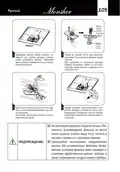
STARTING A CYCLE WASH
1. Draw out the lower and upper basket, load the dishes and push them back.
It is commended to load the lower basket first, then the upper one.
2. Pour in the detergent.
3. Insert the plug into the socket. The power supply refer to last page”Product
fiche”.
Make sure that the water supply is turned on to full pressure.
4. Open the door, touch the Power button, and the On/Off light will turn on.
5. Choose a program, the response light will turn on. Then close the door, the
dishwasher will start its cycle.
CHANGING THE PROGRAM MID-CYCLE
A wash cycle can only be changed if it has been running for a short time
otherwise, the detergent may have already been released and the dishwasher may
have already drained the wash water. If this is the case, the dishwasher needs to
be reset and the detergent dispenser must be refilled. To reset the dishwasher,
follow the instructions below:
1. Open the door a little to stop the dishwasher, after the spray arm stop working,
you can open the door completely.
2. Press Program button more than three seconds the machine will be in stand
by state.
3. You can change the program to the desired cycle setting.
3 sec

| General | Details |
|---|---|
| Name | Monsher MD 6001 Dishwasher |
| Make | Monsher |
| Language | English |
| Filetype | PDF (Download) |
| File size | 11.18 MB |
 (1 votes, average: 5.00 out of 5)
 Loading...

Monsher MD 6003 Dishwasher

Monsher MD 4502 Dishwasher


SIEMENS SX73HX10VE Dishwasher

KitchenAid KDTE304RBS Third Level Jet Rack Dishwasher

FISHER PAYKEL DD24DV2T9N Sanitize Dishwasher

GE APPLIANCES PDT715SYV Interior Dishwasher with Hidden Controls

Whirlpool W2I HD526 Dishwasher

FISHER and PAYKEL DD24STX6PX1 Dishwasher

BOSCH SGV4HTX27G Dishwasher

SAMSUNG DW80CG545 Dishwasher

FISHER and PAYKEL DD60D2HNB9 Contemporary Dishwasher

ARDESTO DWMB-V609SMH3 Dishwasher
Table of Contents
- 1. Einbaugeschirrspüler - Dishwasher →
- 2. Teil I Allgemeine Beschreibung - Sicherheitsinformati... →
- 3. Sicherheitsinformati... - Beachten Sie Bei Der Verwendung →
- 4. Erdungsanleitung - Behandeln Sie Die Tür Des Geschirrspülers... →
- 5. Kontaktdaten - Sicherheitshinweise →
- 6. Entsorgung - Recyclinginformation... →
- 7. Geratebeschreibung - Hinweis →
- 8. Gebrauch Spülmaschinens - Vor Verwendung Der Spülmaschine →
- 9. Entfernen Sie Den Unterkorb Und Schrauben Sie Den Tankdeckel... →
- 10. Tipps Zur Verwendung Eines Korbes - Oberkorbverstellung →
- 11. Um Den Oberkorb In Die Obere Position - Faltbecherregale →
- 12. Wartung Und Reinigung - Aussenflächen Pflege →
- 13. Coarse Filter - Main Filter →
- 14. Die Sprüharme - Spülmaschinenpflege →
- 15. Trennen Sie Den Geschirrspüler Von Der Stromquelle. - Nach J... →
- 16. Installationsanleitu... - Energieanforderungen →
- 17. Wasserversorgung Und Wasserablauf - Kaltwasseranschluss →
- 18. Schlauchanschluss Ablassen - Arbeitsplatte →
- 19. Geräteplatzierung - Einbau (für Einbaugeräte) →
- 20. Wenn Der Geschirrspüler In Der Ecke Des Küchenmoduls Install... →
- 21. Vollständig Eingebautes Modell - Einstellung Der Türfederspa... →
- 22. Schritt 4. Vorgehensweise Beim Einbau Des Geschirrspülers - ... →
- 23. Schritt 5. Justierung - Überprüfen Sie Die Ausrichtung →
- 24. Fehlersuche Und Fehlerseitigung - Bevor Sie Sich An Ein Serv... →
- 25. Mögliche Ursache - Lösungs Methode →
- 26. Mögliche Ursache - Lösungs Methode →
- 27. Mögliche Ursache - Lösungs Methode →
- 28. Besteckkorb - Informationen Zur Vergleichsprüfung Nach En 50... →
- 29. Geschirrspüler Benutzen - Bedienfeld →
- 30. Kurzanleitung - Installationsanweisu... →
- 31. Bedientasten - Einschalten →
- 32. Eco - Selbstreinigung →
- 33. Regulierung Der Salzaufnahme - Wasserhärte →
- 34. Einfüllen Von Salz In Den Wasserenthärter - Wasserenthärtung... →
- 35. Laden Sie Das Geschirr In Den Geschirrspüler - Geschirr Entf... →
- 36. Warmes Geschirr! - Geschirr In Den Oberkorb Legen →
- 37. Erwendung Von Spülmittel Und Waschmittel - Wenn Der Klarspül... →
- 38. Spülmittelbehältersfülung - Einstellung Des Klarspüler-dosie... →
- 39. Füllen Des Waschmitteldosierers - Anmerkungen →
- 40. Programmierung Eines Spülmaschinens - Waschprogrammtabelle →
- 41. Starten Des Waschzyklus - Änderung Gestartete Programme →
- 42. Geschirr Hinzufügen →
- 43. Fehler/fehlercodes - Codes →
- 44. Technische Information - Höhe (h) →
- 45. Technische Daten - Technische Merkmale Eines Haushaltsgeschi... →
- 46. Anmerkungen - Energieverbrauch →
- 47. Bestimmung Des Datums Der Erzeugung Von Waren - Hersteller: →
- 48. Safety Information - Product Overview →
- 49. Safety Information - Installation And Repair →
- 50. Earthing Instructions - Do Not Modify The Plug Provided With... →
- 51. Never Use Soap, Laundry Detergent, Or Hand Washing Detergent... →
- 52. Product Overview - Important →
- 53. Using Your Dishwasher - Before Using Your Dishwasher →
- 54. Remove The Lower Basket And Unscrew The Reservoir Cap. - Onl... →
- 55. Note: - Basket Used Tips →
- 56. Type 2: - Folding Back The Cup Shelves →
- 57. Maintenance And Cleaning - External Care →
- 58. Coarse Filter - Fine Filter →
- 59. Spray Arms →
- 60. Caring For The Dishwasher - Frost Precaution →
- 61. Installation Instruction - About Power Connection →
- 62. Water Supply And Drain - Cold Water Connection →
- 63. Connection Of Drain Hoses - How To Drain Excess Water From H... →
- 64. Position The Appliance - Built-in Installation(for The Integ... →
- 65. If Dishwasher Is Installed At The Corner Of The Cabinet, The... →
- 66. Full-integrated Model - Tension Adjustment Of The Door Sprin... →
- 67. Step 4. Dishwasher Installation Steps - Connect The Inlet Ho... →
- 68. Step 5. Levelling The Dishwasher - Check Level Front To Back →
- 69. Troubleshooting Tips - Before Calling For Service →
- 70. Problem - Possible Causes →
- 71. Problem - Possible Causes →
- 72. Problem - Possible Causes →
- 73. Cutlery - Information For Comparability Tests In Accordance ... →
- 74. Using Your Dishwasher - Control Panel →
- 75. Quick User Guide - Install The Dishwasher →
- 76. Using Your Dishwasher - Control Panel →
- 77. Eco - Min →
- 78. Adjusting Salt Consumption - Water Hardness →
- 79. Water Softener - Preparing And Loading Dishes →
- 80. Recommendations For Loading The Dishwasher - Removing The Di... →
- 81. Loading The Upper Basket - Loading The Lower Basket →
- 82. Function Of The Rinse Aid And Detergent - When To Refill The... →
- 83. Filling The Rinse Aid Reservoir - Adjusting The Rinse Aid Re... →
- 84. Filling The Detergent Dispenser →
- 85. Programming The Dishwasher - Wash Cycle Table →
- 86. Starting A Cycle Wash - Changing The Program Mid-cycle →
- 87. Forget To Add A Dish? - It Is Dangerous To Open The Door Mid... →
- 88. Error Codes - Please Note! →
- 89. Technical Information - Height (h) →
- 90. Product Fiche - Manufacturer →
- 91. Energy Consumption Based On 280 Standard Cleaning Cycles Usi... →
- 92. Determination Of The Production Date - By Serial Number →
- 93. Информация По Технике Безопасности - Описание Прибора →
- 94. Информация По Технике Безопасности - При Использовании Посуд... →
- 95. Инструкция По Заземлению - Во Время Загрузки Посуды →
- 96. Чрезвычайная Опасность При Проглатывании - Уход За Посудой И... →
- 97. Утилизация →
- 98. Описание Прибора - Внимание! →
- 99. Использование Посудомоечной Машины - Перед Использованием По... →
- 100. Соль Для Посудомоечной Машины - Заполнение Емкости Для Соли →
- 101. Дозаправка Соли - Советы По Использованию Корзины →
- 102. Тип 2: - Складывание Полок Для Чашек →
- 103. Техническое Обслуживание И Очистка - Уход За Внешними Поверх... →
- 104. Фильтр Грубой Очистки - Основной Фильтр →
- 105. Распылительные Коромысла - Необходимость Регулярной Очистки →
- 106. Уход За Посудомоечной Машиной - Предотвращение Замораживания →
- 107. Инструкция По Установке - Подключение К Источнику Питания →
- 108. Подача Воды И Слив - Подсоединение К Водопроводу С Холодной ... →
- 109. Подсоединение Сливных Шлангов - Как Слить Остатки Воды Из Шл... →
- 110. Размещение Прибора - Встраивание Прибора (для Встраиваемых М... →
- 111. Если Посудомоечная Машина Установлена В Углу - Шаг 2. Размер... →
- 112. Полностью Встраиваемая Модель - Шаг 3. Регулировка Натяжения... →
- 113. Шаг 4. Порядок Установки Посудомоечной Машины - Закрепите Ле... →
- 114. Шаг 5. Выравнивание Посудомоечной Машины - Проверка Выравнив... →
- 115. Советы По Поиску И Устранению Неисправностей - Перед Обращен... →
- 116. Нарушение В Работе - Возможная Причина →
- 117. Нарушение В Работе - Возможная Причина →
- 118. Нарушение В Работе (неисправность) - Загрузка Посуды В Корзи... →
- 119. Лоток Для Столовых Приборов - Что Можно Разместить →
- 120. Использование Посудомоечной Машины - Панель Управления →
- 121. Краткое Руководство Пользователя - Установите Посудомоечную ... →
- 122. Использование Посудомоечной Машины - Панель Управления →
- 123. Эко - Дисплей Выбора Программ →
- 124. Регулировка Расхода Соли - Жесткость Воды →
- 125. Части I: Общее Описание - Устройство Умягчения Воды →
- 126. Рекомендации По Загрузке Посуды В Посудомоечную Машину - Заг... →
- 127. Горячая Посуда - Загрузка Посуды В Верхнюю Корзину →
- 128. Использование Ополаскивателя И Моющего Средства - Когда Необ... →
- 129. Заполнение Емкости Ополаскивателя - Регулировка Дозатора Опо... →
- 130. Заполнение Дозатора Моющего Средства - Положение Переключате... →
- 131. Программирование Посудомоечной Машины - Таблица С Описанием ... →
- 132. Запуск Цикла Мытья - Изменение Запущенной Программы →
- 133. Добавление Дополнительной Посуды - Предупреждение →
- 134. Коды Неисправностей/сбоев - Возможная Причина →
- 135. Техническая Информация - Высота (h) →
- 136. Технические Характеристики - Компания-изготовител... →
- 137. Энергопотребление - Годовое Потребление Воды →
- 138. Определение Даты Производства Товара - Изготовитель →
- 139. Условия Гарантийного Обслуживания - Срок Службы И Гарантия →
- 140. Доступ К Авторизованному Сервисному Центру - Претензии По Ка... →
- 141. Установка И Подключение Крупной Бытовой Техники - Образовани... →
- 142. Сервисная Книжка - Гарантийное Обслуживание →
- 143. Установка, Гарантийное И Послегарантийное Обслуживание, Прод... →
- 144. Гарантийный Сертификат - Обратите Особое Внимание! →
- 145. Сведения Об Установке - Внимание: Monsher Настоятельно Реком... →
- 146. User Manual →