
SAMSUNG DW80N3030UW Front Control Dishwasher












using your dishwasher
BASIC GUIDELINES
1. Open the door and load your dishes (see page 14).
-
-
-
Place dishes into the upper and lower racks, unless you have selected Lower Rack.
Remove any food remains from the dishes before placing them in the rack(s).
After placing the dishes into the racks, rotate the nozzles by hand to check whether any
of the dishes will interfere with them.
-
Make sure the dishes will not prevent the detergent dispenser from opening.
2. Add detergent to the dispenser (see page 17).
-
-
Make sure to use only automatic dishwasher detergent and rinse aid.
Refer to “Using detergent” on page 17 for instructions explaining how to add detergent and
rinse aid.
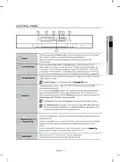
3. Press the Power button.
-
When you press the Power button, the entire display turns on and off, and then the indicator of the
most recently finished cycle lights up.
If "Low Rinse" ( ) is illuminated, you should refill the rinse aid dispenser to improve washing
and drying performance.
-
If "Low Rinse" ( ) is illuminated, the temperature and time of the final rinse can be increased
improve drying performance.
-
to
4. Select an appropriate cleaning cycle depending on the soil level of the dishes. (See pages 9 and 22.)
-
-
Press the appropriate cycle button.
When you press a cycle button, the cycle indicator lights up.
5. Press the Start button, and then close the door within 3 seconds.
-
-
The dishwasher will start draining after a few seconds, and then start the selected cycle.
Make sure to close the door firmly. If the door is not closed properly, the selected cycle will not start
automatically.
6. When the wash cycle is completed.
-
-
The light illuminates and the dishwasher sounds a chime.
The dishwasher powers off automatically.
-
-
If you want to load more dishes or pause the dishwasher while it is already running, make sure to
open the door slowly and carefully as there is a possibility of injury from the hot steam inside the
dishwasher.
CAUTION
If the door is opened while the dishwasher is running, a safety mechanism is activated and stops
the cycle.
-
-
-
To resume operation, press the Start button, and then close the door within 3 seconds.
Adding dishes several minutes after the dishwasher starts operating may affect its performance.
If you open the door while the dishwasher is running at high temperature, it will drain the hot water
automatically to protect you from scalding.
You should use rinse aids for better drying performance. You can further improve drying performance
by also selecting the Sanitize and Heated Dry option.
Open the dishwasher's door, and then wait a few minutes before removing the dishes.
T
he dishes will be cooler and the drying will be improved.
English - 11

| General | Details |
|---|---|
| Name | SAMSUNG DW80N3030UW Front Control Dishwasher |
| Make | Samsung |
| Language | English |
| Filetype | PDF (Download) |
| File size | 13.46 MB |
 (1 votes, average: 5.00 out of 5)
 Loading...

SAMSUNG DW80N3030UW Front Dishwasher

SAMSUNG DW90F89 Dishwasher

SAMSUNG DW80BB70 Dishwasher

SAMSUNG DW50T6060U Dishwasher

SAMSUNG DW80BB70 Series Dishwasher

SAMSUNG DW80CB5450 Dishwasher

Samsung DW60M5062 Dishwasher

Samsung DW60 7 Series Dishwasher

SAMSUNG DW9000F Dishwasher

SAMSUNG DW60R2014 Wide 12 Place Dishwasher


BOSCH SMH4ECX21E Dishwasher

EF Home Appliances EFDW 6081 BSM Dishwasher

FISHER PAYKEL DD24SCTW9 N Sanitize Dishwasher

BOSCH SMV4HDX53E Serie 4 Total 6cm Dishwasher

FISHER AND PAYKEL DD60SCHX9 Single DishDrawer Dishwasher

Magic Chef MCSCD3W Dishwasher

indesit 15B1 S Dishwasher

FISHER PAYKEL DD24DV2T9_N Dishwasher

Indesit D2F HD624 A Separate Dishwasher

beko DIN15210 Full-Size Dishwasher