
SAMSUNG DW80N3030UW Front Control Dishwasher












DW80N3030 Series
Dishwasher
user manual
imagine the possibilities
Thank you for purchasing this Samsung product.
DD81-02613A-0
3


| General | Details |
|---|---|
| Name | SAMSUNG DW80N3030UW Front Control Dishwasher |
| Make | Samsung |
| Language | English |
| Filetype | PDF (Download) |
| File size | 13.46 MB |
 (1 votes, average: 5.00 out of 5)
 Loading...

SAMSUNG DW80N3030UW Front Dishwasher

SAMSUNG DW90F89 Dishwasher

SAMSUNG DW80BB70 Dishwasher

SAMSUNG DW50T6060U Dishwasher

SAMSUNG DW80BB70 Series Dishwasher

SAMSUNG DW80CB5450 Dishwasher

Samsung DW60M5062 Dishwasher

Samsung DW60 7 Series Dishwasher

SAMSUNG DW9000F Dishwasher

SAMSUNG DW60R2014 Wide 12 Place Dishwasher

SAMSUNG DW80N3030UW Front Control Dishwasher Overview
Summary of Contents
- Page 1: DW80N3030 series dishwasher user manual. Thank you for purchasing this Samsung product.
- Page 2: Setting up your dishwasher Unpacking your dishwasher Checking parts Control panel Cycle selector Meeting installation requirements Basic guidelines Using your dishwasher Adjusting the height of the upper rack Cleaning and maintaining your dishwasher
- Page 3: safety information Congratulations on your new Samsung dishwasher. This manual contains important information on the installation, use, and care of your appliance. Please take time to read this manual to take full advantage of your many benefits and features. Warnings and important safety instructions in this manual do not cover all possible conditions and situations that may occur. It is your responsibility to use common sense, caution, and care when installing, maintaining, and operating your dishwasher. What the icons and signs in this user manual mean: Hazards or unsafe practices that may result in severe personal injury or death. To reduce the risk of fire, explosion, electric shock, or personal injury when using your dishwasher, follow these basic safety precautions: Do NOT attempt. Do NOT disassemble. Do NOT touch. Follow directions explicitly. Unplug the power plug from the wall socket. Make sure the machine is grounded to prevent electric shock. Call the service center for help. Cancer and reproductive harm.
- Page 4: safety information WARNING - When using the dishwasher, follow basic precautions, including the following: Read all instructions before using the dishwasher. Use the dishwasher only for its intended function. Use only detergents or wetting agents recommended for use in a dishwasher, and keep them out of the reach of children. When loading items to be washed, locate sharp items so that they are not likely to damage the door seal, and load sharp knives with the handles up to reduce the risk of cut-type injuries. Do not wash plastic items unless they are marked “dishwasher safe” or the equivalent. Do not touch the HEATING ELEMENT during or immediately after use. Do not operate your dishwasher unless all ENCLOSURE panels are properly in place. Do not tamper with the controls. To reduce the risk of injury, do not allow children to play in or on the dishwasher. Remove the door to the washing compartment when removing an old dishwasher from service or discarding it.
- Page 5: Your dishwasher must be properly grounded. Never connect it to an ungrounded outlet. Check that the drain hose is properly connected and that there is no leakage from the hose connectors. The water supply line is susceptible to breakage; check the line periodically. Familiarize yourself with the operations of the appliance and exercise care when using it. Do not put gasoline, solvents, or other flammable materials inside the dishwasher. Keep your dishwasher detergent out of the reach of children. Disconnect the power cable before servicing your dishwasher. Do not repair, replace, or service any part of your dishwasher yourself. Before disposing of your dishwasher, remove the door of the washing compartment.
- Page 6: Setting up your dishwasher requires careful attention to ensure proper functionality and safety. Unpacking your dishwasher should be done carefully, checking for any damage upon delivery. If there is damage, note it on the waybill and contact customer service without installing the dishwasher. If undamaged, you may proceed with installation, ensuring to read the installation guide thoroughly. Keep packaging materials out of children's reach for safety. After unpacking, verify that all parts are received as listed. Contact customer service if any parts are missing or if the dishwasher was damaged during shipping. The floater is crucial for the dishwasher's operation; do not tamper with or remove it. Ensure all accessory parts, including the user/installation manual and installation kit, are included. Follow these instructions closely to avoid risks during operation.
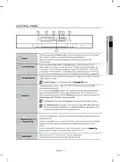
- Page 7: Control panel overview includes various buttons and their functions. Pressing the power button turns the display on and off, indicating the last cycle completed. The cycle selector allows you to choose the appropriate wash cycle based on dish soil level. If a problem occurs, specific LEDs will blink and a warning tone will sound. Hi-Temp Wash raises the main wash temperature for better cleaning of tough food residues. The sanitize option ensures high-temperature sanitization during the final rinse. The normal cycle with the sanitize option is NSF certified for residential dishwashers. The heated dry function activates the heater during the drying process. Control lock prevents accidental operation by children by locking the control panel buttons. Delay start allows you to set the dishwasher to begin a cycle after a specified number of hours.
- Page 8: Setting up your dishwasher To start a cycle, press the Start button before closing the door. To cancel the cycle, press and hold the Start button for 3 seconds or press the Power button to power off the dishwasher. You can select options (Hi-Temp Wash, Sanitize, Heated Dry) before starting a cycle. To prevent the touchpad from losing response sensitivity, follow these instructions. Touch the center of each keypad using one finger. Do not push. Clean the touch control’s surface regularly with a soft, damp cloth. Be careful not to touch more than one touch key pad at a time, except as directed. When you pause a cycle by opening the door, press the Start button before closing the door to continue the cycle. Push the door firmly closed within 3 seconds of pressing the Start button. If the door is not closed within 3 seconds, the cycle will not start.
- Page 9: Cycle selector options include Auto, Normal, Heavy, and Express 60. The auto cycle detects soil level and initiates the optimal cycle after a few minutes. Normal cycle is for normally soiled dinner dishes. Heavy cycle is for heavily soiled dishes. Lightly soiled dishes can be washed using the Express 60 cycle. Express 60 has no drying time, but the Heated Dry option can be selected to improve drying performance.
- Page 10: Setting up your dishwasher Meeting installation requirements Electrical supply and grounding To prevent the risk of fire, electric shock, or personal injury, all wiring and grounding must be done in accordance with the National Electrical Code and local codes and ordinances. Never use an extension cord. Your dishwasher must be grounded to reduce the risk of electric shock. Never connect the ground wire to plastic plumbing lines, gas lines, or hot water pipes. Water supply The hot water supply line pressure must be between 20-120 psi. Adjust the water heater to deliver water between 120°F - 149°F. You can reduce the risk of leaks and water damage by making water faucets easily accessible and periodically checking for leaks. Flooring Your dishwasher must be installed on a solidly constructed floor.
- Page 11: Using your dishwasher Basic guidelines Open the door and load your dishes. Place dishes into the upper and lower racks, unless you have selected Lower Rack. Remove any food remains from the dishes before placing them in the rack(s). Add detergent to the dispenser. Make sure to use only automatic dishwasher detergent and rinse aid. Press the Power button. The entire display turns on and off, and then the indicator of the most recently finished cycle lights up. Select an appropriate cleaning cycle depending on the soil level of the dishes. Press the appropriate cycle button. Press the Start button, and then close the door within 3 seconds. The dishwasher will start draining after a few seconds, and then start the selected cycle. When the wash cycle is completed, the light illuminates and the dishwasher sounds a chime. The dishwasher powers off automatically. If you want to load more dishes or pause the dishwasher while it is already running, make sure to open the door slowly and carefully. If the door is opened while the dishwasher is running, a safety mechanism is activated and stops the cycle. To resume operation, press the Start button, and then close the door within 3 seconds. You should use rinse aids for better drying performance. You can further improve drying performance by also selecting the Sanitize and Heated Dry option.
- Page 12: Using your dishwasher Touch controls allow you to operate the dishwasher easily. They are convenient to operate, have a simple and stylish design, and are easy to clean. Activating the Control Lock feature prevents children from accidentally starting the dishwasher. If a cycle is running, the buttons will not respond except for the Power button. When you select the Delay Start option, your dishwasher will start draining to remove remaining water. Arrange the dishes properly as described in the manual. Remove food remains and waste from the dishes to avoid damage or malfunction. Select the appropriate cycle depending on the level of soil and the type of dishes. Use only the proper amount of detergent and rinsing agent. Do not wash acrylic or aluminum items, dishes with printed gold rim decoration, treated plastics, wood, copper, tin, or wooden utensils in the dishwasher.
- Page 13: Adjusting the height of the upper rack allows for accommodating larger dishes in the lower rack. With the upper rack at its highest position, the lower rack can hold plates up to 12 inches in diameter, while the upper rack can hold plates up to 8 inches in diameter. To lower the upper rack by 2 inches, remove it and reinsert it so that the upper four wheels are positioned correctly on the guide rail. To raise the upper rack, remove it and reinsert it so that the lower three wheels are positioned correctly on the guide rail. It is recommended to adjust the height of the upper rack before loading dishes to avoid damage. The upper rack must be installed for the dishwasher to operate properly. Operating the dishwasher without the upper rack can cause noise and poor performance.
- Page 14: Using your dishwasher Loading the lower rack The lower rack has been designed for dinner dishes, soup bowls, plates, pots, lids, and casserole dishes. Load large items such as pans and pots with their open sides facing downwards. Loading the upper rack The upper rack is designed for small plates, mugs, glasses, and plastic items marked “dishwasher safe.” Load plates in two half rows, ensuring the front of each plate faces the back of the plate in front of it. Ensure the loaded dishes do not interfere with the rotation of the nozzle located at the bottom of the upper rack. Pull the upper rack out sufficiently to load it without striking the counter above.
- Page 15: Using the 3rd rack The cutlery rack is best for flatware and cooking or serving utensils. Use the cutlery rack to organize flatware or utensils. For best results, place heavily soiled items in the standard cutlery basket. The cutlery rack can be removed if you need more space on the upper rack to clean larger items.
- Page 16: Using the cutlery rack allows you to place each knife, spoon, or fork separately into the spoon stands to prevent chipping and discoloration. The cutlery rack can be used with the cover open. There are suggested placements for cutlery items in the spoon stands. Do not let any item extend through the bottom. The document includes illustrations for 10 and 12 place settings. Specific placements for spoons, knives, and forks are indicated in the diagram. Different types of cutlery, such as serving spoons and salad forks, are mentioned. The text provides a list of cutlery items corresponding to the numbers in the diagram. The spoon stands are designed to accommodate various cutlery types. Proper arrangement of cutlery helps maintain the quality and appearance of the items.
- Page 17: Using detergent All dishwasher cycles require detergent in the detergent compartment. Add the correct amount of detergent for the selected cycle to ensure the best performance. Use dishwasher detergent only. Regular detergent produces too much foam, which may decrease the dishwasher’s performance or cause it to malfunction. Do not swallow dishwasher detergent. Avoid breathing in the fumes. Dishwasher detergent contains irritants and caustic chemicals that can induce respiratory conditions. Keep dishwasher detergent out of the reach of children. Open the detergent dispenser cap by pushing the detergent dispenser release catch. Add the recommended amount of detergent to the main wash detergent compartment. Close the flap by sliding it down to the closed position. For better cleaning results, especially if you have very dirty items, pour a small amount of detergent onto the door.
- Page 18: The cover opens automatically to dispense the detergent during the wash. Your dishwasher has been designed to use liquid rinse aid only. Using a powdered rinse aid will clog the reservoir opening and cause the dishwasher to malfunction. Rinse aid improves the drying performance of the dishwasher. Do not add regular detergent to the rinse aid reservoir. Open the rinse aid reservoir cap. Fill the rinse aid reservoir with rinse aid. Use the viewing port when filling the rinse aid reservoir. Do not fill the reservoir above the full level indicator. Excess rinse aid can overflow during the wash cycle.
- Page 19: Cleaning and maintaining your dishwasher improves its performance, reduces unnecessary repairs, and lengthens its life. It's best to clean spills on the outside of your dishwasher as they occur. Use a soft, damp cloth on the control panel to gently wipe away spills and dust. Do not use benzene, wax, thinner, chlorine bleach, or alcohol, as these materials may discolor the inner walls and cause stains. Clean the interior of your dishwasher periodically to remove any dirt or food particles. Wipe the inside of the dishwasher and the inner part of the door with a wet dishcloth. We recommend filling the detergent dispenser with dish detergent and then running the dishwasher empty periodically using either the Normal or Express 60 cycle with the sanitize option. If white spots and odor are present, run the Normal cycle empty and without detergent, then add an 8 ounce cup of white vinegar into the lower basket. Do not remove the tub front seal (the long rubber seal enclosing the opening of the dishwasher). Do not touch the heating element during or immediately after using the dishwasher. Turn off the dishwasher before cleaning the filters. Rotate the filter insert counterclockwise to unfasten and detach the filter insert.
- Page 20: Remove any dirt or other remains from the filter, and then rinse it under running water. Reassemble the filter in the reverse order of disassembly, re-insert the filter insert, and then rotate it clockwise until closed. If the filter insert is not closed properly, its performance will be decreased. If your dishwasher does not seem to be cleaning adequately or the nozzles seem clogged, you can clean each of the nozzles. When removing the nozzles, take care as they may break. Check whether the nozzle holes are clogged by food particles. If cleaning is needed, remove the nozzle by pulling it upwards. Clean the nozzle, and then push it back into place. Check whether the nozzle is engaged correctly by rotating it by hand.
- Page 21: Cleaning and maintaining your dishwasher Middle nozzle - Pull the upper rack towards the front and remove it. - Check whether the nozzle holes are clogged by food particles. - If cleaning is needed, remove the nozzle. - To remove the nozzle, unfasten and remove the nut, and then remove the nozzle. - Clean the nozzle, re-insert it, and fasten the nut. - When fastening the nut, turn it firmly by hand. - Check whether the nozzle is engaged correctly by rotating it by hand. Upper nozzle - Check whether the nozzle holes are clogged by food particles. - If cleaning is needed, remove the nozzle. - To remove the nozzle, pull out the upper rack first, unfasten the nozzle cap by turning it counterclockwise, and then remove the upper nozzle. - Clean the nozzle, re-insert it, and then fasten the nozzle cap to the nozzle by turning the cap clockwise. - Check whether the nozzle is engaged correctly by rotating it by hand. Storing your dishwasher - If you need to store your dishwasher for an extended period of time, first drain and disconnect it. - If you leave water in the hoses and internal components, you can damage the dishwasher. - After draining and disconnecting the dishwasher, be sure to turn off the water supply valve and circuit breaker.
- Page 22: Cycle chart outlines various washing cycles. Different cycles include pre-wash, main wash, rinse, and dry. Water temperature and cycle time vary based on the selected cycle. Auto and normal cycles allow for elimination of optional steps based on soil level. Water consumption and wash time depend on added steps and water conditions. Selecting options can change the cycle time. Empty rinse aid may increase wash time and last rinse temperature. Heavy cycle operates at 131°F (55°C). Express cycle operates at 126°F (52°C). Normal cycle operates at 119-144°F (48-62°C).
- Page 23: troubleshooting check these points if your dishwasher… problem possible cause solution the door is not closed completely. check if the door is latched and closed completely. will not start. no cycle is selected. select a proper cycle. the power cable is not connected. connect the power cable properly. the control panel is locked. unlock the child lock. a circuit breaker is open. reset the circuit breaker. an operation or cycle is taking too long. you selected an inappropriate cycle. select a cycle according to the number and soil level of the dishes, as directed in this manual. the water temperature is low. connect the water supply line to a hot water supply. for best performance, the temperature of the supplied water should be 120 °F (49 °C). there are food particles remaining on dishes. detergent remains in the dispenser. make sure large items are not blocking the detergent dispenser. rearrange the dishes so they do not interfere with detergent dispenser operation. there is no rinse aid. check the dispenser and add rinse aid. use liquid type rinse aid. clean the nozzle.
- Page 24: Troubleshooting The water supplied is soft and too much detergent was used. Underload the dishwasher and use a rinse aid to minimize this. Aluminum dishes were included in the wash load. Remove the marks on the dishes using a low sensitivity cleaner. Leaves glasses with a dull film. Leaves a yellow or brown film on the inside of the dishwasher. This is caused by coffee and tea soils. Remove the soils using a spot cleaner. There is no rinse aid in the dispenser. Check the dispenser and add rinse aid. Use a liquid type rinse aid. The temperature of the water is low when the dishwasher is running. Make sure that the water supply line is connected to a hot water supply. Proper loading of items can affect drying. Too many dishes have been loaded. Does not dry dishes well. Load your dishes as recommended. Water was left over from an incomplete cycle. The drain hose is obstructed. Contact a qualified service technician to remove any obstruction from the drain hose. Has a bad odor. The dishwasher is not used daily or soiled dishes are left in the unit too long. Sound is generated when the dispenser cover is open and the drain pump is operating in an early stage. This is normal operation.
- Page 25: Problem: Nozzle holes are clogged with food particles. Solution: Clean the nozzle holes. Problem: A nozzle does not rotate smoothly. Solution: Rotate the nozzles by hand to check for interference from dishes. Problem: Water won’t pump out of the dishwasher. Solution: Contact a qualified service technician to remove any obstruction from the drain hose and check the drain pump operation. Problem: Has a bent upper rack after loading dishes. Solution: Load your dishes as recommended.
- Page 26: Troubleshooting information codes help you understand what is occurring with your dishwasher. If your dishwasher has a problem, the code symbol lights blink. Possible issues include the water tap not being opened or the pressure switch being broken. The wash pump not working indicates no water. High-water level issues may arise if the high water switch is activated multiple times. Not reaching the required temperature may indicate a broken heater or a problem with the thermistor. Water leakage can occur if the leakage switch is broken or activated. Thermistor failures can be open-circuit or short-circuit issues. Abnormal operation of touch keys may indicate a problem with the Sub PBA or Main PBA. For codes not listed, contact customer service for assistance.
- Page 27: Helping the environment Your dishwasher is manufactured from recyclable materials. If you decide to dispose of it, please observe local waste disposal regulations. Cut off the power cable so that the appliance cannot be connected to a power source. Remove the door so that animals and small children cannot get trapped inside the appliance. Do not exceed the detergent quantities recommended in the detergent manufacturers’ instructions. Specifications Model: DW80N3030U* Type: Built-in dishwasher Wash capacity: 15 place settings Used water pressure: 20 - 120 psi (140 - 830 kPa) Rated power usage: 840 W Dimensions: 23 ¾ x 24 3⁄4 x 33 ¾ in. Weight: 70.5 lb (32 kg)
- Page 28: Warranty (U.S.A) Limited warranty to original purchaser with proof of purchase This Samsung brand product is warranted against manufacturing defects in materials or workmanship for one year parts and labor. This limited warranty is valid only on products purchased and used in the United States. To receive warranty service, the purchaser must contact Samsung for problem determination and service procedures. Warranty service can only be performed by a Samsung authorized service center. The original dated bill of sale must be presented as proof of purchase to receive warranty service. Samsung will provide in-home service within the contiguous United States during the warranty period at no charge. This limited warranty covers manufacturing defects in materials or workmanship encountered in normal household use. The warranty does not cover damage that occurs in shipment, delivery, installation, or uses for which the product was not intended. Replacement parts and products are warranted for the remaining portion of the original product’s warranty or ninety days, whichever is longer.
- Page 29: Warranty (U.S.A) The cost of repair or replacement under these excluded circumstances shall be the customer’s responsibility. Visits by an authorized servicer to explain product functions, maintenance or installation are not covered by this limited warranty. Implied warranties, including the implied warranties of merchantability or fitness for a particular purpose, are limited to one year or the shortest period allowed by law. Your sole and exclusive remedy is product repair, product replacement, or refund of the purchase price at Samsung’s option. Samsung shall not be liable for special, incidental or consequential damages. Some states do not allow exclusion or limitation of incidental or consequential damages, so the above limitations or exclusions may not apply to you. Samsung does not warrant uninterrupted or error-free operation of the product. No warranty or guarantee given by any other person, firm, or corporation with respect to this product shall be binding on Samsung.
- Page 30: SAMSUNG dishwasher limited warranty to original purchaser. This product is warranted against manufacturing defects in materials and workmanship for one year, covering all parts and labor. The warranty begins on the original date of purchase and is valid only for products purchased and used in Canada. Warranty service must be contacted through SAMSUNG for problem determination and service procedures. In-home service is provided at no charge during the warranty period, subject to availability. The original dated bill of sale must be presented as proof of purchase for warranty service. SAMSUNG will repair, replace, or refund the product at no charge if found defective during the warranty period. This limited warranty covers defects encountered in normal, noncommercial use and does not apply to certain damages. Replacement parts and products assume the remaining original warranty or ninety days, whichever is longer. SAMSUNG does not warrant uninterrupted or error-free operation of the product.
- Page 31: Warranty (Canada) There are no warranties on this product either express or implied, and Samsung disclaims all warranties including any implied warranties of merchantability, infringement, or fitness for a particular purpose. No warranty or guarantee given by any person, firm, or corporation with respect to this product shall be binding on Samsung. Samsung shall not be liable for loss of revenue or profits, failure to realize savings or other benefits, or any other special, incidental, or consequential damages caused by the use, misuse, or inability to use this product. Recovery of any kind against Samsung shall not be greater in amount than the purchase price of the product sold by Samsung and causing the alleged damage. Purchaser assumes all risk and liability for loss, damage, or injury to purchaser and purchaser’s property and to others and their property arising out of the use, misuse, or inability to use this product. This limited warranty shall not extend to anyone other than the original purchaser of this product, is nontransferable, and states your exclusive remedy. Some states or provinces do not allow limitations on how long an implied warranty lasts, or the exclusion or limitation of incidental or consequential damages, so the above limitations or exclusions may not apply to you. This warranty gives you specific rights, and you may also have other rights, which vary from state to state or province to province.
- Page 32: Page 32
- Page 33: Page 33
- Page 34: Page 34
- Page 35: Page 35
- Page 36: garantie limitée pour l'acheteur initial avec preuve d'achat Ce produit de la marque Samsung s'accompagne d'une garantie contre tout vice de fabrication au niveau des pièces et de la main d'œuvre pendant une période limitée. La garantie est d'un an pour les pièces et la main d'œuvre. La garantie ne s'applique qu'aux produits achetés et utilisés aux États-Unis. Pour bénéficier du service de garantie, l'acheteur doit contacter Samsung pour établir les procédures nécessaires. La maintenance doit être effectuée par un service technique agréé Samsung. Un service de réparation à domicile est assuré pendant la période de garantie, sous réserve de disponibilité. Le produit peut être réparé, remplacé ou remboursé à la discrétion de Samsung. La garantie ne couvre pas les dommages survenant lors de l'expédition, l'installation ou l'utilisation inappropriée. Les pièces remplacées deviennent la propriété de Samsung et doivent être restituées.
- Page 37: Le coût des réparations ou du remplacement dans de telles circonstances exclues sera à la charge au client. Les interventions effectuées par un agent d'entretien agréé dans le but d'expliquer les fonctions de l'appareil ou les procédures de maintenance ou d'installation ne sont pas couvertes par la présente garantie limitée. Les garanties implicites, y compris les garanties implicites de qualité marchande ou d'aptitude à un usage particulier, sont limitées à un an ou à la plus courte période autorisée par la loi. Votre seul et exclusif recours est la réparation du produit, le remplacement du produit, ou le remboursement de son prix d'achat à la seule discrétion de Samsung. Samsung ne saura être tenu responsable en cas de dommages accessoires, indirects ou spéciaux. Samsung ne garantit pas un fonctionnement continu ou sans erreur de ce produit. Samsung ne sera tenu d'honorer aucune autre garantie donnée par toute autre personne, firme ou société en regard de ce produit. Cette garantie vous confère des droits spécifiques ; il est donc possible que vous bénéficiiez d’autres droits qui varieront d’une juridiction à une autre. Pour bénéficier d'un service d'assistance couvert par votre garantie, contactez Samsung.
- Page 38: garantie limitée à l'acheteur initial Ce produit de la marque Samsung s'accompagne d'une garantie contre tout vice de fabrication au niveau des pièces et de la main d'œuvre pendant une période limitée de un an. Cette limite de garantie s’applique à compter de la date d’acquisition et couvre uniquement les produits achetés et utilisés au Canada. Pour se prévaloir du service de garantie, l'acheteur doit contacter Samsung afin d'établir les procédures relatives au diagnostic et à l'intervention nécessaire. La maintenance ne peut être effectuée que par un service technique agréé Samsung. SAMSUNG fournit un service de réparation gratuit à domicile pendant la période de garantie, en fonction de la disponibilité. Le service de réparation à domicile n'est pas disponible partout. SAMSUNG s'engage à réparer, remplacer ou rembourser ce produit à sa discrétion et gratuitement. Cette garantie limitée couvre les défauts de fabrication relatifs aux matériaux ou à la main-d'œuvre survenant dans le cadre d'un usage normal. Cette garantie ne s'applique pas aux dommages liés au transport, à la livraison et à l'installation. SAMSUNG ne garantit pas un fonctionnement continu ou sans erreur de ce produit.
- Page 39: garantie (CANADA) Il n'existe aucune autre garantie sur ce produit, qu'elle soit expresse ou implicite. SAMSUNG rejette toute autre garantie, y compris toute garantie implicite relative à la qualité marchande. SAMSUNG ne sera tenu d'honorer aucune autre garantie donnée par une personne ou une société. SAMSUNG ne sera aucunement responsable de la perte de bénéfices ou de revenus causés par l'usage du produit. Tout type de compensation exigé auprès de SAMSUNG ne devra en aucun cas excéder le prix d'achat du produit. L'acheteur assume tous les risques et responsabilités en cas de perte ou de dommages liés à l'utilisation du produit. Cette garantie limitée n'est valable que pour l'acheteur initial du produit et n'est pas transférable. Certains États ou provinces n'autorisent pas de limitations quant à la durée des garanties implicites. Cette garantie vous confère des droits légaux spécifiques qui peuvent varier d'un État à un autre. Pour bénéficier d'un service d'assistance couvert par votre garantie, contactez SAMSUNG.
- Page 40: DW80N3030 series lavavajillas manual de usuario. Gracias por adquirir este producto Samsung.
- Page 41: Contenido Configuración de la lavavajillas Desembalaje de su lavavajillas Comprobación de piezas Panel de control Selector de ciclos Cumplimiento de los requisitos de instalación Directrices básicas Uso del lavavajillas Ajuste de la altura de la rejilla superior Limpieza y mantenimiento de su lavavajillas Limpieza del exterior
- Page 42: Información de seguridad Felicidades por su nuevo lavaplatos Samsung. Este manual contiene información sobre la instalación, uso y cuidado de su electrodoméstico. Instrucciones de seguridad importantes Las advertencias y las instrucciones de seguridad importantes de este manual no cubren todas las posibles condiciones y situaciones que puedan ocurrir. Es su responsabilidad usar el sentido común, precaución y cuidado al instalar, mantener y operar su lavavajillas. Lo que significan los iconos y signos de este manual de usuario: peligros o prácticas inseguras que pueden resultar en lesiones personales graves o la muerte. Advertencia: peligros o prácticas inseguras que pueden resultar en lesiones personales o daños a propiedades. Precaución: para reducir el riesgo de incendio, explosión, descarga eléctrica o lesiones personales al usar su lavavajillas, siga estas precauciones básicas de seguridad. Desconecte el enchufe de la toma de corriente. Asegúrese de que la máquina esté conectada a tierra para evitar descargas eléctricas. Llame al centro de servicio para obtener ayuda. Cáncer y afecciones reproductivas - www.P65Warnings.ca.gov.
- Page 43: información de seguridad ADVERTENCIA - Cuando utilice el lavavajillas, siga las precauciones básicas. Lea todas las instrucciones antes de usar el lavavajillas. Utilice el lavavajillas solamente para la función que se desea. Utilice sólo detergentes o agentes humectantes recomendados para su uso en un lavavajillas y mantenga fuera del alcance de los niños. Al cargar los artículos a lavar, coloque los objetos puntiagudos para que no dañen el sello de la puerta. No lave artículos de plástico a menos que estén marcados como seguros para el lavavajillas. No toque el ELEMENTO DE CALEFACCIÓN durante o inmediatamente después del uso. No haga funcionar el lavavajillas a menos que todos los paneles estén correctamente colocados. Bajo ciertas condiciones, se puede producir gas hidrógeno en un sistema de agua caliente que no se ha utilizado durante dos semanas o más. El lavavajillas es extremadamente pesado. No intente mover ni llevar el lavavajillas por usted mismo.
- Page 44: Su lavavajillas debe estar debidamente conectado a tierra. Conecte el cable de tierra al conector de tierra verde en la caja de conexiones. Después de instalar el lavavajillas, compruebe que la manguera de desagüe está bien conectada y que no hay fugas. La línea de suministro de agua es susceptible de rotura. Para operar con seguridad este aparato, familiarícese con sus operaciones. No ponga gasolina, disolventes u otros materiales inflamables dentro del lavavajillas. Mantenga su detergente para lavavajillas fuera del alcance de los niños. Desconecte el cable de alimentación antes de poner en marcha su lavavajillas. No repare ni reemplace ninguna parte de su lavavajillas usted mismo. Este lavavajillas está diseñado para uso residencial solamente.
- Page 45: configuración de su lavavajillas Asegúrese de que su instalador siga estas instrucciones para que su nuevo lavavajillas funcione correctamente y para que no esté en riesgo de lesiones al lavar los platos. desembalaje de su lavavajillas Desembale cuidadosamente y compruebe si hay algún daño. Si el lavavajillas se ha dañado, anótelo en la hoja de ruta y guarde una copia. comprobación de piezas Asegúrese de que ha recibido todas las piezas que se muestran a continuación. El flotador es muy importante para el funcionamiento de su lavavajillas. Por favor, no manipule, no dañe o quite el flotador.
- Page 46: Panel de control Cuando presione el botón de encendido, la pantalla entera se enciende y entonces se enciende la luz del último ciclo terminado. Seleccione el ciclo de lavado apropiado dependiendo del nivel de suciedad de sus platos. Si se produce un problema durante una operación, los LED específicos parpadean indicando la causa del problema. Aumenta la temperatura de lavado principal para mejorar la limpieza de las cargas que contienen alimentos horneados resistentes. La temperatura sube a 158°F (70°C) en el ciclo de enjuague final para una higienización de temperatura alta. La función de higienizado funciona de acuerdo con la Norma NSF/ANSI 184 para lavavajillas residenciales. Los lavavajillas residenciales certificados no están diseñados para ser utilizados por establecimientos de alimentos con licencia. El bloqueo le permite bloquear los botones del panel de control para que los niños no puedan activar accidentalmente el lavavajillas. Para bloquear y desbloquear los botones del panel de control, mantenga presionado el botón de Calentamiento en seco durante tres (3) segundos. Demora un ciclo por 3, 6 o 9 horas.
- Page 47: Configuración de su lavavajillas Para iniciar un ciclo, pulse el botón Inicio antes de cerrar la puerta. Para cancelar el ciclo, mantenga presionado el botón de inicio durante 3 segundos o presione el botón de encendido para apagar. Puede seleccionar opciones (lavado alta temperatura, higienizado, calentamiento en seco) antes de iniciar un ciclo. Para evitar que los botones pierdan sensibilidad de respuesta, toque el centro de cada teclado usando un dedo. Limpie regularmente la superficie del control táctil con un paño suave y húmedo. Cuando se interrumpe un ciclo al abrir la puerta, pulse el botón Inicio antes de cerrar la puerta para continuar el ciclo. Empuje la puerta firmemente cerrada en los siguientes 3 segundos tras presionar el botón Inicio. Si la puerta no se cierra en 3 segundos, el ciclo no se iniciará.
- Page 48: Selector de ciclo Este ciclo detecta el nivel de suciedad e inicia automáticamente el ciclo óptimo después de algunos minutos de funcionamiento. Utilice este ciclo para platos sucios. Use este ciclo para platos muy sucios y platos con suciedad pesada. No hay tiempo de secado en Expresar 60. Utilice este ciclo para platos ligeramente sucios. Puede elegir la opción Calentamiento en seco si desea mejorar el rendimiento de secado.
- Page 49: Configuración de su lavavajillas Cumplimiento de los requisitos de instalación Suministro eléctrico y puesta a tierra Todo el cableado debe estar hecho de acuerdo con el Código Eléctrico Nacional ANSI / NFPA, No. 70 Última Revisión y los códigos y ordenanzas locales. Es responsabilidad personal del propietario del aparato proporcionar el servicio eléctrico adecuado para este aparato. Nunca utilice un cable de extensión. Su lavavajillas debe estar conectado a tierra. La presión de la línea de suministro de agua caliente debe estar entre 20-120 psi (140-830 kPa). Ajuste el calentador de agua para proveer agua entre 120 °F (49 °C) y 149 °F (65 °C). Hacer los grifos de agua fácilmente accesibles. Por seguridad, su lavavajillas debe estar instalado en un piso sólido.
- Page 50: Uso de su lavavajillas Directrices básicas Abra la puerta y coloque los platos en las rejillas superior e inferior, a menos que haya seleccionado la rejilla inferior. Retire los restos de alimentos de los platos antes de colocarlos en las rejillas. Agregue detergente al dispensador, asegurándose de usar solo detergente y abrillantador para lavavajillas automático. Pulse el botón Inicio; la pantalla se enciende y apaga, y el ciclo más reciente se enciende. Seleccione un ciclo de limpieza apropiado dependiendo del nivel de suciedad de los platos. Cierre la puerta en 3 segundos después de pulsar el botón Inicio para que el ciclo se inicie. Cuando finalice el ciclo de lavado, la luz se ilumina y el lavavajillas suena una alarma. Si desea cargar más platos o pausar el lavavajillas, abra la puerta lentamente para evitar lesiones por vapor caliente. La adición de platos varios minutos después de que el lavavajillas comience a funcionar podría afectar su rendimiento. Debe utilizar abrillantador para un mejor rendimiento de secado.
- Page 51: Uso de su lavavajillas Controles táctiles permiten manejar el lavavajillas con un toque suave. Tienen un diseño simple y son fáciles de limpiar. Se recomienda activar la función de bloqueo para evitar que los niños activen el lavavajillas accidentalmente. Cuando se selecciona la opción de retrasar inicio, el lavavajillas comienza a drenar el agua restante. Es importante retirar restos de alimentos de los platos para evitar daños y ruidos. Seleccione el ciclo apropiado según el nivel de suciedad y tipo de platos. Use solo la cantidad adecuada de detergente y agente de enjuague. No lave artículos de acrílico o aluminio, ya que pueden dañar los platos. Platos tratados con adhesivo y ciertos plásticos pueden soltarse o dañarse. Utensilios de madera pueden agrietarse si se lavan en el lavavajillas.
- Page 52: Ajuste de la altura de la rejilla superior. Puede ajustar la altura de la rejilla superior de su lavavajillas Samsung para que la rejilla inferior pueda acomodar platos de mayor tamaño. Con la rejilla superior colocada en la posición más alta, la rejilla inferior acomoda placas de hasta 12 pulgadas (30 cm) de diámetro. Para bajar el bastidor superior de 5 cm (2 pulgadas), retire el bastidor superior como se muestra en Extracción del bastidor superior. Recomendamos ajustar la altura de la superior antes de cargar los platos en la rejilla. Si ajusta la rejilla después de cargar los platos, puede dañar los platos. Extracción de la rejilla superior. Tire de la rejilla superior hacia el frente y luego retírela levantándola ligeramente. Como la rejilla superior es extraíble, debe ser instalada para que el lavavajillas funcione correctamente. Si intenta utilizar el lavavajillas sin la rejilla, se producirá ruido y el lavavajillas no funcionará correctamente.
- Page 53: Uso de su lavavajillas Carga de la rejilla inferior La rejilla inferior ha sido especialmente diseñada para platos de cena, cuencos de sopa, platos, ollas, tapas, cazuelas y platos. Cargue objetos grandes como cacerolas y cazuelas en el lavavajillas para que sus lados abiertos estén hacia abajo. Recomendamos cargar vasos, tazas y pequeños platos en el estante superior. Carga de la rejilla superior La rejilla superior ha sido diseñada para platos pequeños, tazas, vasos y artículos de plástico marcados como seguros para el lavavajillas. Asegúrese de que los platos cargados no interfieran con la rotación de la boquilla que se encuentra en la parte inferior de la rejilla superior. Al cargar los platos, tire de la bandeja superior hacia abajo de forma que pueda cargarla sin golpear el contador de encima.
- Page 54: Uso de la bandeja para cubiertos. Esta bandeja es adecuada para cubiertos de mesa y de cocina o de servir. Utilice la bandeja para cubiertos para organizar la cubertería. Para obtener los mejores resultados, coloque los elementos muy sucios en la cesta para cubiertos estándar. Puede retirar la bandeja para cubiertos si necesita disponer de más espacio en la cesta superior para utensilios más voluminosos.
- Page 55: Uso de su lavavajillas Uso de la rejilla para cubiertos Puede colocar cada cuchillo, cuchara o tenedor por separado en los soportes de la cuchara en las cubiertas de la cesta para evitar el desbastado y la decoloración. Puede utilizar el portacubiertos con la tapa abierta. Haga coincidir los números en el diagrama a los números en la lista de artículos de cubiertos a continuación. No deje que ningún artículo se extienda por la parte inferior.
- Page 56: Uso de su lavavajillas Uso de detergente Todos los ciclos de lavavajillas requieren detergente en el compartimento de detergente. Agregue la cantidad correcta de detergente para el ciclo seleccionado para asegurar el mejor rendimiento. Utilice solamente detergente para lavavajillas. El detergente regular produce demasiada espuma, lo que puede hacer disminuir el rendimiento del lavavajillas o hacer que funcione mal. No trague el detergente del lavavajillas. Evite respirar los vapores. El detergente para lavavajillas contiene productos químicos cáusticos e irritantes que pueden inducir afecciones respiratorias. Mantenga el detergente del lavavajillas fuera del alcance de los niños. Llenado del dispensador de detergente Para un mejor resultado de limpieza, especialmente si hay mucha suciedad, vierta una pequeña cantidad de detergente en la puerta.
- Page 57: La cubierta se abre automáticamente para dispensar el detergente durante el lavado. Los números dentro del dispensador se refieren a gramos. Su lavavajillas ha sido diseñado para usar sólo abrillantador líquido. El uso de un abrillantador en polvo obstruirá la abertura del depósito. El abrillantador mejora el rendimiento de secado del lavavajillas. No agregue detergente normal al depósito de abrillantador. Abrir la tapa del depósito de abrillantador. Utilice el puerto de visualización al llenar el depósito de abrillantador. No llene el depósito por encima del indicador de nivel completo. El exceso de abrillantador puede sobrefluir durante el ciclo de lavado.
- Page 58: Limpieza y mantenimiento de su lavavajillas mejora su rendimiento, reduce las reparaciones innecesarias y alarga su vida útil. Es mejor limpiar derrames en el exterior de su lavavajillas cuando ocurren. Utilice un paño suave y húmedo en el panel de control para limpiar con cuidado los derrames y el polvo. No utilice benceno, cera, diluyente, cloro o alcohol, ya que pueden decolorar las paredes internas y causar manchas. Limpie el interior de su lavavajillas periódicamente para eliminar cualquier suciedad o partículas de alimentos. Recomendamos rellenar el dispensador de detergente con detergente para platos y luego ejecutar el lavavajillas vacío periódicamente. Si hay manchas blancas y olor aún presentes, ejecute el ciclo Normal con el lavavajillas vacío y sin detergente. No quite el sello frontal del recipiente que rodea la abertura del lavavajillas. No toque el elemento de calefacción durante o inmediatamente después del uso. Apague el lavavajillas antes de limpiar los filtros.
- Page 59: Retire la suciedad u otros restos del filtro y enjuáguelos con agua corriente. Vuelva a montar el filtro en el orden inverso al desensamblaje. Si el inserto del filtro no se cierra correctamente, su rendimiento disminuirá. Si su lavavajillas no parece estar limpiando adecuadamente, puede limpiar las boquillas. Cuando retire las boquillas, tenga cuidado porque pueden romperse. Compruebe si los orificios de la boquilla están obstruidos por partículas de alimentos. Si la limpieza es necesaria, retire la boquilla tirando hacia arriba. Limpie la boquilla y luego empuje hacia atrás en su lugar. Compruebe si la boquilla está unida correctamente girándola con la mano.
- Page 60: Limpieza y mantenimiento de su lavavajillas Boquilla central - Tire de la rejilla superior hacia el frente y retírela. - Compruebe si los orificios de la boquilla están obstruidos por las partículas de alimentos. - Si la limpieza es necesaria, quite la boquilla. - Limpie la boquilla, vuelva a insertarla y apriete la tuerca. Boquilla superior - Compruebe si los orificios de la boquilla están obstruidos por las partículas de alimentos. - Si la limpieza es necesaria, quite la boquilla. - Para extraer la boquilla, tire de la parte superior de la rejilla primero, desatornille la tapa girándola en sentido antihorario, y luego retire la boquilla superior. - Limpie la boquilla, vuelva a insertarla y fije la tapa de la boquilla a la boquilla girando la tapa en sentido horario. Almacenamiento de su lavavajillas - Si necesita almacenar su lavavajillas durante un período de tiempo prolongado, primero drene y desconéctelo. - Si deja agua en las mangueras y los componentes internos, puede dañar el lavavajillas.
- Page 61: Ciclos Tabla de ciclos Pre-lavado Último enjuague Tiempo de ciclo con (mín) Ciclo Auto Cuando selecciona el ciclo Auto o Normal, puede eliminar pasos opcionales dependiendo del nivel de suciedad de la vajilla. El consumo de agua y el tiempo de lavado varían dependiendo de los pasos u opciones que añada. Al seleccionar cualquier opción, se puede cambiar el tiempo de ciclo. Cuando falta producto de enjuague, el tiempo de lavado y la temperatura del último enjuague se pueden incrementar un poco.
- Page 62: Solución de problemas Compruebe estos puntos si su lavavajillas... La puerta no está completamente cerrada. Compruebe si la puerta está cerrada y cerrada completamente. No se ha seleccionado ningún ciclo. Seleccione un ciclo adecuado. No arranca. El cable de alimentación no está conectado. Conecte el cable de alimentación correctamente. El panel de control está bloqueado. Desbloquee el bloqueo para niños. Un interruptor automático está abierto. Compruebe si la línea de suministro de agua está conectada a un suministro de agua caliente. Tarda demasiado con una operación o un ciclo normal. Se suministra agua fría. Seleccione un ciclo según el número y nivel de suciedad de los platos. La temperatura del agua es baja. Conecte la línea de suministro de agua a un suministro de agua caliente. La presión del agua debe estar entre 20 y 120 psi. Baja presión de agua. Utilice detergente fresco de alta calidad con ayuda para el aclarado. El detergente del lavavajillas no se usó. Asegúrese de que los elementos grandes no están bloqueando el dispensador de detergente. No hay abrillantador. Utilice un líquido de enjuague de tipo abrillantador.
- Page 63: solución de problemas problema causa posible solución El agua suministrada es suave y demasiado se utilizó mucho detergente. Cargue menos el lavavajillas y use un abrillantador para minimizar esto. Deje las gafas con un film opaco. Se incluyeron platos de aluminio en la carga de lavado. Retire las marcas de los platos usando un limpiador de baja sensibilidad. No seca los platos bien. La carga adecuada de los artículos puede afectar el secado. Póngase en contacto con un técnico para quitar cualquier obstrucción del manguera de drenaje. Con el lavavajillas vacío y sin detergente, coloque un vaso con 8 onzas de vinagre en posición vertical en la parte inferior de la rejilla y, a continuación, ejecute un ciclo normal. Asegúrese de que el lavavajillas esté nivelado.
- Page 64: Problema Causa posible Solución El orificio de la boquilla está obstruido con partículas de alimentos. Limpie el orificio de la boquilla. Vea la página 17. Una boquilla no gira suavemente. Después de colocar los platos en las rejillas, gire las boquillas con la mano para comprobar si alguno de los platos interfiere con ellos. La boquilla está bloqueada por un plato u olla y no puede girar. Póngase en contacto con un técnico para quitar cualquier obstrucción de la manguera de drenaje y compruebe el funcionamiento de la bomba de drenaje. El agua no bombea fuera del lavavajillas. El drenaje está obstruido. Tiene una rejilla superior doblada después de la carga de platos. Cargue sus platos como se recomienda. (Véase la página 14.) Los platos no están cargados correctamente.
- Page 65: solución de problemas códigos de información El panel de control muestra códigos de información para ayudarle a entender lo que está ocurriendo con su lavavajillas. Si su lavavajillas tiene un problema, las luces del símbolo de código parpadean. Posibles causas El grifo de agua no está abierto. El interruptor de presión está roto. La bomba de lavado no funciona. Hay un problema con la PBA principal. El calentador estaba encendido continuamente durante 60 minutos, pero el agua no calentó hasta la temperatura requerida. El interruptor de fugas está roto. Una tecla táctil fue operada de forma anormal. Si se produce un desbordamiento, apague el suministro de agua principal antes de llamar al servicio técnico. Si hay agua en la bandeja de base debido a un exceso de llenado o una pequeña fuga, el agua debe ser retirada antes de reiniciar el lavavajillas.
- Page 66: Ayudar al medio ambiente Su lavavajillas está fabricado con materiales reciclables. Si decide eliminarlo, por favor respete las normas locales de eliminación de residuos. Corte el cable de alimentación para que el aparato no pueda ser conectado a una fuente de energía. Retire la puerta para que los animales y los niños pequeños no puedan quedar atrapados dentro del aparato. No exceda las cantidades de detergente recomendadas en las instrucciones de los fabricantes de detergentes. Especificaciones Modelo: DW80N3030U* Tipo: Lavavajillas incorporado Capacidad de lavado: 15 posiciones Presión de agua usada: 120 V, 60 Hz solamente Potencia: Motor de lavado 50 W Uso de potencia nominal: 840 W Dimensiones: 23 ¾ x 24 3/4 [604 x 629 x 858mm] Peso: 33 ¾
- Page 67: garantía limitada para el comprador original con prueba de compra El producto de la marca Samsung está garantizado contra defectos de fabricación de los materiales o mano de obra durante un año. Esta garantía es válida únicamente para productos comprados y usados en los Estados Unidos. El comprador debe comunicarse con Samsung para determinar el problema y los procedimientos del servicio. El servicio técnico de la garantía solo puede ser prestado por un centro de servicio técnico autorizado de Samsung. Se debe presentar la factura de compra original como prueba de compra para recibir el servicio técnico de la garantía. Samsung brindará servicio técnico a domicilio sin cargo durante el período de garantía, sujeto a disponibilidad. Durante el periodo de garantía, el producto se reparará, reemplazará o se devolverá el importe de compra a discreción de Samsung. La garantía no cubre daños ocurridos durante el envío, entrega e instalación, ni daños causados por modificaciones no autorizadas. La garantía cubre defectos de fabricación encontrados durante el uso normal y doméstico del producto.
- Page 68: garantía (EE.UU.) El costo de reparación o reemplazo bajo estas circunstancias excluidas será responsabilidad del cliente. Las visitas de un técnico de servicio autorizado para explicar las funciones, el mantenimiento o la instalación del producto no están cubiertas por esta garantía limitada. exclusión de garantías implícitas Las garantías implícitas, incluyendo garantías de comerciabilidad o aptitud para un propósito en particular, están limitadas a un año o al periodo más corto permitido por la ley. limitación de recursos El único y exclusivo recurso es la reparación del producto, el reemplazo del producto o la devolución del importe de compra, a discreción de Samsung, conforme a esta garantía limitada. Samsung no será responsable por daños especiales, imprevistos o derivados. Esta garantía le otorga derechos específicos, e incluso puede otorgarle otros derechos que varían de un estado a otro. Samsung no garantiza el funcionamiento ininterrumpido o sin errores del producto.
- Page 69: garantía limitada para el comprador original El producto de la marca Samsung está garantizado contra defectos de fabricación de los materiales y la mano de obra durante un año. La garantía comienza en la fecha original de compra y es válida solo para productos comprados y usados en Canadá. El comprador debe comunicarse con Samsung para determinar el problema y los procedimientos del servicio. El servicio técnico de la garantía solo puede ser prestado por un centro de servicio técnico autorizado de Samsung. Se debe presentar la factura de compra original como prueba de compra. Samsung prestará servicio técnico a domicilio durante el período de la garantía sin costo, sujeto a disponibilidad. La garantía no cubre daños ocurridos durante el envío, instalación, o uso no destinado del producto. La garantía no cubre problemas derivados de corriente o voltaje incorrectos, ni costos de llamada al servicio técnico. Samsung no garantiza el funcionamiento ininterrumpido o sin errores del producto. Todas las piezas y productos reemplazados pasan a ser propiedad de Samsung y deben ser devueltos.
- Page 70: garantía (canadá) no existen garantías sobre el presente producto, ya sean expresas o tácitas. samsung desconoce todas las garantías que incluyen, aunque no en carácter taxativo, cualquier garantía tácita de que el producto se encuentra en condiciones aptas para la venta. samsung no será responsable por pérdida de ingresos o lucro cesante, imposibilidad de generar ahorros u obtener otros beneficios. ningún resarcimiento de ninguna índole contra samsung superará el monto del precio de compra del producto vendido por samsung. el comprador asume todo el riesgo y la responsabilidad por pérdida, daño o lesión al comprador y a los bienes del comprador y a terceros. la presente garantía limitada no se extenderá a ninguna persona distinta del comprador original del presente producto. algunos estados o provincias no permiten limitaciones en cuanto al plazo de una garantía implícita. esta garantía le otorga derechos específicos, y además puede tener otros derechos que varían según el estado o la provincia. para recibir un servicio técnico de garantía, comuníquese con samsung.
- Page 71: Page 71
- Page 72: Page 72
- Page 73: Escanee el código QR o visite www.samsung.com/spsn para ver nuestros útiles vídeos y muestras en vivo. Requiere que el lector se instale en su smartphone. ¿Tiene alguna pregunta o algún comentario? Llame al o visítenos en línea en www.samsung.com/us/support.

BEKO BDFB1630W Dishwasher

AEG FSE74737P Quickselect Dishwasher

BOSCH SHX78B75UC Dishwasher
lord D3 Dishwasher

BOSCH SMS4EMI06E-30 Dishwasher

KKT KOLBE DW616FS Dishwasher

FISHER PAYKEL DD60DI9 DishDrawer Dishwasher

FISHER PAYKEL DD60DDFHB9 Double Dishwasher

BOSCH SMS6HMW01R Dishwasher

FAGOR 3LVF-423.1X Dishwasher