
Home > scandomestic > Scandomestic DWB1442WC Dishwasher
×
- 1. User Manual (Brugermanual → Användarmanual)
- 2. Læs Denne Brugsanvisning Før Du Tager Produktet I Brug Første Gang. Det Vil Hjælpe Dig Med At Bruge Og Vedligeholde Det Korrekt Samt Forlæng… (Transportskader: → Før Du Ringer Efter Service: → Erhvervskøb: → Reklamationsfrist:)
- 3. Sikkerhedsinformation (Bemærk: → Advarsel)
- 4. Produkt Oversigt (Vigtig: → Et Indre → Rør → Saltbeholder → Dispenser → Filtersamling)
- 5. Brug Af Din Opvaskemaskine (Før Du Bruger Din Opvaskemaskine: → Indstil Blødgøringsanlægget → Fyld Saltet I Skyllemidlet → Ilægning Af Kurv → Fyld Opvaskemiddelbeholderen)
- 6. Tilføjelse Af Opvaskemaskine Salt (Tips Til Indlæsning Af Kurv → Justering Af Den Øverste Kurv)
- 7. Type 2
- 8. Fold Kophylderne Tilbage (Fold Hylderne Tilbage → Vedligeholdelse Og Rengøring → Ydre Pleje → Kontrolpanelet)
- 9. Intern Pleje (Filtreringssystem)
- 10. Større Madrester Kan Renses Ved At Skylle Filteret Under Rindende Vand. (Saml Filtrene Igen I Omvendt Rækkefølge Af Adskillelsen, Udskift Filterindsatsen, Og Drej Med Uret Til Lukkepilen. → Overspænd Ikke Filtrene. → Spray Arme → Det Er Nødvendigt At Rengøre Sprøjtearmene Regelmæssigt, Da Kemikalier I Hårdt Vand Vil Tilstoppe Sprøjtearmens Dyser Og Lejer.)
- 11. Pleje Af Opvaskemaskinen (Forholdsregler Mod Frost → Efter Hver Vask → Fjern Stikket → Når Den Ikke Er I Brug I Længere Tid)
- 12. Installationsvejledning (Om Strømtilslutning → Elektriske Krav → Elektrisk Tilslutning)
- 13. Vandforsyning Og Afløb (Koldtvandstilslutning → Om Sikkerhedsforsyningsslangen → Sådan Tilsluttes Sikkerhedsforsyningsslangen → Sådan Afbrydes Sikkerhedsforsyningsslangen)
- 14. Tilslutning Af Afløbsslanger (Sådan Drænes Overskydende Vand Fra Slanger → Vandudløb → Forlænger Slange → Hævertforbindelse)
- 15. Placer Apparatet På Det Ønskede Sted. Ryggen Skal Hvile Mod Væggen Bagved Og Siderne Langs De Tilstødende Skabe Eller Vægge. Opvaskemaskinen…
- 16. Valg Af Den Bedste Placering Til Opvaskemaskinen (Installationspositionen For Opvaskemaskinen → Illustrationer Af Skabsmål Og Monteringsposition For Opvaskemaskinen → Bemærk)
- 17. Installationstrin For Opvaskemaskine (Tilslut Indløbsslangen Til Koldtvandsforsyningen → Anbring Opvaskemaskinen I Skabet → Juster Spændingen Af Dørfjedrene → Opvaskemaskinen Skal Sikres På Plads)
- 18. Fejlfindingstips (Før Du Ringer Efter Service → Problem → Mulige Årsager → Hvad Skal Man Gøre)
- 19. Rustpletter På Bestik (Bankelyd I Opvaskemaskine → Raslende Lyd I Opvaskemaskine → Opvasken Er Ikke Ren → Uklarhed På Glasvarer)
- 20. Tøm Først Den Nederste Kurv For At Forhindre, At Vandet Falder Fra Den Øverste Kurv. Opvasken Tørrer Ikke. Forkert Program Er Valgt. Advarse…
- 21. Læsning Af Kurvene I Henhold Til En60436 (Øverste Kurv → Nederste Kurv)
- 22. Bestikstativ (Oplysninger Om Sammenlignelighedstest I Henhold Til En60436 → Kapacitet → Placering Af Den Øverste Kurv → Program)
- 23. Brugertips Til Bestikstativ (Læs Venligst Denne Vejledning Omhyggeligt, Før Du Bruger Opvaskemaskinen, Og Gem Denne Vejledning Til Fremtidig Reference. → Bemærk:)
- 24. Brug Af Din Opvaskemaskine (Kontrolpanel → Strøm → Program → Børnelås)
- 25. Skærm (Auto → Alt-indikator → Advarselsindikator → Ekstra Rengøring)
- 26. Vandblødgøringsmiddel (Justering Af Saltforbrug → Vandshårdhed → Regenerering Finder → Saltforbrug)
- 27. Vandblødgøringsmiddel (Tilberedning Og Indlæsning Af Retter → Er Ikke Egnede → Anbefalinger Til Påfyldning Af Opvaskemaskinen)
- 28. Indlæsning Af Den Nederste Kurv (Ilægning Af Bestikkurven → Funktion Af Afspændingsmiddel Og Opvaskemiddel → Hvornår Skal Afspændingsmidlet Genopfyldes)
- 29. Vaskemiddels Funktion (Korrekt Brug Af Vaskemiddel → Påfyldning Af Afspændingsmiddelbeholderen → Justering Af Afspændingsmiddelbeholderen)
- 30. Påfyldning Af Vaskemiddelbeholderen (Uden Betjening I 5 Sekunder, Eller Tryk På Power-knappen For At Fuldføre Opsætningen Og Afslutte Indstillingstilstanden. → Vælg Venligst En Åben Måde I Henhold Til Den Faktiske Situation. → For Et Bedre Rengøringsresultat, Især Hvis Du Har Meget Snavsede Genstande, Hæld En Lille Mængde Rengøringsmiddel På Døren. → Bemærk: Overhold Venligst Producentens Anbefalinger På Vaskemiddelemballagen.)
- 31. Programmering Af Opvaskemaskinen (Vaskecyklusbord → Bemærk: Eco-programmet Er Velegnet Til At Rengøre Normalt Snavset Service, Dvs Til Denne Anvendelse Er Det Det Mest Effektive Program Med Hensyn Til Dets Kombinerede Energi- Og Vandforbrug, Og Det Bruges Til At Vurdere Overholdelse Af Eu's Lovgivning Om Økodesign.)
- 32. Energibesparelse (Start Af Et Program → Ændring Af Programmet Midt I Cyklussen → Har Du Glemt At Tilføje En Ret?)
- 33. Et Glemt Fad Kan Tilføjes Når Som Helst, Før Opvaskemiddelbeholderen Åbner. Hvis Dette Er Tilfældet, Skal Du Følge Instruktionerne Nedenfor:
- 34. Teknisk Information
- 35. Safety Information (Note → Installation And Repair → Intended Use → Use By Children → Cleaning And Maintenance)
- 36. Product Overview (Important)
- 37. Using Your Dishwasher (Set The Water Softener → Loading The Salt Into The Softener → Loading The Basket → Fill The Detergent Dispenser)
- 38. Adding Dishwasher Salt (Basket Loading Tips → Adjusting The Upper Basket)
- 39. Pull Out The Upper Basket (Remove The Upper Basket → Re-attach The Upper Basket → Push In The Upper Basket → To Raise The Upper Basket)
- 40. Folding Back The Cup Shelves (Folding Back The Rack Shelves → Maintenance And Cleaning → External Care → The Control Panel)
- 41. Internal Care (Filtering System)
- 42. Do Not Over Tighten The Filters. Put The Filters Back In Sequence Securely, Otherwise Coarse Debris Could Get Into The System And Cause A Bl…
- 43. Caring For The Dishwasher (Frost Precaution → After Every Wash → Remove The Plug → When Not In Use For A Long Time)
- 44. Water Supply And Drain (Cold Water Connection → About The Safety Supply Hose → How To Connect The Safety Supply Hose → How To Disconnect The Safety Supply Hose)
- 45. Connection Of Drain Hoses (How To Drain Excess Water From Hoses → Water Outlet → Extension Hose → Syphon Connection)
- 46. Levelling The Appliance (Adjustment Of The Screwing Level Of The Feet → Inclination Limit)
- 47. Selecting The Best Location For The Dishwasher (Illustrations Of Cabinet Dimensions And Installation Position Of The Dishwasher → Installation Position Considerations)
- 48. Dishwasher Installation Steps (Connect The Inlet Hose To The Cold Water Supply → Connect The Drain Hose → Connect The Power Cord → Level The Dishwasher)
- 49. Troubleshooting Tips (Before Calling For Service → Problem → Possible Causes → What To Do)
- 50. Turbo Function (Knocking Noise In The Dishwasher → The Dishes Are Not Clean → Cloudiness On Glassware → The Dishes Aren't Drying)
- 51. Self-repair Or Non-professional Repair May Cause Serious Risks To The Safety Of The User Of The Appliance And Impact Warranty.
- 52. Cutlery Rack (Information For Comparability Tests In Accordance With En60436 → Capacity → Position Of The Upper Basket → Program)
- 53. Cutlery Rack User Tips (Special Version)
- 54. Using Your Dishwasher (Control Panel → Power → Program → Child Lock)
- 55. Display (Program Indicator → Alt Indicator → Warning Indicator → Function Indicator)
- 56. Water Softener (Adjusting Salt Consumption → Water Hardness → Regeneration Occurs)
- 57. Water Softener (Preparing And Loading Dishes → Are Not Suitable → Recommendations For Loading The Dishwasher)
- 58. Loading The Lower Basket (Loading The Cutlery Basket → Function Of The Rinse Aid And Detergent → When To Refill The Rinse Aid)
- 59. The Low Rinse Aid Indicator (Function Of Detergent → Proper Use Of Detergent → Filling The Rinse Aid Reservoir → Adjusting The Rinse Aid Reservoir)
- 60. Filling The Detergent Dispenser
- 61. Programming The Dishwasher (Wash Cycle Table)
- 62. Note (Saving Energy → Starting A Program → Changing The Program Mid-cycle)
- 63. Forget To Add A Dish? (Auto Open → Error Codes)
- 64. If Overflow Occurs, Turn Off The Main Water Supply Before Calling A Service.
- 65. Säkerhetsinformation (Notera → Installation Och Reparation → Användning Av Apparaten → Rengöring Och Användarunderhåll)
- 66. Produktöversikt (Viktig: → Övre Korg → Nedre Korg → Saltbehållare)
- 67. Använda Din Diskmaskin (Innan Du Använder Din Diskmaskin: → Ställ In Vattenavhärdaren → Fyll På Saltet I Sköljmedlet → Ladda Korgen → Fyll Diskmedelsfacket)
- 68. Fyllning Av Saltbehållare (Tips För Att Ladda Korg → Justering Av Den Övre Korgen)
- 69. Dra Ut Den Övre Korgen (Ta Bort Den Övre Korgen → Sätt Tillbaka Den Övre Korgen → Tryck In Den Övre Korgen → För Att Höja Den Övre Korgen)
- 70. Fäll Tillbaka Mugghyllorna (Fäll Tillbaka Hyllhyllorna → Underhåll Och Rengöring → Yttre Vård → Kontrollpanelen)
- 71. Inre Vård (Filtreringssystem)
- 72. Sprayarmar (Sköter Om Diskmaskinen)
- 73. Frostskyddsåtgärd (Efter Varje Tvätt → Ta Bort Pluggen → Inga Lösningsmedel Eller Slipande Rengöring → När Den Inte Används Under En Längre Tid)
- 74. Om Säkerhetsförsörjningsslangen (Så Här Ansluter Du Säkerhetsförsörjningsslangen → Hur Man Kopplar Bort Säkerhetsförsörjningsslangen → Anslutning Av Avloppsslangar)
- 75. Fäst Avloppsslangen Säkert I Antingen Position A Eller Position B (Vattenutlopp → Förlängningsslang → Sifonanslutning → Placering Av Apparaten)
- 76. Att Välja Den Bästa Platsen För Diskmaskinen (Illustrationer Av Skåpsmått Och Monteringsläge För Diskmaskinen → Notera:)
- 77. Installationssteg För Diskmaskin (Anslut Inloppsslangen Till Kallvattenförsörjningen → Anslut Avloppsslangen → Placera Diskmaskinen I Skåpet → Diskmaskinen Måste Säkras På Plats)
- 78. Felsökningstips (Innan Du Ringer Efter Service → Problem → Diskmaskinen Startar Inte → Vatten Pumpas Inte Från Diskmaskin)
- 79. Rostfläckar På Besticken (Knackande Ljud I Diskmaskinen → Disken Är Inte Ren → Diskmedel Kvar I Dispensern → Disken Torkar Inte)
- 80. Användning Av Bestick Med Beläggning Av Låg Kvalitet (Självreparation Eller Icke-professionell Reparation → Tillgång Till Reservdelar)
- 81. Laddning Av Korgar Enligt En60436 (Övre Korg → Nedre Korg)
- 82. Bestickställ (Information För Jämförbarhetstester I Enlighet Med En60436 → Kapacitet → Den Övre Korgens Position → Program)
- 83. Användartips För Bestickställ (Vänligen Läs Den Här Bruksanvisningen Noggrant Innan Du Använder Diskmaskinen → Specialversion)
- 84. Använda Din Diskmaskin (Kontrollpanel → Kraft → Program → Fördröjning)
- 85. Visa (Bil → Varningsindikator → Extra Städning)
- 86. Vattenavhärdare (Justera Saltförbrukningen → Vattenhårdhet)
- 87. Vattenavhärdare (Förbereda Och Ladda Rätter → Rekommendationer För Laddning Av Diskmaskinen)
- 88. Laddar Nedre Korgen (Laddar Bestickkorgen → Sköljglans Och Diskmedels Funktion → När Ska Du Fylla På Spolglans)
- 89. Funktion Av Tvättmedel (Korrekt Användning Av Tvättmedel → Påfyllning Av Spolglansbehållaren → Justering Av Spolglansbehållaren)
- 90. Påfyllning Av Diskmedelsbehållaren (Välj Ett Öppet Sätt Beroende På Den Faktiska Situationen. → Tillsätt Tvättmedel I Det Större Hålet (a) För Huvudtvättcykeln. → För Bättre Rengöringsresultat, Särskilt Om Du Har Mycket Smutsiga Föremål, Häll En Liten Mängd Rengöringsmedel På Luckan. → Observera: Vänligen Observera Tillverkarens Rekommendationer På Tvättmedelsförpackningen.)
- 91. Programmering Av Diskmaskinen (Tvättcykelbord → Obs: Eco-programmet Är Lämpligt För Att Rengöra Normalt Smutsad Servis, Dvs För Denna Användning Är Det Det Mest Effektiva Programmet När Det Gäller Dess.)
- 92. Efterlevnaden Av Eu:s Ekodesignlagstiftning (Spara Energi → Starta Ett Program → Ändra Programmet Mitt I Cykeln → Glömt Lägga Till En Maträtt?)
- 93. En Glömd Rätt Kan Läggas Till När Som Helst Innan Diskmedelsfacket Öppnas. Om Så Är Fallet, Följ Instruktionerna Nedan:
- 94. Teknisk Information (Höjd (h) → Bredd (w) → Djup (d1) → Djup (d2))
- 95. Kommissionens Delegerede Forordning (eu) 2019/2017 For Så Vidt Angår Energimærkning Af Husholdningsopvaskemaskiner (Generelle Produktparametre → Energieffektivitetsklasse → Yderligere Information)
- 96. Product Information Sheet (Commission Delegated Regulation (eu) 2019/2017 With Regard To Energy Labelling Of Household Dishwashers → General Product Parameters → Additional Information)
- 97. Kommissionens Delegerade Förordning (eu) 2019/2017 Vad Gäller Energimärkning Av Diskmaskiner För Hushållsbruk (Allmänna Produktparametrar → Energianvändning I Kwh [per Cykel], Vid Användning Av Eco-programmet Och Kallvattenanslutning. → Utsläpp Av Luftburet Akustiskt Buller (db (a) Re1 Pw) → Ytterligare Information:)
×
Scandomestic DWB1442WC Dishwasher


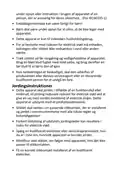


USING YOUR DISHWASHER
Control panel
9
8
10
11
12
3
4
1
2
3
5
6
7
1
Power
Press this button to turn on your dishwasher, the screen lights up.
2
3
4
5
Program
Delay -/+
Alt
Press this button to select the appropriate washing program, the program
indicator will be lit.
Press the button to add or decrease the delay time, maximum 24 hours delay can
be defined.
press the button to select either upper basket or lower basket loaded. And the
response indicator will light.
To lock or unlock the buttons on the control panel, press hold the child lock for 3
seconds simultaneously. When pressing this button, corresponding indicator will
be lit.
Child lock
6
7
Function
Start/Pause
Press the button to select a function, corresponding indicator will be lit.
To start the selected washing program or pause it when the dishwasher is
working.

| General | Details |
|---|---|
| Name | Scandomestic DWB1442WC Dishwasher |
| Make | scandomestic |
| Language | English |
| Filetype | PDF (Download) |
| File size | 2.14 MB |
 (1 votes, average: 5.00 out of 5)
 Loading...


FISHER PAYKEL DD60STI9 Integrated Single Dishwasher

AUDIBAX Haze 1500 Pro Dishwasher

maidaid halcyon AMH95WSD Water Softener Pass Through Dishwasher

Haier HDW15V2B2 Dishwasher

Whirlpool WFE 2B19 Dishwasher

BOSCH SMV6ZCX07E 6 Total Dishwasher

Home Connect SMS4HVW00E Dishwasher

Haier HDW15U3B1 Steam Built Under Dishwasher

FISHER AND PAYKEL DW24UT4I2 Dishwasher
caple DI641 Dishwasher
Table of Contents
- 1. User Manual - Brugermanual →
- 2. Læs Denne Brugsanvisning Før Du Tager Produktet I Brug Først... →
- 3. Sikkerhedsinformatio... - Bemærk: →
- 4. Produkt Oversigt - Vigtig: →
- 5. Brug Af Din Opvaskemaskine - Før Du Bruger Din Opvaskemaskin... →
- 6. Tilføjelse Af Opvaskemaskine Salt - Tips Til Indlæsning Af K... →
- 7. Type 2 →
- 8. Fold Kophylderne Tilbage - Fold Hylderne Tilbage →
- 9. Intern Pleje - Filtreringssystem →
- 10. Større Madrester Kan Renses Ved At Skylle Filteret Under Rin... →
- 11. Pleje Af Opvaskemaskinen - Forholdsregler Mod Frost →
- 12. Installationsvejledn... - Om Strømtilslutning →
- 13. Vandforsyning Og Afløb - Koldtvandstilslutnin... →
- 14. Tilslutning Af Afløbsslanger - Sådan Drænes Overskydende Van... →
- 15. Placer Apparatet På Det Ønskede Sted. Ryggen Skal Hvile Mod ... →
- 16. Valg Af Den Bedste Placering Til Opvaskemaskinen - Installat... →
- 17. Installationstrin For Opvaskemaskine - Tilslut Indløbsslange... →
- 18. Fejlfindingstips - Før Du Ringer Efter Service →
- 19. Rustpletter På Bestik - Bankelyd I Opvaskemaskine →
- 20. Tøm Først Den Nederste Kurv For At Forhindre, At Vandet Fald... →
- 21. Læsning Af Kurvene I Henhold Til En60436 - Øverste Kurv →
- 22. Bestikstativ - Oplysninger Om Sammenlignelighedstest I Henho... →
- 23. Brugertips Til Bestikstativ - Læs Venligst Denne Vejledning ... →
- 24. Brug Af Din Opvaskemaskine - Kontrolpanel →
- 25. Skærm - Auto →
- 26. Vandblødgøringsmidde... - Justering Af Saltforbrug →
- 27. Vandblødgøringsmidde... - Tilberedning Og Indlæsning Af Retter →
- 28. Indlæsning Af Den Nederste Kurv - Ilægning Af Bestikkurven →
- 29. Vaskemiddels Funktion - Korrekt Brug Af Vaskemiddel →
- 30. Påfyldning Af Vaskemiddelbeholderen - Uden Betjening I 5 Sek... →
- 31. Programmering Af Opvaskemaskinen - Vaskecyklusbord →
- 32. Energibesparelse - Start Af Et Program →
- 33. Et Glemt Fad Kan Tilføjes Når Som Helst, Før Opvaskemiddelbe... →
- 34. Teknisk Information →
- 35. Safety Information - Note →
- 36. Product Overview - Important →
- 37. Using Your Dishwasher - Set The Water Softener →
- 38. Adding Dishwasher Salt - Basket Loading Tips →
- 39. Pull Out The Upper Basket - Remove The Upper Basket →
- 40. Folding Back The Cup Shelves - Folding Back The Rack Shelves →
- 41. Internal Care - Filtering System →
- 42. Do Not Over Tighten The Filters. Put The Filters Back In Seq... →
- 43. Caring For The Dishwasher - Frost Precaution →
- 44. Water Supply And Drain - Cold Water Connection →
- 45. Connection Of Drain Hoses - How To Drain Excess Water From H... →
- 46. Levelling The Appliance - Adjustment Of The Screwing Level O... →
- 47. Selecting The Best Location For The Dishwasher - Illustratio... →
- 48. Dishwasher Installation Steps - Connect The Inlet Hose To Th... →
- 49. Troubleshooting Tips - Before Calling For Service →
- 50. Turbo Function - Knocking Noise In The Dishwasher →
- 51. Self-repair Or Non-professional Repair May Cause Serious Ris... →
- 52. Cutlery Rack - Information For Comparability Tests In Accord... →
- 53. Cutlery Rack User Tips - Special Version →
- 54. Using Your Dishwasher - Control Panel →
- 55. Display - Program Indicator →
- 56. Water Softener - Adjusting Salt Consumption →
- 57. Water Softener - Preparing And Loading Dishes →
- 58. Loading The Lower Basket - Loading The Cutlery Basket →
- 59. The Low Rinse Aid Indicator - Function Of Detergent →
- 60. Filling The Detergent Dispenser →
- 61. Programming The Dishwasher - Wash Cycle Table →
- 62. Note - Saving Energy →
- 63. Forget To Add A Dish? - Auto Open →
- 64. If Overflow Occurs, Turn Off The Main Water Supply Before Ca... →
- 65. Säkerhetsinformation - Notera →
- 66. Produktöversikt - Viktig: →
- 67. Använda Din Diskmaskin - Innan Du Använder Din Diskmaskin: →
- 68. Fyllning Av Saltbehållare - Tips För Att Ladda Korg →
- 69. Dra Ut Den Övre Korgen - Ta Bort Den Övre Korgen →
- 70. Fäll Tillbaka Mugghyllorna - Fäll Tillbaka Hyllhyllorna →
- 71. Inre Vård - Filtreringssystem →
- 72. Sprayarmar - Sköter Om Diskmaskinen →
- 73. Frostskyddsåtgärd - Efter Varje Tvätt →
- 74. Om Säkerhetsförsörjningsslangen - Så Här Ansluter Du Säkerhe... →
- 75. Fäst Avloppsslangen Säkert I Antingen Position A Eller Posit... →
- 76. Att Välja Den Bästa Platsen För Diskmaskinen - Illustratione... →
- 77. Installationssteg För Diskmaskin - Anslut Inloppsslangen Til... →
- 78. Felsökningstips - Innan Du Ringer Efter Service →
- 79. Rostfläckar På Besticken - Knackande Ljud I Diskmaskinen →
- 80. Användning Av Bestick Med Beläggning Av Låg Kvalitet - Själv... →
- 81. Laddning Av Korgar Enligt En60436 - Övre Korg →
- 82. Bestickställ - Information För Jämförbarhetstester I Enlighe... →
- 83. Användartips För Bestickställ - Vänligen Läs Den Här Bruksan... →
- 84. Använda Din Diskmaskin - Kontrollpanel →
- 85. Visa - Bil →
- 86. Vattenavhärdare - Justera Saltförbrukningen →
- 87. Vattenavhärdare - Förbereda Och Ladda Rätter →
- 88. Laddar Nedre Korgen - Laddar Bestickkorgen →
- 89. Funktion Av Tvättmedel - Korrekt Användning Av Tvättmedel →
- 90. Påfyllning Av Diskmedelsbehållaren - Välj Ett Öppet Sätt Ber... →
- 91. Programmering Av Diskmaskinen - Tvättcykelbord →
- 92. Efterlevnaden Av Eu:s Ekodesignlagstiftnin... - Spara Energi →
- 93. En Glömd Rätt Kan Läggas Till När Som Helst Innan Diskmedels... →
- 94. Teknisk Information - Höjd (h) →
- 95. Kommissionens Delegerede Forordning (eu) 2019/2017 For Så Vi... →
- 96. Product Information Sheet - Commission Delegated Regulation ... →
- 97. Kommissionens Delegerade Förordning (eu) 2019/2017 Vad Gälle... →