
smeg DI262D Dishwasher


2. Activate applicable options if desired.
3. Close the appliance door to start the
programme.
2. Press and hold
until the appliance is
activated.
3. Fill the salt container if it is empty.
4. Fill the rinse aid dispenser if it is empty.
5. Load the baskets.
10.3 How to activate options
1. Select a programme.
2. Press the button dedicated to the option
you want to activate.
6. Add the detergent.
7. Select and start a programme.
8. Close the water tap when the programme
is complete.
•
•
The light related to the button is on.
The display shows the updated
programme duration.
10.1 Using the detergent
A
B
By default, options must be activated
every time before you start a programme.
If the latest programme selection is
enabled, the saved options are activated
automatically along with the programme.
It is not possible to activate or
deactivate options while a programme is
running.
C
1. Press the release button (B) to open the
lid (C).
Not all options are compatible with
each other.
2. Put the detergent, in powder or tablets, in
the compartment (A).
Activating options often increases the
water and energy consumption as well as
the programme duration.
3. If the programme has a prewash phase,
put a small quantity of detergent on the
inner part of the appliance door.
4. Close the lid. Make sure that the release
button locks into position.
10.4 How to select and start the
programme
For information about the detergent
dosage, refer to the manufacturer's
instructions on the packaging of the
product. Usually, 20 - 25 ml of gel
detergent is adequate for washing a load
with normal soil.
1. Press
.
•
•
The light related to the button is on.
The display shows the programme
duration.
2. Close the appliance door to start the
programme.
Do not fill the compartment (A) with
The appliance senses the type of load and
adjusts a suitable wash cycle. During the
cycle, the sensors operate several times and
the initial programme duration can decrease.
more than 30 ml of gel detergent.
10.2 How to select and start a
programme
10.5 How to delay the start of a
programme
1. Press the button dedicated to the
programme you want to set.
1. Select a programme.
•
•
The light related to the button is on.
The display shows the programme
duration.
16 ENGLISH

| General | Details |
|---|---|
| Name | smeg DI262D Dishwasher |
| Make | Smeg |
| Language | English |
| Filetype | PDF (Download) |
| File size | 0.95 MB |
 (1 votes, average: 5.00 out of 5)
 Loading...

smeg DWAU6224N4 Matte Black Underbench Dishwasher

smeg DWAFI6224-4 Dishwasher

smeg DWA6224X4 Dishwasher

smeg STU8633 Dishwasher

smeg LVS344PM 60 cm Free Standing Dishwasher

smeg DWAFI6214 Dishwasher

smeg LSPU8653X 24″ Fingerprint Resistant Dishwasher

Smeg DI362DQ Dishwasher

smeg DI323BL Dishwasher

smeg DWA6315X1 Dishwasher


Hotpoint H8I HP42 Dishwasher
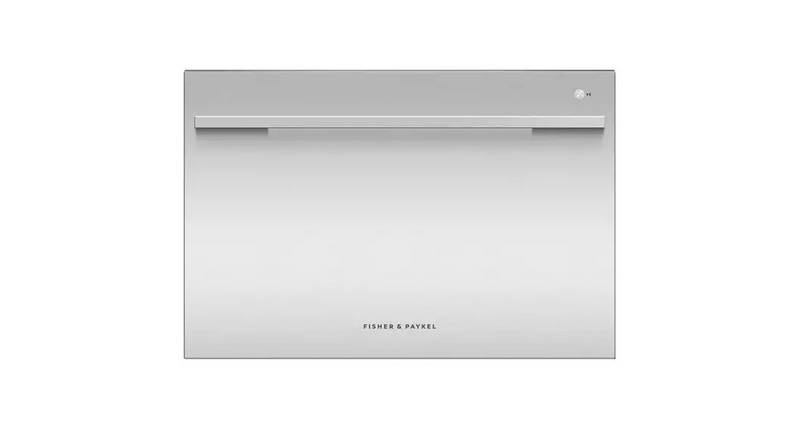
FISHER PAYKEL DD60SDFX9 Single DishDrawer Dishwasher

INSIGNIA NS-DWF2SS3 Dishwasher

SIEMENS SN65Z802BE Dishwasher

BOSCH SMV2ITX23E Dishwasher

BOSCH SMH4ECX21E Dishwasher

FISHER PAYKEL DW60FC2B2 Dishwasher

BOSCH SMV4ENX06E Dishwasher

BOSCH SMV6ZCX10E Dishwasher

beko BDIN38522Q Dishwasher