
Whirlpool WFO3O41PLXUK Thron Vaporera Dishwasher




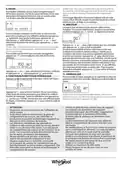


Place the food in the oven and close the door: The
function will start automatically after the period of
time that has been calculated in order for cooking to
finish at the time you have set.
Please note: Programming a delayed cooking start time
will disable the oven preheating phase: The oven will
reach the temperature you require gradually, meaning that
cooking times will be slightly longer than expected. During
the waiting time, you can press or to amend the
programmed end time or press to change other settings.
Once this phase has finished, an audible signal will
sound and the display will indicate that the oven has
reached the set temperature, requiring food to be
added. At this point, open the door, place the food in
the oven, close the door and start cooking by pressing
or
.
Please note: Placing the food in the oven before preheating
has finished may have an adverse effect on the final cooking
result. Opening the door during the preheating phase will
stop pause it.
By pressing , in order to visualize information, it is possible The cooking time does not include a preheating
to switch between end time and duration.
3. 6th SENSE
These functions automatically select the best cooking
mode, temperature and duration to cook, roast or
bake all the dishes available.
When required, simply indicate the characteristic of
food to obtain an optimal result.
WEIGHT / PORTIONS / BATCH / PIECES
phase. You can always change the temperature you
want the oven to reach by using or
6. PAUSE COOKING / ADD OR TURN FOOD
.
PAUSE
By opening the door, the cooking will be temporarily
paused through deactivating heating elements.
To resume the cooking, close the door and press
Please note: During“6th Sense”functions open the door only
when prompted.
.
ADD OR TURN FOOD
Some 6th Sense Cook recipes will require the food to
be added after the preheating phase or ingredients
to be added to complete cooking. In the same way,
there will be prompts to turn or stir the food during
cooking.
KILOGRAMS
To set the function correctly, follow the indications on
the display, when prompted, and press or to set
the required value then press to confirm.
DONENESS
In some 6th Sense functions it is possible adjust the
doneness level.
TURN FOOD
An audible signal will sound and the display shows
the action to be done.
Open the door, do the action prompted by the
display and close the door, then press
cooking.
Please note: When turning is needed, after 2 minutes, even
if no action is performed, the oven will resume the cooking.
The“ADD FOOD”phase last 2 minutes: if no action is taken,
the function will be ended.
In the same way, near to the cooking completeness,
the oven should ask you to check on food.
DONENESS
to continue
When prompted, press or to select the desired
level from rare (-1) to well done (+1). Press or
confirm and start the function.
to
4. ACTIVATE THE FUNCTION
At any time, if the default values are those desired or
once you have applied the settings you require, press
to activate the function.
During the delay phase, press
and start the function immediately.
Please note: At any time you can stop the function that has
been activated by pressing
If the oven is hot and the function requires a specific
maximum temperature, a message will be shown
on the display. Press to return to previous screen
and select a different function or wait for a complete
cooling.
JET START
When the oven is switched off, press
cooking with the microwave function set at full power
(950 W) for 30 seconds.
5. PREHEATING
to skip this phase
.
CHECK ON FOOD
An audible signal will sound and the displays shows
the action must to be done. Check the food, close the
door and press
Please note: Press
or to continue cooking.
to skip these actions. Otherwise, after
a certain time with no action taken, the oven will continue
cooking.
to activate
7. END OF COOKING
An audible signal will sound and the display will
indicate that cooking is complete.
Some functions have an oven preheating phase: Once
the function has started, the display indicates that the
preheating phase has been activated.
END
Press
to continue cooking in manual mode
to extend the cooking time by
(untimed) or press
setting a new duration. In both cases, the cooking
parameters will be retained.
PREHEATING

| General | Details |
|---|---|
| Name | Whirlpool WFO3O41PLXUK Thron Vaporera Dishwasher |
| Make | Whirlpool |
| Language | English |
| Filetype | PDF (Download) |
| File size | 8.06 MB |
 (1 votes, average: 5.00 out of 5)
 Loading...

Whirlpool 2B19 Dishwasher

Whirlpool WFO3O33PLAUS Standard Dishwasher

Whirlpool W11323304G Dishwasher

Whirlpool WH7IPC15BM60 Dishwasher

Whirlpool FINPUTSAD Dishwasher

Whirlpool W7U HS31 X Dishwasher

Whirlpool Thron Dishwasher

Whirlpool WDF332PAMS 24 Front Tall Tub Dishwasher

Whirlpool WRF540CWHZ Dishwasher

Whirlpool WDF130PAHB Dishwasher
TOSHIBA DW-15F5SS-AU Dishwasher

Hotpoint 869991662940 Dishwasher

newWORLD NW60DWFSW Full Size 15 Place Dishwasher

BOSCH SMS4HMW07E Dishwasher

FISHER PAYKEL DW60UC6B Built Under Dishwasher

FISHER and PAYKEL DW60U4HI2 Dishwasher

AEG FSE73800RO Dishwasher

FISHER PAYKEL DW60U4HI2 Built Under Dishwasher

ELVITA CDM5600X Dishwasher

smeg STL233CLH Universale Totally dishwasher