
beko BDFN26450A Dishwasher






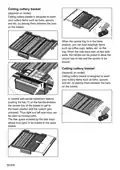







To cancel the delay function:
With the door closed, press the Program
Selection/Program Cancellation button
for 3 seconds. When the delay function
is disabled, you will return to the program
selection mode.
2. SelfDry indicator turns off and the
function is disabled.
Child (Key) Lock Function
(Depends on the Model)
You may prevent other persons from
affecting and changing the program flow
and delay time during the operation of the
machine.
SelfDry
(Depends on the Model)
Thanks to the “SelfDry” feature on your
machine, the drying effectiveness of your
machine is improved and power is saved.
There are two options, namely “OFF” and
“ON”.
You may use sub-menu settings to change
“SelfDry” settings.
When you activate this function, the door
of your machine is opened automatically at
the end of the washing cycle.
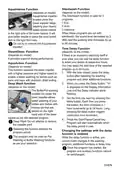
To activate the child lock:
1. Press and hold the P4 and P5 program
buttons simultaneously to enable the
Child (Key) Lock function, when the
door is closed.
2. Child (Key) Lock indicator is illuminated
and the key lock shall be activated.
Child Lock prevents changing of the
selected functions and deactivates the
Start/Pause/Cancel key.
SelfDry feature opens the door at
the end of the washing cycle thanks
to the “door opening shafts". This
process takes about 2 minutes. Do not
force to close the door if the power is
interrupted while the shafts are moving
out. Operation shall be completed
and shafts shall be retracted when the
power is restored.
Child lock does not lock the door of the
machine.
Child lock automatically deactivates if
you turn off your machine with the On-
off key.
To cancel the child lock:
1. Press and hold the P4 and P5 program
buttons simultaneously to disable the
Child (Key) Lock function, when the
door is closed.
SelfDry function may cause changes to
the cycle time.
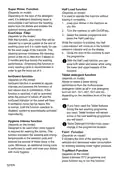
SelfDry Function
To enable SelfDry Function:
(Depends on the Model)
2. Child (Key) Lock indicator shall be
turned off and the key lock shall be
cancelled.
1. When the door is closed, to enable
SelfDry function, press and hold the F3
and F4 function keys simultaneously.
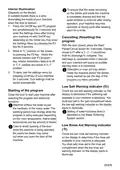
Floor illumination
Warning to show that machine is in
washing phase
(depends on the model)
2. SelfDry indicator turns on and Auto
Door Opening function is enabled.
Your machine reflects a light to the floor
during the washing process. This light turns
off after the washing process is complete.
Floor illumination is activated
automatically when the washing
programme starts and remains lit until
the end of the programme.
SelfDry function could be enabled or
deactivated in Program Selection mode.
To cancel SelfDry Function :
1. When the door is closed, to disable
SelfDry function, press and hold the F3
and F4 function keys simultaneously.
Floor illumination cannot be cancelled
by the user.
34/EN

| General | Details |
|---|---|
| Name | beko BDFN26450A Dishwasher |
| Make | Beko |
| Language | English |
| Filetype | PDF (Download) |
| File size | 13.79 MB |
 (1 votes, average: 5.00 out of 5)
 Loading...

beko DUT25401WHW Front Pocket Handle Dishwasher

beko BDIN38522Q Dishwasher

beko BDFS26046XQ Dishwasher

beko BDFN26521XQ Dishwasher

NMG0724BEKODI Dishwasher

beko 943711 Dishwasher

beko DIN15210 Full-Size Dishwasher

beko 57 6190 0000 Tall Tub Dishwasher

beko BDIN38650C Dishwasher

beko DDS25842X Dishwasher

gorenje GV62040 Dishwasher

FISHER and PAYKEL DD60SCHX9 Contemporary Dishwasher

BOSCH SPV6ZMX23E Dishwasher

BOSCH SMS8ZCI00X Dishwasher

BOSCH SMS6HVI00I Free-Standing Dishwasher

maidaid halcyon C612 Undercounter Tray Dishwasher

MONOGRAM ZDT925SINII Dishwasher

INVENTUM VVW6040AB Building Depot Dishwasher

FISHER PAYKEL DD24SA9 Built Under Dishwasher

Hotpoint HD8I Integrated Dishwasher