
COVE DW2450 Dishwasher


DW2450 and DW2450WS Service Manual
service.subzero.com
800.222.7820
Controls and Operation
MODES
USER MODE
Modes are the dishwasher's operational states, in which
the dishwasher varies its behavior according to instructions
from the following:
User mode is the normal, day-to-day operation mode of the
dishwasher. This mode does not require any key press
combinations to enter or exit, but the unit's control system
may enter and exit User mode automatically, for example
entering Standby Power mode after a period of inactivity.
•
•
User input from the UIM
Connected appliance communications from a tablet
or other connected device
Smart Grid
User mode allows all control system functions including
Smart Grid requests, Bluetooth pairing, water softener
regeneration messaging, diverter valve movement,
pressure-based drain pump control, and the digital Wi-Fi
connection X13.
•
MODE
DESCRIPTION
Power-Up mode
User mode
The unit is first turned on.
STANDBY POWER MODE
The unit is used for day-to-day,
ordinary operation.
During periods of inactivity, the unit can automatically enter
a Standby Power mode in which it consumes no more than
0.5 W of power.
Standby Power mode
The unit enters a low-power
state after a specified period of
inactivity.
Standby Power mode occurs when the unit has either:
Sabbath mode
The unit is set up by the user for
certain religious observances.
•
•
Had no door movement and no communication and
has not logged any errors for 15 minutes.
Completed its wash cycle with the door still latched
shut.
Child Lock mode
Showroom mode
Service Diagnostic mode
The unit's UIM is locked to
prevent unwanted operation.
The unit is set up by sales staff
for demonstration purposes.
In Standby Power mode, the UIM is blank, and all control
system outputs are disabled including tub lighting, water
softener regeneration messaging, and diverter valve
movement. Pressure-based drain pump control is allowed.
If the pressure goes above its range, the unit will exit
Standby Power mode to communicate the error.
Activated by Service personnel
in the user's residence. See
Service Mode.
POWER-UP MODE
Standby Power mode is exited by moving the door,
pressing any UIM key, receiving a Bluetooth pairing PIN
display command, or triggering an error.
Power-Up mode is the control system's initial power-up/
boot sequence, when the unit first connects to AC power.
In Power-Up mode, all power supplies and all electronics
initialize their associated circuitry and components.
Standby Power mode never occurs when the unit's
"Connect?" option is turned on.
Power-Up mode does not have water softener
regeneration messaging, Bluetooth PIN messaging,
diverter valve movement, or lighting.
Digital Wi-Fi connection X13’s ON/OFF state is OFF until
after the boot sequence, when the software will set it to
either OFF or ON.
If the unit does not successfully pass though Power-Up
mode, the UIM shows "PF - Call Service."
828019 REV B 08/2023
8

| General | Details |
|---|---|
| Name | COVE DW2450 Dishwasher |
| Make | Cove |
| Language | English |
| Filetype | PDF (Download) |
| File size | 0.71 MB |
 (1 votes, average: 5.00 out of 5)
 Loading...

COVE DW2451 Dishwasher

COVE DW2451-ADA Dishwasher

COVE DW2450, DW2450WS Dishwasher
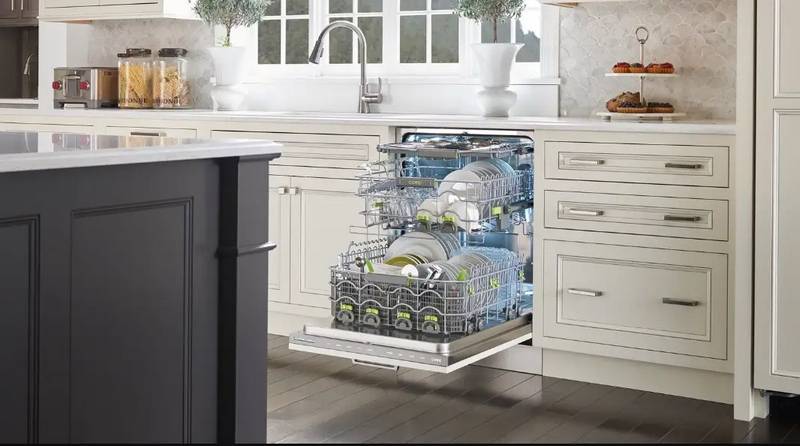
DW2450 Cove Dishwasher


SHARP QW-NA24S42DI-EE Dishwasher

SHARP SDW6888JS Smart Dishwasher

FISHER PAYKEL DD24DCTB9N Dishwasher

BLAKESLEE G-3000-1 30-Racks per Hour Stainless Glasswasher Commercial Dishwasher

lord D5 Dishwasher

Haier HDW15F3B1 Steam Dishwasher

FISHER AND PAYKEL DD24STX6I1 Tall Dishwasher

FRIGIDAIRE GDPH4525AF Gallery Dishwasher

Hotpoint HSFO 3T223 Dishwasher

IKEA 004.754.18 DISKAD Dishwasher