
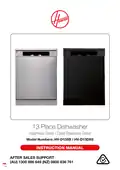
HOOVER HV-D13SS 13 Place Dishwasher












Instructions (Cont.)
Running the dishwasher
Starting a wash program
• Open the door and draw out the lower basket. Load your dishes and push the
basket back into place. Then load the upper basket the same way (see pages 20-
24 for details).
• Add dishwasher detergent according to the instructions (see pages 16–17).
• Unless you use dishwasher detergent tablets that contain a rinse aid, make sure
there is sufficient liquid rinse aid in the rinse aid dispenser (see pages 17–19).
• Close the dishwasher door, making sure you hear a click when it closes properly.
• Insert the plug into a suitable power socket (the power supply is 240 V~ 50 Hz) and
make sure the water supply is turned on to full pressure.
• Press the POWER button [ ] on the dishwasher control panel (see page 8). The
power indicator will illuminate while the machine is on.
• Press the PROGRAM button [
] repeatedly, to select the desired wash program
from the following: P1 (Quick 30’) - P2 (Delicate 40ºC) - P3 (ECO 50º) - (P4) Super
50’ - (P5) Intensive 65ºC. See pages 14-15 for more program information.
• Press the START/PAUSE button [
] to start the washing program (see page 8).
Once the program starts, the washing light will illuminate and the program duration
will be displayed.
NOTE: If you open the door of the machine whilst the program is running, the
program code and program duration will be displayed alternately.
• You can follow the program flow with the washing [
[
switched on, the machine will remain silent for 40 to 50 minutes.
], rinsing [
] and end [ ] lights on the control panel. Once the drying light has
], drying
• NOTE: We recommend you open the door slightly (about 5 cm) to assist in drying
of the dishes after every wash.
• NOTE: Do not open the door until the program finishes.
WARNING! It is dangerous to open the door mid-cycle as hot water or steam may
escape and scald you. Open the door very carefully.
• NOTE: If you open the door of the machine or if power is cut during the washing
cycle, the program will resume once the door has been closed or the power has
turned back on again.
Half load feature
• If you are washing a smaller amount of dishes, you can set the “half load” function
[ ]. This option will shorten the durations of the selected programs to reduce power
and water consumption.
• To activate this function, press the OPTION button [
] once.
• If you are using combined detergents that contain salt, rinse aid or extra features,
press the OPTION button for the second time and activate the tablet [
] function.
After Sales Support
(AU) 1300 886 649 (NZ) 0800 836 761 |
25
tempo.org/support

| General | Details |
|---|---|
| Name | HOOVER HV-D13SS 13 Place Dishwasher |
| Make | Hoover |
| Language | English |
| Filetype | PDF (Download) |
| File size | 1.42 MB |
 (1 votes, average: 5.00 out of 5)
 Loading...

HOOVER HI 3E9E0S Dishwasher

Hoover 32901787 Dishwasher

HOOVER HI 4E7L0S-80 Semi Integrated Dishwasher


Miele G 5051 Dishwasher

Kenmore 665.1605 Ultra Wash Dishwasher

TEKNIX TFD455W Dishwasher

BOSCH SMS6ECI93E Free-Standing Dishwasher

BOSCH SMH4HVX00E Dishwasher

IKEA PROFFSIG Integrated Dishwasher

eta 239490001C Dishwasher

EQUATOR ADVANCED Appliances WB 24 in. 14 place Dishwasher

FISHER PAYKEL DD60SCW9 Dishwasher

FISHER PAYKEL DW60UT4HI2 Dishwasher