
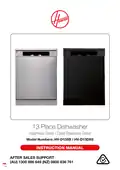
HOOVER HV-D13SS 13 Place Dishwasher












Instructions (Cont.)
Setting a delayed start
• Press the DELAY button [
start time of 1-19 hours.
] repeatedly before the program starts to set a delay
• If you want to change the delay time, press the Start/Pause button first, and then
press the DELAY button to select the new delay time. Press Start/Pause button to
activate the new delay time.
• To cancel the delay, press the DELAY button until the delay time is 0h. If you switch
off the machine after selecting the delay time and starting the program, the delay
time will be cancelled.
Setting extra functions
• To set an extra function, press the EXTRA button [ ] repeatedly until the
corresponding indicator light of that function has illuminated.
• Hygiene function [
]: When the hygiene function is active, the washing
process will become more hygienic, through adjustments made to the washing
temperature and durations of the current program.
• Extra rinsing function [
]: If you select the extra rinsing function, additional
rinses will be added to the selected program, making your dishes cleaner and
shinier.
• Extra drying function [ ]: If you select the extra drying function the drying
duration of the selected program will extend, making your dishes drier.
• If you have used any extra function in the washing program, the function will still
be active in the next washing program. If you want to cancel that function for the
newly selected program, press and hold the button of the relevant function until the
corresponding lights go off, or press the POWER button to switch off the machine.
If you want to use an extra function for the newly selected program, select the
desired function(s).
• IMPORTANT: “Hygiene” and “Extra drying” functions cannot be selected at the
same time as they are incompatible with each other.
Changing a program
If you want to change the wash program, you must do so soon after the start,
otherwise the detergent may have already been released and the wash water drained,
in which case you must refill the detergent dispenser (see pages 16–17).
• Press the START/PAUSE button to pause the machine.
• Once the program has stopped, press the PROGRAM selection button repeatedly
to select the desired program.
• Press the START/PAUSE button to start the newly selected program.
• The newly selected program will continue in place of the previous program.
After Sales Support
(AU) 1300 886 649 (NZ) 0800 836 761 |
26
tempo.org/support

| General | Details |
|---|---|
| Name | HOOVER HV-D13SS 13 Place Dishwasher |
| Make | Hoover |
| Language | English |
| Filetype | PDF (Download) |
| File size | 1.42 MB |
 (1 votes, average: 5.00 out of 5)
 Loading...

HOOVER HI 3E9E0S Dishwasher

Hoover 32901787 Dishwasher

HOOVER HI 4E7L0S-80 Semi Integrated Dishwasher


Avanti DWF24V3S Dishwasher

MAYTAG MDB4949SK Dishwasher

BOSCH SMD6HCX4FR Dishwasher

ARISTON LFF8M132 Dishwasher

FISHER PAYKEL DD60SDFHX9 Dishwasher

FISHER AND PAYKEL DD24SA9 Dishwasher

DAEWOO DA1D5SI0ES Dishwasher

IKEA 9001774317 TORSBODA Dishwasher

BOSCH SHP78CM6N Dishwasher

Whirlpool D2I HD526 A Integrated Dishwasher