
LG LDF5545SS Dishwasher



















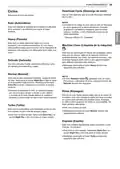


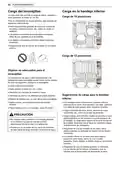

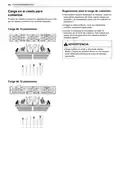


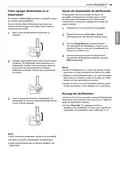






OPERATION 27
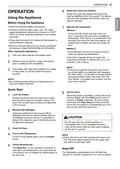
Select the Cycle and Options
6
7
OPERATION
Using the Appliance
Select the cycle and options that best fit the
load by referring to the Cycle guide. The display
will show the estimated time for the cycle and
options selected.
Before Using the Appliance
• Read the Important Safety Instructions.
Operate the Dishwasher
Method 1
• Connect to the hot water supply only. The water
supply temperature should be a minimum of 120°F
(49°C) for better washing performance and shorter
cycle time.
• Press the Start button and then close the
door in less than four seconds to operate the
dishwasher. If the door is not closed within four
seconds, the white LED with time flashes, an
audible tone is heard, and the cycle does not
start.
• Follow the instructions for loading the dishwasher to
ensure effective cleaning.
• Remove insoluble items such as bones, toothpicks,
and pieces of paper while loading the dishwasher.
Method 2
When loading the dishwasher
• Close the door first and then press the Start
button to operate the dishwasher.
Only load items that are dishwasher-safe.
1
If the door is opened during the cycle, the
dishwasher will stop. To resume the cycle, see
methods 1 and 2 above.
Remove solid, burned-on scraps from dishes
prior to loading in the dishwasher.
2
NOTE
Place items with deep dish bottoms at an angle
• If the door is opened during the cycle and is
not closed within four seconds after selecting
the Start button, or if the door is closed without
pressing the Start button, the white LED with
time flashes, an audible tone is heard, and the
cycle does not start.
3
to help water run off and speed the drying
process.
NOTE
• Do not load utensils that are not heat-resistant or
have decorative metal trim.
Quick Start
End of Cycle
8
Load the Dishes
When the cycle is complete, a chime will sound
and the display will show End until the door is
opened or Power is pressed. To save energy,
press and hold High Temp for three seconds
to set the End display to automatically turn off a
few minutes after the cycle ends.
1
Scrape the dishes free of excess food, bones,
and any other hard, non-soluble residue. Pull
each rack out and load the dishes as described
in this manual.
Measure the Detergent
2
Using the guidelines in this manual, fill the
detergent cup with the recommended amount
of detergent and close the lid. If a prewash is
desired, the recess on top of the lid should also
be filled with detergent.
CAUTION
• Do not open the door during operation or
immediately after it has completed the wash
cycle as the steam build up may cause scalding
as the door is opened.
Close the Door
3
Turn on the Dishwasher
4
NOTE
To turn on the display panel, press the Power
• Empty the lower rack first and then the upper rack.
This will avoid water dripping from the upper rack
onto dishes in the lower rack.
button.
Check the Rinse Aid
5
The Rinse Aid
icon will flash if the level of
Auto-Off
The dishwasher automatically turns off after four
rinse aid in the dishwasher is low. Add rinse aid
if the level is low to maintain the effectiveness of
the dry cycle.
minutes of inactivity if paused or if no cycle is started.

| General | Details |
|---|---|
| Name | LG LDF5545SS Dishwasher |
| Make | LG |
| Language | English |
| Filetype | PDF (Download) |
| File size | 8.09 MB |
 (1 votes, average: 5.00 out of 5)
 Loading...

LG LDTH7972SS Black Dishwasher

LG SDWB24S3 STUDIO Smart Dishwasher

LG LDTH7972D Smart Tub Dishwasher

LG LDPH7972D Smart Dishwasher

LG XD3A25UMB 15 Place QuadWash Dishwasher

LG LDT779 Dishwasher

LG LDT7808BD Dishwasher

LG LDFN4542S Dishwasher

LG DFB424 Dishwasher

LG LDTS5552D PrintProof Black Dishwasher

BOSCH SMI4EVS08E Dishwasher

BOSCH SMH4HTX02G Dishwasher

CMA DISHMACHINES CMA-180 Dishwasher
BOSCH SMS8ZDI86M Dishwasher

BOSCH SMT6ECX00E/38 Dishwasher

BLAKESLEE G-3000-1 30-Racks per Hour Stainless Glasswasher Commercial Dishwasher

FISHER PAYKEL DD60ST4NX9 Single Dishwasher

FISHER AND PAYKEL DD60DI9 Dishwasher

BOSCH SPS4HMI61E Dishwasher

HAVA TDQR01 Compact Dishwasher