
×
- 1. Einbaugeschirrspüler (Dishwasher → Посудомоечная Машина → Md 4502 → Produkte)
- 2. Teil I: Allgemeine Beschreibung (Sicherheitsinformationen → Installationsanleitung → Fehlersuche Und Fehlerseitigung → Teil Ii: Besondere Anweisungen)
- 3. Teil I: Allgemeine Beschreibung (Sicherheits Informationen → Hinweis)
- 4. Sicherheitshinweise (Erdungsanweisung)
- 5. Beim Laden Von Geschirr (Verwendung Von Reinigungsmitteln → Pflege Von Kunststoffgeschirr → Sicherheitshinweise)
- 6. Entsorgung
- 7. Geratebeschreibung (Achtung! → Schlauch → Unterer Sprüharm → Salzbehälter)
- 8. Vor Verwendung Der Spülmaschine (Das Innere Des Geräts → Der Äußere Teil → Wasserenthärter → Salz In Einen Wasserenthärter Laden)
- 9. Gehen Sie Folgendermaßen Vor, Um Salz In Die Spülmaschine Zu Geben: (Hinweis: → Salz Sollte Erst Nachgefüllt Werden, Nachdem Die Salzstandsanzeige Auf Dem Bedienfeld Aufleuchtet. → Beisalzverschmutzungsolltedasprogrammeinweichenoderschnellwäsche Gestartet Werden, Um Den Überschuss Zu Entfernen.)
- 10. Tipps Zur Verwendung Eines Korbes (Oberkorbverstellung → Typ 1:)
- 11. Typ 2: (Faltbecherregale → Klapphalter)
- 12. Wartung Und Reinigung (Außenflächen Pflege → Bedienfeld → Wartung Der Inneren Oberflächen → Filtrationssystem)
- 13. Grob Filter (Haupt Filter → Feinfilterer → Öffnen → Reinigung)
- 14. Die Sprüharme
- 15. Spülmaschinenpflege (Frostschutz → Nach Jedem Abwasch → Verwenden Sie Keine Lösungsmittel Oder Scheuermittel → Wenn Sie Das Gerät Längere Zeit Nicht Benutzen Möchten)
- 16. Installationsanleitung (Stromanschluss → Energieanforderungen)
- 17. Stromanschluss (Wasserversorgung Und Sserablauf → Kaltwasseranschluss → Über Den Sicheren Wasserschlauch)
- 18. Anschließen Eines Sicheren Wasserversorgungsschlauchs (Trennen Sie Den Sicheren Wasserzulaufschlauch → Schlauchanschluss Ablassen → Arbeitsplatte)
- 19. Restwasser Aus Schläuchen Ablassen (Ablßstutzen → Verlängerungsschlauch → Siphonanschluss)
- 20. Geräteplatzierung (Justierung → Hinweis → Installation Alleinstehendes Geräts)
- 21. Installation Unter Einer Tischplatte (Achtung!)
- 22. Einbau (für Einbaugeräte) (Schritt 1. Auswählen Eines Installationsorts Für Einen Geschirrspüler → Beidseitige Löcher Zum Verlegen Des Elektrokabels, Des Ablauf- Und Des Wasserversorgungsschlauchs → Hinweis: Abhängig Von Der Position Der Steckdose Kann Es Auch Erforderlich Sein, Ein Loch Auf Der Gegenüberliegenden Seite Des Gehäuses Zu Schneiden.)
- 23. Schritt 2. Abmessungen Und Montagereihenfolge Der Dekorplatte (Halbeinbaumodell → Vollständig Einbettbares Modell)
- 24. Schritt 3. Einstellung Der Türfederspannung (Schritt 4. Vorgehensweise Beim Einbau Des Geschirrspülers)
- 25. Stellen Sie Die Türfederspannung (Die Spülmaschine Muss Fixiert Sein → Justierung → Überprüfen Sie Die Ausrichtung Der Vorder- Und Hinterkante → Ausrichtung Seitlich)
- 26. Fehlersuche Und Fehlerseitigung (Bevor Sie Sich An Ein Servicecenter Wenden → Fehler → Mögliche Ursache → Lösungsmethode)
- 27. Fehler (Mögliche Ursache → Lösungsmethode → Besonderheiten Der Verlegung Der Rohrleitung → Geschirr Wird Nicht Gereinigt)
- 28. Fehler (Mögliche Ursache → Lösungsmethode → Geschirr Wird Nicht Gereinigt → Geschirr Trocknet Nicht Vollständig)
- 29. Laden Von Geschirr In Körbe Nach Standard En 50242
- 30. Besteckkorb (Informationen Zur Vergleichsprüfung → Kapazität: 9 Gedecke → Programm: Eco → Einstellen Der Wasserenthärtungsanlage: H3)
- 31. Teil Ii: Besondere Anweisungen (Hinweis)
- 32. Kurzanleitung (Installationsanleitung → Reinigen Sie Das Geschirr Von Großen Speiseresten → Stellen Sie Das Geschirr In Die Körbe → Wählen Sie Ein Programm Und Starten Sie Die Spülmaschine)
- 33. Gebrauch Spülmaschinens (Bedienfeld → Programm → Startverzögerung → Halbfüllung)
- 34. Eco (Glaswaren → Schnell Waschen → Einweichen → Klarspüleranzeige)
- 35. Wasserenthärtungsgerät (Einstellen Salzverbrauch → Einfüllen Von Salz In Den Wasserenthärter → Teil I: Allgemeine Beschreibung)
- 36. Wasserhärte (Wasserenthärter → Einstellung → Salzverbrauch)
- 37. Vorbereitung Des Geschirrs Zum Einladung (Nicht Erlaubt → Mit Einschränkungen Erlaubt → Empfehlungen Zum Einlegen Von Geschirr In Die Spülmaschine)
- 38. Geschirr Entfernen (Hinweis → Warmes Geschirr)
- 39. Geschirr In Den Oberkorb Legen (Geschirr In Den Unterkorb Legen → Besteck Laden → Um Die Waschleistung Zu Erhöhen)
- 40. Verwendung Von Spülmittel Und Waschmittel (Wenn Der Klarspüler Nachgefüllt Werden Muss → Verwendung Von Waschmittel → Regeln Für Die Verwendung Von Reinigungsmitteln)
- 41. Spülmittelbehältersfülung (Klarspüleranzeige → Einstellung Des Klarspüler-dosierers → Dosierungsregler)
- 42. Füllen Des Waschmitteldosierers (Hinweis)
- 43. Programmierung Eines Spülmaschinens (Programm Beschreibung → Vorwäsche → Waschen → Spülen)
- 44. Starten Des Waschzyklus (Programm Waschen (45c) → Hinweis. → Vor-/für Vor- / Hauptwäsche)
- 45. Änderung Gestartete Programme (Geschirr Hinzufügen)
- 46. Fehler/fehlercodes (Codes → Mögliche Ursache → Beachten Sie!)
- 47. Technische Information (Höhe (h) → Breite (w) → Tiefe (d1) → Tiefe (d2))
- 48. Technische Daten (Technische Merkmale Eines Haushaltsgeschirrspülers Gemäß Eu-richtlinien → Energiesparklasse → Jährlicher Energieverbrauch → Trocknungseffizienzklasse)
- 49. Seriennummer (Hersteller → Fabriken-niederlassungen Des Herstellers → Importeur → Der Hersteller Behält Sich Das Recht Vor, Änderungen An Design, Ausstattung Von Geräten Vorzunehmen.)
- 50. Part I: Generic Version (Safety Information → Product Overview → Using Your Dishwasher → Maintenance And Cleaning)
- 51. Part I: Generic Version (Safety Information)
- 52. Earthing Instructions (This Appliance Is For Indoor Household Use Only. → Do Not Operate Your Dishwasher Unless All Enclosure Panels Are Properly In Place. → When Loading Items To Be Washed: → Some Dishwasher Detergents Are Strongly Alkaline.)
- 53. Use Of Detergents (Safety Precautions → Installation Guidelines → Disposal Instructions)
- 54. Product Overview (Important)
- 55. Using Your Dishwasher (Before Using Your Dishwasher → Loading The Salt Into The Softener → Fill The Dispenser)
- 56. Please Follow The Steps Below For Adding Dishwasher Salt: (The Salt Container Must Only Be Refilled When The Salt Warning Light In The Control Panel Comes On. → If Salt Has Spilled, Run A Soak Or Quick Program To Remove It.)
- 57. Basket Used Tips (Adjusting The Upper Basket)
- 58. Type 2 (Folding Back The Cup Shelves → Folding Back The Rack Shelves)
- 59. Maintenance And Cleaning (External Care → Internal Care)
- 60. Coarse Filter (Main Filter → Fine Filter → Reassemble The Filters → Larger Food Remnants)
- 61. Spray Arms
- 62. Caring For The Dishwasher (Frost Precaution → After Every Wash → No Solvents Or Abrasive Cleaning → When Not In Use For A Longtime)
- 63. Installation Instruction (About Power Connection → Electrical Requirements → Electrical Connection)
- 64. Water Supply And Drain (Cold Water Connection → About The Safety Supply Hose → How To Connect The Safety Supply Hose → How To Disconnect The Safety Supply Hose)
- 65. Connection Of Drain Hoses (How To Drain Excess Water From Hoses → Water Outlet → Extension Hose → Syphon Connection)
- 66. Position The Appliance (Levelling The Appliance → Free Standing Installation)
- 67. Underneath Existing Work Top (Attention)
- 68. Built-in Installation (for The Integrated Model) (Step 1. Selecting The Best Location For The Dishwasher → Illustrations Of Cabinet Dimensions And Installation Position Of The Dishwasher → Electrical, Drain And Water Supply Line Entrances → Note:)
- 69. Step 2. Aesthetic Panels Dimensions And Installation (Semi-integrated Model → Full-integrated Model)
- 70. Step 3. Tension Adjustment Of The Door Spring (Step 4. Dishwasher Installation Steps)
- 71. The Dishwasher Must Be Secured In Place. (Levelling The Dishwasher)
- 72. Troubleshooting Tips (Before Calling For Service → Dishwasher Doesn't Start → Water Not Pumped From Dishwasher → Suds In The Tub)
- 73. Problem (Possible Causes → Solution → The Dishes Are Not Clean → Knocking Noise In The Dishwasher)
- 74. Problem (Possible Causes → Solution → Cloudiness On Glassware → Dishes Are Removed Too Soon)
- 75. Loading The Baskets According To En50242 (Upper Basket → Lower Basket)
- 76. Cutlery Basket (Information For Comparability → Capacity: 9 Place Settings → Position Of The Upper Basket: Lower Position → Program: Eco)
- 77. Part Ii: Special Version (Please Read This Manual Carefully Before Using The Dishwasher And Keep This Manual For Future Reference.)
- 78. Quick User Guide (Install The Dishwasher → Removing The Larger Residue On The Cutlery → Loading The Baskets → Filling The Dispenser)
- 79. Using Your Dishwasher (Control Panel → Operation (button) → Display)
- 80. Eco (Glass → Min → Rapid → Soak)
- 81. Water Softener (Adjusting Salt Consumption → Water Hardness)
- 82. Water Softener
- 83. Preparing And Loading Dishes (Recommendations For Loading The Dishwasher)
- 84. Removing The Dishes (Loading The Upper Basket → Loading The Lower Basket)
- 85. Loading The Cutlery Basket (Function Of The Rinse Aid And Detergent → When To Refill The Rinse Aid Dispenser)
- 86. Function Of Detergent (Proper Use Of Detergent)
- 87. Filling The Rinse Aid Reservoir (Rinse-aid Indicator → Adjusting The Rinse Aid Reservoir)
- 88. Filling The Detergent Dispenser
- 89. Programming The Dishwasher (Wash Cycle Table → Running Time → Energy → Description Of Cycle)
- 90. Starting A Cycle Wash (Changing The Program Mid-cycle)
- 91. Forget To Add A Dish? (It Is Dangerous To Open The Door Mid-cycle, As Hot Steam May Scald You.)
- 92. Error Codes (Codes → Meanings → Possible Causes → Please Note!)
- 93. Technical Information
- 94. Product Fiche (Manufacturer → Energy Efficiency Class → Annual Energy Consumption → Drying Efficiency Class)
- 95. Serial Number (Manufacturers → Factories-branches Of The Manufacturer → Importers → The Manufacturer Reserves The Right To Make Any Changes To Design, Outside Appearance And Scope Of Supply Of Appliance.)
- 96. Часть I: Общее Описание (Информация По Технике Безопасности → Описание Прибора → Использование Посудомоечной Машины → Инструкция По Установке)
- 97. Часть I: Общее Описание (Информация По Технике Безопасности)
- 98. Инструкция По Заземлению
- 99. Дверь Работающей Посудомоечной Машины Следует Открывать С Осторожностью, Поскольку При Этом Возможно Выплескивание Горячей Воды.
- 100. Утилизация
- 101. Описание Прибора (Внимание! → Внутренняя Труба → Нижнее Распылительное Коромысло → Контейнер Для Соли)
- 102. Использование Посудомоечной Машины (Перед Использованием Посудомоечной Машины: → Загрузка Соли В Устройство Умягчения Воды → Предупреждение)
- 103. Для Добавления Соли В Посудомоечную Машину Выполните Указанные Ниже Действия:
- 104. Советы По Использованию Корзины (Регулировка Верхней Корзины → Тип 1: → Высота Верхней Корзины Может Регулироваться Для Освобождения Дополнительного Пространства Для Большой Посуды Как В Верхней, Так И Нижней Корзине.)
- 105. Тип 2: (Складывание Полок Для Чашек → Складывание Держателей)
- 106. Техническое Обслуживание И Чистка (Уход За Внешними Поверхностями → Панель Управления → Уход За Внутренними Поверхностями → Система Фильтрации)
- 107. Фильтр Грубой Очистки (Основной Фильтр → Фильтр Тонкой Очистки → Сборка Фильтра → Предупреждение)
- 108. Распылительные Коромысла (Очистка Распылительных Коромысел → Снятие Верхнего Распылительного Коромысла → Снятие Нижнего Распылительного Коромысла → Промывка Коромысел)
- 109. Уход За Посудомоечной Машиной (Предотвращение Замораживания → После Каждого Мытья Посуды → Не Используйте Растворители Или Абразивные Чистящие Средства → Если Не Планируется Использовать Прибор Длительное Время)
- 110. Перемещение Прибора (Уплотнители → Извлекайте Вилку Из Розетки → Инструкция По Установке → Подключение К Источнику Питания)
- 111. Требования К Сети Электропитания (Подключение К Сети Электропитания → Подача Воды И Слив → Подсоединение К Водопроводу С Холодной Водой → О Безопасном Шланге Подачи Воды)
- 112. Присоединение Безопасного Шланга Подачи Воды (Отсоединение Безопасного Шланга Подачи Воды → Подсоединение Сливных Шлангов)
- 113. Столешница (Задняя Часть Посудомоечной Машины → Сливной Шланг → Входной Патрубок Водяного Контура → Подсоединение Сифона)
- 114. Размещение Прибора (Выравнивание Прибора → Установка Отдельно Стоящего Прибора → Установка Между Имеющимися Шкафами)
- 115. Установка Под Столешницу (Внимание!)
- 116. Встраивание Прибора (для Встраиваемых Моделей) (Шаг 1. Выбор Места Для Установки Посудомоечной Машины → Отверстия Для Прокладки Электрического Кабеля, Сливного Шланга И Шланга Подачи Воды → Пространство Между Дном Шкафа И Полом → Примечания)
- 117. Шаг 2. Размеры И Порядок Установки Декоративной Панели (Полувстраиваемая Модель → Полностью Встраиваемая Модель)
- 118. Шаг 3. Регулировка Натяжения Пружины Двери (Шаг 4. Порядок Установки Посудомоечной Машины)
- 119. Посудомоечная Машина Должна Быть Закреплена На Месте (Шаг 5. Выравнивание Посудомоечной Машины → Проверка Выравнивания → Проверка Выравнивания В Боковом Направлении)
- 120. Советы По Поиску И Устранению Неисправностей (Нарушение В Работе (неисправность) → Возможные Причины → Способ Устранения → Наличие Пены В Моющей Камере)
- 121. Нарушение В Работе (Возможные Причины → Способ Устранения (неисправность) → Пятна На Внутренних Поверхностях Моечной Камеры → Образование Белой Пленки На Внутренних Поверхностях)
- 122. Нарушение В Работе (Возможные Причины → Способ Устранения → Посуда Не Очищается → Посуда Не Высушивается)
- 123. Загрузка Посуды В Корзины В Соответствии Со Стандартом (En50242: → Что Можно Разместить)
- 124. Полка-держатель Для Столовых Приборов (Что Можно Разместить → Информация Для Сравнительного Тестирования В Соответствии С En 50242)
- 125. Часть Ii: Особые Указания (Примечания)
- 126. Краткое Руководство Пользователя (Установите Посудомоечную Машину → Очистите Посуду От Крупных Остатков Пищи → Загрузите Посуду В Корзины → Выберите Программу И Выполните Пуск Посудомоечной Машины)
- 127. Использование Посудомоечной Машины (Панель Управления → Кнопки Управления → Дисплей → Дисплей Выбора Программ)
- 128. Эко (Стеклянная Посуда → Дисплей Выбора Программ → Индикатор Необходимости Добавления Ополаскивателя → Предупреждающий Индикатор)
- 129. Устройство Умягчения Воды (Регулировка Расхода Соли)
- 130. Жесткость Воды (Настройка → Расход Соли)
- 131. Подготовка И Загрузка Посуды (Мытье Перечисленных Ниже Столовых Приборов И Посуды В Посудомоечной Машине → Допускается С Некоторыми Ограничениями → Рекомендации По Загрузке Посуды В Посудомоечную Машину)
- 132. Загрузка Посуды В Посудомоечную Машину (Извлечение Посуды)
- 133. Загрузка Посуды В Верхнюю Корзину (Загрузка Посуды В Нижнюю Корзину → Загрузка Столовых Приборов В Лоток → Части I: Общее Описание)
- 134. Использование Ополаскивателя И Моющего Средства (Когда Необходимо Заправлять Дозатор Ополаскивателя → Использование Моющего Средства → Правила Использования Моющих Средств)
- 135. Заполнение Емкости Ополаскивателя (Индикатор Уровня Ополаскивателя → Регулятор Дозировки (ополаскивателя) → Регулировка Дозатора Ополаскивателя)
- 136. Заполнение Дозатора Моющего Средства (Примечания:)
- 137. Программирование Посудомоечной Машины (Таблица С Описанием Программ Мытья Посуды → Описание Программы)
- 138. Запуск Цикла Мытья (Изменение Запущенной Программы)
- 139. Добавление Дополнительной Посуды (Предупреждение)
- 140. Коды Неисправностей/сбоев (Возможная Причина → Предупреждение → Обратите Ваше Внимание!)
- 141. Техническая Информация (Высота (h) → Ширина (w) → Глубина (d1) → Глубина (d2))
- 142. Технические Характеристики (Компания-изготовитель → Модель / Описание → Класс Энергосбережения → Потребляемая Мощность)
- 143. Серийный Номер (Изготовитель → Завод - Изготовитель → Импортер)
- 144. Для Заметок
- 145. Для Заметок
- 146. Для Заметок
- 147. Сервисная Книжка (Гарантийное Обслуживание → Требования Потребителя → Производитель Обязуется Обеспечить Бесплатный Гарантийный Ремонт)
- 148. Сведения О Ремонтах
- 149. Гарантийный Сертификат (Обратите Особое Внимание! → Гарантийные Обязательства Не Распространяются На Технику С Неисправностями, Возникшими Вследствие)
- 150. Сведения Об Установке (Внимание → Сервис-центр)
- 151. User Manual (Руководство Пользователя → Гарантийный Талон Находится Внутри Настоящего → Руководства. Производитель Настоятельно → Рекомендует Сохранять Настоящее Руководство)
×
Monsher MD 4502 Dishwasher












90
Русский
English
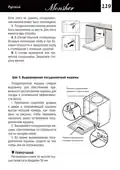
Starting A Cycle Wash
1. Draw out the lower and upper basket, load the dishes and push them back.
It is commended to load the lower basket first, then the upper one.
2. Pour in the detergent.
3. Insert the plug into the socket. The power supply refer to last page «Product
fiche». Make sure that the water supply is turned on to full pressure.
4. Open the door, Press the power button.
5. Choose a program, the response light will turn on. Then close the door, the
dishwasher will start its cycle.
Changing The Program Mid-cycle
A wash cycle can only be changed if it has been running for a short time
otherwise, the detergent may have already been released and the dishwasher may
have already drained the wash water. If this is the case, the dishwasher needs to
be reset and the detergent dispenser must be refilled. To reset the dishwasher,
follow the instructions below:
1.
Open the door a little to stop the dishwasher, after the spray arm stop
working, you can open the door completely.
2. Press Program button more than three seconds the machine will be in
stand by state.
3. You can change the program to the desired cycle setting.
3 sec

| General | Details |
|---|---|
| Name | Monsher MD 4502 Dishwasher |
| Make | Monsher |
| Language | English |
| Filetype | PDF (Download) |
| File size | 12 MB |
 (1 votes, average: 5.00 out of 5)
 Loading...

Monsher MD 6003 Dishwasher

Monsher MD 6001 Dishwasher


FISHER AND PAYKEL DD60SDFHTX9 Tall Single DishDrawer Dishwasher

FISHER AND PAYKEL DD24SCTW9 N Contemporary Tall Dishwasher

Siemens SX75YX00CE Dishwasher

FISHER AND PAYKEL DW60UN2B2 5 Contemporary Built Under Dishwasher

WDTA50SAKB Dishwasher

BOSCH SBH4ECX10E Dishwasher

CMA DISHMACHINES CMA-180 Dishwasher

FRIGIDAIRE DWU-22J Dishwasher

SHARP QW-NA26F39DI-EN Dishwasher

BOSCH S187ZCX03G Fully Dishwasher
Table of Contents
- 1. Einbaugeschirrspüler - Dishwasher →
- 2. Teil I: Allgemeine Beschreibung - Sicherheitsinformati... →
- 3. Teil I: Allgemeine Beschreibung - Sicherheits Informationen →
- 4. Sicherheitshinweise - Erdungsanweisung →
- 5. Beim Laden Von Geschirr - Verwendung Von Reinigungsmitteln →
- 6. Entsorgung →
- 7. Geratebeschreibung - Achtung! →
- 8. Vor Verwendung Der Spülmaschine - Das Innere Des Geräts →
- 9. Gehen Sie Folgendermaßen Vor, Um Salz In Die Spülmaschine Zu... →
- 10. Tipps Zur Verwendung Eines Korbes - Oberkorbverstellung →
- 11. Typ 2: - Faltbecherregale →
- 12. Wartung Und Reinigung - Außenflächen Pflege →
- 13. Grob Filter - Haupt Filter →
- 14. Die Sprüharme →
- 15. Spülmaschinenpflege - Frostschutz →
- 16. Installationsanleitu... - Stromanschluss →
- 17. Stromanschluss - Wasserversorgung Und Sserablauf →
- 18. Anschließen Eines Sicheren Wasserversorgungsschlauchs - Tren... →
- 19. Restwasser Aus Schläuchen Ablassen - Ablßstutzen →
- 20. Geräteplatzierung - Justierung →
- 21. Installation Unter Einer Tischplatte - Achtung! →
- 22. Einbau (für Einbaugeräte) - Schritt 1. Auswählen Eines Insta... →
- 23. Schritt 2. Abmessungen Und Montagereihenfolge Der Dekorplatt... →
- 24. Schritt 3. Einstellung Der Türfederspannung - Schritt 4. Vor... →
- 25. Stellen Sie Die Türfederspannung - Die Spülmaschine Muss Fix... →
- 26. Fehlersuche Und Fehlerseitigung - Bevor Sie Sich An Ein Serv... →
- 27. Fehler - Mögliche Ursache →
- 28. Fehler - Mögliche Ursache →
- 29. Laden Von Geschirr In Körbe Nach Standard En 50242 →
- 30. Besteckkorb - Informationen Zur Vergleichsprüfung →
- 31. Teil Ii: Besondere Anweisungen - Hinweis →
- 32. Kurzanleitung - Installationsanleitu... →
- 33. Gebrauch Spülmaschinens - Bedienfeld →
- 34. Eco - Glaswaren →
- 35. Wasserenthärtungsger... - Einstellen Salzverbrauch →
- 36. Wasserhärte - Wasserenthärter →
- 37. Vorbereitung Des Geschirrs Zum Einladung - Nicht Erlaubt →
- 38. Geschirr Entfernen - Hinweis →
- 39. Geschirr In Den Oberkorb Legen - Geschirr In Den Unterkorb L... →
- 40. Verwendung Von Spülmittel Und Waschmittel - Wenn Der Klarspü... →
- 41. Spülmittelbehältersf... - Klarspüleranzeige →
- 42. Füllen Des Waschmitteldosierers - Hinweis →
- 43. Programmierung Eines Spülmaschinens - Programm Beschreibung →
- 44. Starten Des Waschzyklus - Programm Waschen (45c) →
- 45. Änderung Gestartete Programme - Geschirr Hinzufügen →
- 46. Fehler/fehlercodes - Codes →
- 47. Technische Information - Höhe (h) →
- 48. Technische Daten - Technische Merkmale Eines Haushaltsgeschi... →
- 49. Seriennummer - Hersteller →
- 50. Part I: Generic Version - Safety Information →
- 51. Part I: Generic Version - Safety Information →
- 52. Earthing Instructions - This Appliance Is For Indoor Househo... →
- 53. Use Of Detergents - Safety Precautions →
- 54. Product Overview - Important →
- 55. Using Your Dishwasher - Before Using Your Dishwasher →
- 56. Please Follow The Steps Below For Adding Dishwasher Salt: - ... →
- 57. Basket Used Tips - Adjusting The Upper Basket →
- 58. Type 2 - Folding Back The Cup Shelves →
- 59. Maintenance And Cleaning - External Care →
- 60. Coarse Filter - Main Filter →
- 61. Spray Arms →
- 62. Caring For The Dishwasher - Frost Precaution →
- 63. Installation Instruction - About Power Connection →
- 64. Water Supply And Drain - Cold Water Connection →
- 65. Connection Of Drain Hoses - How To Drain Excess Water From H... →
- 66. Position The Appliance - Levelling The Appliance →
- 67. Underneath Existing Work Top - Attention →
- 68. Built-in Installation (for The Integrated Model) - Step 1. S... →
- 69. Step 2. Aesthetic Panels Dimensions And Installation - Semi-... →
- 70. Step 3. Tension Adjustment Of The Door Spring - Step 4. Dish... →
- 71. The Dishwasher Must Be Secured In Place. - Levelling The Dis... →
- 72. Troubleshooting Tips - Before Calling For Service →
- 73. Problem - Possible Causes →
- 74. Problem - Possible Causes →
- 75. Loading The Baskets According To En50242 - Upper Basket →
- 76. Cutlery Basket - Information For Comparability →
- 77. Part Ii: Special Version - Please Read This Manual Carefully... →
- 78. Quick User Guide - Install The Dishwasher →
- 79. Using Your Dishwasher - Control Panel →
- 80. Eco - Glass →
- 81. Water Softener - Adjusting Salt Consumption →
- 82. Water Softener →
- 83. Preparing And Loading Dishes - Recommendations For Loading T... →
- 84. Removing The Dishes - Loading The Upper Basket →
- 85. Loading The Cutlery Basket - Function Of The Rinse Aid And D... →
- 86. Function Of Detergent - Proper Use Of Detergent →
- 87. Filling The Rinse Aid Reservoir - Rinse-aid Indicator →
- 88. Filling The Detergent Dispenser →
- 89. Programming The Dishwasher - Wash Cycle Table →
- 90. Starting A Cycle Wash - Changing The Program Mid-cycle →
- 91. Forget To Add A Dish? - It Is Dangerous To Open The Door Mid... →
- 92. Error Codes - Codes →
- 93. Technical Information →
- 94. Product Fiche - Manufacturer →
- 95. Serial Number - Manufacturers →
- 96. Часть I: Общее Описание - Информация По Технике Безопасности →
- 97. Часть I: Общее Описание - Информация По Технике Безопасности →
- 98. Инструкция По Заземлению →
- 99. Дверь Работающей Посудомоечной Машины Следует Открывать С Ос... →
- 100. Утилизация →
- 101. Описание Прибора - Внимание! →
- 102. Использование Посудомоечной Машины - Перед Использованием По... →
- 103. Для Добавления Соли В Посудомоечную Машину Выполните Указанн... →
- 104. Советы По Использованию Корзины - Регулировка Верхней Корзин... →
- 105. Тип 2: - Складывание Полок Для Чашек →
- 106. Техническое Обслуживание И Чистка - Уход За Внешними Поверхн... →
- 107. Фильтр Грубой Очистки - Основной Фильтр →
- 108. Распылительные Коромысла - Очистка Распылительных Коромысел →
- 109. Уход За Посудомоечной Машиной - Предотвращение Замораживания →
- 110. Перемещение Прибора - Уплотнители →
- 111. Требования К Сети Электропитания - Подключение К Сети Электр... →
- 112. Присоединение Безопасного Шланга Подачи Воды - Отсоединение ... →
- 113. Столешница - Задняя Часть Посудомоечной Машины →
- 114. Размещение Прибора - Выравнивание Прибора →
- 115. Установка Под Столешницу - Внимание! →
- 116. Встраивание Прибора (для Встраиваемых Моделей) - Шаг 1. Выбо... →
- 117. Шаг 2. Размеры И Порядок Установки Декоративной Панели - Пол... →
- 118. Шаг 3. Регулировка Натяжения Пружины Двери - Шаг 4. Порядок ... →
- 119. Посудомоечная Машина Должна Быть Закреплена На Месте - Шаг 5... →
- 120. Советы По Поиску И Устранению Неисправностей - Нарушение В Р... →
- 121. Нарушение В Работе - Возможные Причины →
- 122. Нарушение В Работе - Возможные Причины →
- 123. Загрузка Посуды В Корзины В Соответствии Со Стандартом - En5... →
- 124. Полка-держатель Для Столовых Приборов - Что Можно Разместить →
- 125. Часть Ii: Особые Указания - Примечания →
- 126. Краткое Руководство Пользователя - Установите Посудомоечную ... →
- 127. Использование Посудомоечной Машины - Панель Управления →
- 128. Эко - Стеклянная Посуда →
- 129. Устройство Умягчения Воды - Регулировка Расхода Соли →
- 130. Жесткость Воды - Настройка →
- 131. Подготовка И Загрузка Посуды - Мытье Перечисленных Ниже Стол... →
- 132. Загрузка Посуды В Посудомоечную Машину - Извлечение Посуды →
- 133. Загрузка Посуды В Верхнюю Корзину - Загрузка Посуды В Нижнюю... →
- 134. Использование Ополаскивателя И Моющего Средства - Когда Необ... →
- 135. Заполнение Емкости Ополаскивателя - Индикатор Уровня Ополаск... →
- 136. Заполнение Дозатора Моющего Средства - Примечания: →
- 137. Программирование Посудомоечной Машины - Таблица С Описанием ... →
- 138. Запуск Цикла Мытья - Изменение Запущенной Программы →
- 139. Добавление Дополнительной Посуды - Предупреждение →
- 140. Коды Неисправностей/сбоев - Возможная Причина →
- 141. Техническая Информация - Высота (h) →
- 142. Технические Характеристики - Компания-изготовител... →
- 143. Серийный Номер - Изготовитель →
- 144. Для Заметок →
- 145. Для Заметок →
- 146. Для Заметок →
- 147. Сервисная Книжка - Гарантийное Обслуживание →
- 148. Сведения О Ремонтах →
- 149. Гарантийный Сертификат - Обратите Особое Внимание! →
- 150. Сведения Об Установке - Внимание →
- 151. User Manual - Руководство Пользователя →