
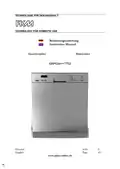
PKM GSP12A++7TI2 Dishwasher





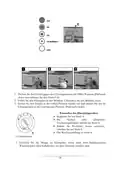
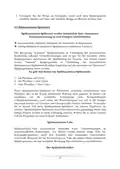

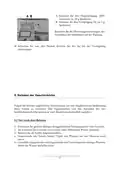


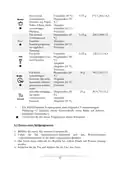












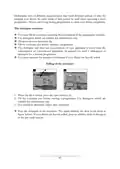



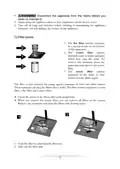





1. Press and hold the Start/Pause button longer than 3 seconds. The appliance
changes to stand-by mode; now you can re-programme the appliance.
When you open the door while the appliance is operating, the appliance will stop
operating. The display indicates 8:88 (flashing). An acoustic signal sounds once per
minute. When you close the door again, the appliance will start operating after 10
seconds.
6.3 Subsequent addition of dishes
You can put dishes later in the appliance unless the detergent container has opened.
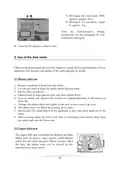
1. Press the Start/Pause button.
2. Open the door slightly to stop operation.
3. You can open the door completely after the rotating spray arms stopped
operation.
4. Now you can add dishes.
5. When you close the door and press the Start/Pause button, the appliance starts
operating after 10 seconds.
6.4 End of a programme
When a programme has ended, an acoustic signal sounds for 8 seconds; hen the
appliance will switch off.
1. Switch off the appliance (ON/OFF button).
2. Turn off the water.
3.
CAUTION! Wait a few minutes before you open the door as hot
damp may escape.
4. Wait approx. 15 minutes before you take out the dishes. The dishes are still hot
and will break easily.
5. It is normal that the appliance is wet inside.
7. Cleaning and maintenance
71

| General | Details |
|---|---|
| Name | PKM GSP12A++7TI2 Dishwasher |
| Make | PKM |
| Language | English |
| Filetype | PDF (Download) |
| File size | 0.94 MB |
 (1 votes, average: 5.00 out of 5)
 Loading...

PKM GSP9-6TI Dishwasher


dacor EDWH24S Dishwasher

SIEMENS SN23EW04MG Free Standing Dishwasher

GE PDT755SYV Profile UltraFresh System Dishwasher

COMFEE KWH-TD602E-S Compact Dishwasher

AEG FFB74707PM Dishwasher

maidaid halcyon AMH95WSD Water Softener Pass Through Dishwasher

BOSCH SMD8TC800E Dishwasher

BOSCH SPS2HKI42E Dishwasher

Whirlpool DU850SWP Dishwasher

FISHER AND PAYKEL DD24SCTX9 N Dishwasher