
Whirlpool W11323304H Heavy Duty Dishwasher


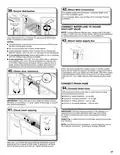


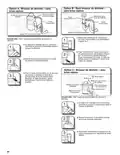


INSTALL ACCESS PANELS
47. Power supply cord—Plug into
a grounded 3 prong outlet
49. Reinstall access panels and fasteners
Insulation
(on some models)
Plug into a grounded 3 prong outlet.
48. Reconnect power
Reconnect electrical power at the fuse box or circuit
breaker box.
NOTE: With the access panel off, start the dishwasher and allow
it to complete the shortest Installation Cycle while checking unit
for leaks. See instructions on this manual under Check Operations
section.
Place the toe panel behind the access panel against the
dishwasher leg. If insulation is included on this model, make sure
insulation does not interfere with the float assembly. Push the
access panel up toward the top of the product so that it hangs on
the hooks on the plastic side members.
■ Reinstall the toe/access panel assembly, with side shield
between the toe/access panel assembly and the side member.
Align the rectangular slot in the foam and assemble the
toe/access panel assembly to the unit using the screw.
CHECK OPERATION
■ Read the dishwasher Quick Start Guide that came with your
dishwasher.
■ Check that all parts have been installed and no steps were
skipped. Check that you have all tools used.
NOTE: Remove film on door Score around door for easier
removal.
■ Run the Installation Cycles as follows (Note that it can be
beneficial to run this with the access panel removed in order
to look for presence of water under the unit. If running in this
state, the float switch wire MUST still be connected to the float
switch.)
■ If the dishwasher is not working properly, disconnect power
or unplug dishwasher and refer to the “If Dishwasher Does Not
Operate” section.
■ Press any 3 keys (except Delay or Cancel) in the sequence
1-2-3-1-2-3-1-2-3 with no more than 1 second between key
presses to enter the Installation cycle then press button #2.
■ Close the door and the cycle will start.
■ All LEDs turn on immediately upon receiving entry sequence.
■ A tone may play depending on the model.
■ The cycle will pause when the door is opened and resume
when closed.
■ No Start/Resume key press required to resume.
■ The installation cycle may last several minutes.
■ For models with the Auto Door Open feature, the door will
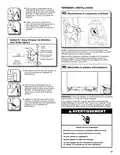
50. Check access panel edge
automatically open once the cycle is concluded.
■ Press Cancel key to exit installation cyle mode. The product
will exit this mode after 10 minutes or if power is removed from
the appliance.
■ If any error codes or blinking lights are found, see Error Code
section in this Manual prior to calling for service.
NOTE: It is normal for the drain pump to sound loud upon the
first run since no water is present in the system.
All
LEDs
on
5
Numeric
Display
1
2
3
4
(Some
models
6
7
Approximate
interval
0:30
(Maximum
5:00)
1:00
(Maximum
5:00)
0:01
2:00
0:20
0:20
0:20
0:30
Check that the lower edge of the access panel touches the floor.
Adjust if necessary.
Time
Wash+
Third
Wash+
Dispenser
(Middle
spray
Fill 3.8
L+
Wash+
Fan
Wash+
Heater
(Lower
spray
arm)
Level
Machine
Action
Initial
Drain
Drain
Pause
Wash
motor
pulses
(Ceiling
spray
arm)
Rack. If
present
in this
model
Pracess
pulses
arm)
26

| General | Details |
|---|---|
| Name | Whirlpool W11323304H Heavy Duty Dishwasher |
| Make | Whirlpool |
| Language | English |
| Filetype | PDF (Download) |
| File size | 11.68 MB |
 (1 votes, average: 5.00 out of 5)
 Loading...

Whirlpool 2B19 Dishwasher

Whirlpool WFO3O33PLAUS Standard Dishwasher

Whirlpool W11323304G Dishwasher

Whirlpool WH7IPC15BM60 Dishwasher

Whirlpool FINPUTSAD Dishwasher

Whirlpool W7U HS31 X Dishwasher

Whirlpool Thron Dishwasher

Whirlpool WDF332PAMS 24 Front Tall Tub Dishwasher

Whirlpool WRF540CWHZ Dishwasher

Whirlpool WDF130PAHB Dishwasher


Cecotec Bolero Aguazero 6200 Dark D Dishwasher

BOSCH SMU6ECI70S Dishwasher
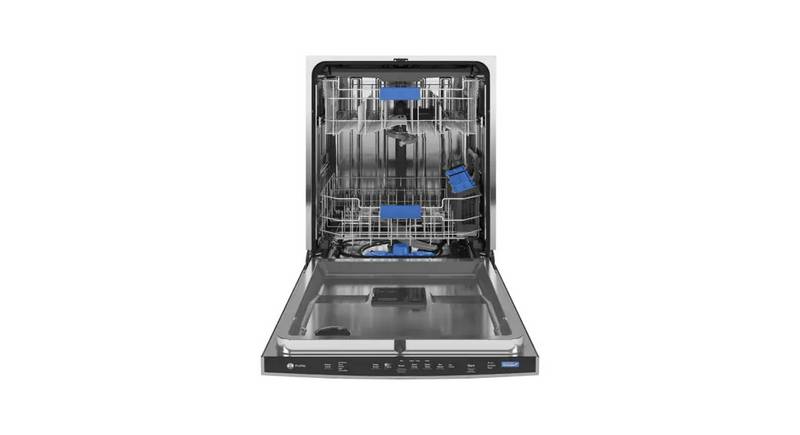
GE PDP755SYV Profile UltraFresh System Dishwasher

Whirlpool W11602471 Dishwasher

FISHER and PAYKEL DD24DTX6HI1 Tall Dishwasher

ATAG DW7214MC Dishwasher

FISHER AND PAYKEL ADDD24DTNX Tall 24 Dishwasher

MAYTAG ADB1200AWS Dishwasher

omega OFI101X Dishwasher

BOSCH SMV6ECX51E Dishwasher