
HOOVER HI 4E7L0S-80 Semi Integrated Dishwasher

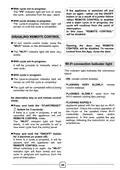







With cycle not in progress:
The "P5" indicator light will turn on when
the cycle - activated from the app - starts.
If the appliance is switched off and
then on again - either via the ON/OFF
button or as a result of a power failure
-when REMOTE CONTROL is enabled
and a wash cycle is in progress, the
cycle will continue from the point of
interruption.
With cycle already in progress:
The cycle-in-progress indicator light will
remain on until the cycle is completed.
In this case, "REMOTE CONTROL"
will be disabled.
DISABLING REMOTE CONTROL
To exit remote control mode, press the
Opening the door, any REMOTE
CONTROL will be disabled. To resume
control from the App, close the door.
"Wi-Fi" button on the dishwasher again.
The "Wi-Fi" indicator light will blink very
slowly.
With cycle not in progress:
Wi-Fi connection indicator light
It will be possible to manually select a
new cycle.
This indicator light indicates the connection
status:
With cycle in progress:
- ON: remote control enabled.
The cycle-in-progress indicator light will
remain on until the cycle is completed.
-
FLASHING VERY SLOWLY: remote
The cycle will be completed without being
controlled via the App.
control disabled.
- FLASHING SLOWLY: reset from the
Wi-Fi network (during App pairing).
An alternative way to exit remote control
mode.
- FLASHING RAPIDLY:
appliance paired with the app but no Wi-Fi
connection. Check the correct operation of
the router or the updated home Wi-Fi
Press and hold the "START/RESET"
button for 3 seconds.
If there is a cycle in progress, it will be
cancelled and the appliance will exit
REMOTE CONTROL mode.
The "Wi-Fi" indicator light will flash
slowly. It will now be possible to set a
new wash cycle from the control panel.
credentials
(Network
name
and/or
password). In this case, update the app
settings, following the instructions on your
smartphone.
Press and hold the "ON/OFF" button
for 3 seconds (or power off).
If there is a cycle in progress, it will be
paused and the appliance will exit
REMOTE CONTROL mode.
When switching it on again, the "Wi-Fi"
indicator light will flash slowly and any
cycle in progress will continue from the
point of interruption.
34

| General | Details |
|---|---|
| Name | HOOVER HI 4E7L0S-80 Semi Integrated Dishwasher |
| Make | Hoover |
| Language | English |
| Filetype | PDF (Download) |
| File size | 0.8 MB |
 (1 votes, average: 5.00 out of 5)
 Loading...

HOOVER HI 3E9E0S Dishwasher

HOOVER HV-D13SS 13 Place Dishwasher

Hoover 32901787 Dishwasher


BOSCH SHXM63W Dishwasher

baridi DH224A Mini Tabletop Dishwasher

ORANIER GSV660 Dishwasher

BOSCH SMV6ZCX42E Dishwasher

Honeywell HCTDS1W Dishwasher

Indesit I0F D641A Dishwasher

FRIGIDAIRE GDPH4525AF Gallery Dishwasher

KLEENmaid DW4531 45cm Dishwasher

Kenmore 587.141500 Dishwasher

Airmsen ZMW-DUHC01 Portable Countertop Dishwasher