
HOOVER HI 4E7L0S-80 Semi Integrated Dishwasher

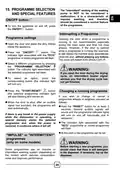
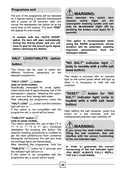
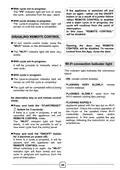







Delayed start can be changed or cancelled
if countdown has has not ended, and
therefore the programme has not yet
started. Select another programme or
DELAY START/SETTINGS OPTION
button
select/deselect
proceeding as follows:
the
option
button,
This button can be used to select two
different functions.
Hold the "RESET" button down for at
least 3 seconds. Some audible signals
will sound and the programme indicator
lights will turn on and off individually and
sequentially.
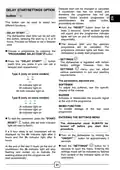
- DELAY START
The dishwasher start time can be set with
this button, delaying the start by 3, 6 or 9
hours. Proceed as follows to set a delayed
start:
The delayed start and the selected
programme will be cancelled. The
programme indicator lights will flash, the
dishwasher is ready start programme.
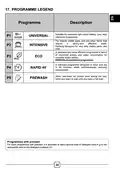
Choose a programme by pressing the
"PROGRAMME SELECTION" button.
- SETTINGS
The dishwasher is regulated with certain
factory settings. However, from the
Press the "DELAY START"
(each time you press it you can set a
delayed start respectively).
button
SETTINGS
menu, you can adjust
various parameters to suit your washing
requirements.
Type A (only on some models)
The parameters adjusted are:
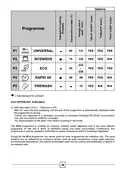
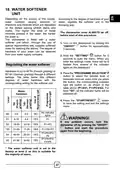
SOFTENER
To adjust the softener, see the specific
chapter of the manual.
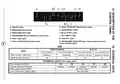
3h indicator light on
6h indicator light on
9h both indicator light on
BUZZER
Type B (only on some models)
Activates or deactivates the acoustic signal
at the end of the programme.
MEMO FUNCTION
To enable storage of the last used
programme.
3h indicator light on
6h indicator light on
9h indicator light on
ENTERING THE SETTINGS MENU
To start the countdown, press the "START/
RESET"
light will start to flash).
button (the set time indicator
The dishwasher must ALWAYS be
turned off before you start this
procedure.
If a 9 hour delay is set, countdown will be
displayed by the 6h indicator light after 3
hours and the 3h indicator light after 6
hours.
Turn on the dishwasher by holding the
"ON/OFF"
button for approximately 3
seconds.
Hold the "SETTINGS"
button for 5
At the end of the last 3 hours (at the end of
countdown) the 3h indicator light will stop
flashing and remain on to indicate the
washing phase and the programme will
start automatically.
seconds to open the menu. Entering the
settings mode will be indicated by flashes
from several of the indicator lights on the
dashboard.
31

| General | Details |
|---|---|
| Name | HOOVER HI 4E7L0S-80 Semi Integrated Dishwasher |
| Make | Hoover |
| Language | English |
| Filetype | PDF (Download) |
| File size | 0.8 MB |
 (1 votes, average: 5.00 out of 5)
 Loading...

HOOVER HI 3E9E0S Dishwasher

HOOVER HV-D13SS 13 Place Dishwasher

Hoover 32901787 Dishwasher


FISHER AND PAYKEL DD60DHI9-CN Dishwasher

Danby DDW18D1EW Dishwasher

BOSCH SHEM3AY55N Dishwasher

ASKO DFI777UXXL Dishwasher

FISHER AND PAYKEL DD24STX6I1 Dish Drawer Dishwasher

MEIKO UPster U 400 M2 Glass and Dishwasher

BOSCH SHU43C Dishwasher

HAFELE HDW-F605B Free Standing Dishwasher

smeg LVS344PM 60 cm Free Standing Dishwasher

Esatto EBTDW2D Benchtop Dishwasher