
HOOVER HI 4E7L0S-80 Semi Integrated Dishwasher

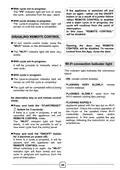







Successful pairing
16. REMOTE CONTROL (WI-FI)
This appliance is equipped with Wi-Fi
technology that allows the machine to be
remote controlled via an app.
If pairing with the App is successful, the
"Wi-Fi" indicator light will turn on and
remain on.
You can now control the dishwasher from
the App.
APPLIANCE PAIRING (ON APP)
Unsuccessful pairing
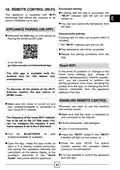
Download the hOn App on your device by
framing the following QR code:
If pairing fails (or does not succeed within 5
minutes):
• The "Wi-Fi" indicator light will turn off.
The dishwasher will not be connected.
Repeat the pairing procedure from the
App.
or by the link:
go.haier-europe.com/download-app
Reset WiFi
In the event of problems or changes to the
home router settings (e.g., change of
network name/password, internet supplier,
etc.), you are required to perform the
pairing procedure once more, removing the
product from the App, or changing the Wi-Fi
network credentials from the appliance
settings in the App.
The hOn app is available both for
Android and for iOS tablets and
smartphones.
To discover all the details of the Wi-Fi
features, explore the app menus in
DEMO mode.
ENABLING REMOTE CONTROL
Make sure the router is turned on and
your smartphone/tablet is connected to
your home Wi Fi network.
Whenever you want to use the machine
with remote control:
Make sure that the router is switched on
and connected to the Internet.
The frequency of the home Wi-Fi network
has to be set on the 2.4 GHz band. You
can not configure the machine if your
home network is set to the 5 GHz band.
Fill the dishwasher, add detergent.
Turn on the dishwasher.
Turn the BLUETOOTH on your
smartphone/tablet (if available).
Press the "Wi-Fi" button the "WI-Fi"
indicator will light up and remain on.
Close the door. NOTE: For built-in
models, perform this operation before
turning on the dishwasher.
Open the App, create the user profile (or
log-in if it is already created previously)
and pairing the appliance following the
instructions on the device display or the
procedure described in the "Quick
Guide" that comes with the appliance.
It is now possible to control the appliance
from the App.
33

| General | Details |
|---|---|
| Name | HOOVER HI 4E7L0S-80 Semi Integrated Dishwasher |
| Make | Hoover |
| Language | English |
| Filetype | PDF (Download) |
| File size | 0.8 MB |
 (1 votes, average: 5.00 out of 5)
 Loading...

HOOVER HI 3E9E0S Dishwasher

HOOVER HV-D13SS 13 Place Dishwasher

Hoover 32901787 Dishwasher


Whirlpool 400011634913 Dishwasher

FRIGIDAIRE FDSP4501SS Tub Dishwasher

hermitlux HMX-DW03 Tabletop Dishwasher

SIEMENS SN13ES78CS Dishwasher

JENNAIR JDPSS246LL Dishwasher

CMA DISHMACHINES EST-66 Conveyor Dishwasher

BOSCH SPS2IKI04E Free Standing Dishwasher

BOSCH SGV4HAX40G Dishwasher

Haier HDW15V2 Dishwasher

BOSCH SMS4IKW51Q Free Standing Dishwasher