
×
- 1. Benutzerhandbuch Für Ihren Geschirrspüler (Users Manual → English Language → Modell: Dw616fs)
- 2. Vielen Dank Für Ihr Vertrauen Und Glückwunsch Zum Kauf Ihres Neuen Geschirrspülers! Lesen Sie Dieses Handbuch Sorgfältig Und Aufmerksam Durc…
- 3. Wichtige Sicherheitshinweise (Produktübersicht → Vor Dem Betrieb → Bedienung, Einstellung Und Benutzung → Reinigung Und Instandhaltung)
- 4. Wichtige Sicherheitshinweise (Bestimmungsgemäße Verwendung → Gefahren Für Leib Und Leben)
- 5. Wichtige Sicherheitshinweise (Verwendung Des Geräts → Nutzungshöhe → Betriebsanweisungen → Sicherheitsrisiko Bei Unbenutzten Geräten)
- 6. Wichtige Sicherheitshinweise (Allgemeine Warnhinweise → Lebens- Und Verletzungsgefahren)
- 7. Wichtige Sicherheitshinweise
- 8. Wichtige Sicherheitshinweise
- 9. Wichtige Sicherheitshinweise (Stromschlaggefahr / Gefahren Durch Strom!)
- 10. Wichtige Sicherheitshinweise
- 11. Wichtige Sicherheitshinweise (Gefahr Von Beschädigungen Und Funktionsbeeinträchtigungen)
- 12. Wichtige Sicherheitshinweise
- 13. Weitere Hinweise Und Symbole (In Diesem Handbuch → Symbole Für Gefahren Und Informationen → Gefahrenabstufung Durch Kombinierte Signalworte: → Informationen Und Tipps)
- 14. Weitere Hinweise Und Symbole (Gerät, Komponenten Und Zubehör → Symbole Auf Geräteteilen, Zubehör Etc. → Allgemeine Gefahrenwarnung → Eu-konformität)
- 15. Weitere Hinweise Und Symbole (Entsorgung Und Umweltschutz → Hinweis-symbole Zur Entsorgung → Allgemeine Hinweise Zur Entsorgung)
- 16. Weitere Hinweise Und Symbole (Hinweise Zu Wasser- Und Energieersparnis)
- 17. Weitere Hinweise Und Symbole (Hinweise Zum Transport Des Geräts → Hinweise Zur Lagerung)
- 18. Produktübersicht (Gerätekomponenten Und Zubehör → Decken-sprühelement → Salzbehälter → Oberer Geschirrkorb)
- 19. Produktübersicht (Geräteabmessungen Und -eigenschaften → Ausstattung Und Weitere Merkmale)
- 20. Produktübersicht (Bedienfeld Und Anzeige → Bedientasten → Funktionswahl → Kindersicherung)
- 21. Produktübersicht (Display - Anzeige → Funktions-anzeige → Spülbereichs-anzeige → Signalanzeige)
- 22. Vor Dem Betrieb (Auspacken Und Vorbereitung Des Geräts → Geruchswahrnehmung Beim Auspacken)
- 23. Vor Dem Betrieb (Hinweise Zur Inbetriebnahme → Betriebs-vorraussetzungen → Geruchswahrnehmung Während Des Betriebs)
- 24. Vor Dem Betrieb (Einstellung Des Wasserenthärters Und Salzbefüllung → Funktion Des Wasserenthärters)
- 25. Vor Dem Betrieb (Wasserhärte → Regenierung → Befüllen Des Salzbehälters)
- 26. Vor Dem Betrieb (Befüllen Sie Den Salzbehälter Vor Der Inbetriebnahme → Hinweise Zu Salzbefüllung Und Symbolanzeige)
- 27. Vor Dem Betrieb (Befüllen Und Einstellen Des Klarspüldosierers → Funktion Des Klarspülers → Befüllen / Nachfüllen Des Klarspülbehälters)
- 28. Vor Dem Betrieb (Einstellen Der Klarspüldosierung → Befüllen Des Spülmittelspenders → Chemische Bestandteile Von Spülmitteln)
- 29. Vor Dem Betrieb (Aufbewahrung Und Gebrauch Von Geschirrspülmitteln → Befüllen / Nachfüllen Des Spülmittelspenders)
- 30. Vor Dem Betrieb (Beladen Des Geräts → Allgemeine Hinweise Und Empfehlungen Zur Reinigung → Ungeeignet Für Geschirrspüler → Eingeschränkt Geeignet Für Geschirrspüler)
- 31. Vor Dem Betrieb (Allgemeine Hinweise Zum Einlegen Von Geschirr Und Utensilien)
- 32. Vor Dem Betrieb (Beladen Des Unteren Geschirrkorbs → Anpassen Der Geschirrhalter Im Unterkorb)
- 33. Vor Dem Betrieb (Beladen Des Oberkorbs → Höhenanpassung Des Oberkorbs)
- 34. Vor Dem Betrieb (Anpassen Der Tassenablage Am Oberkorb → Anpassung Des Besteckfachs)
- 35. Vor Dem Betrieb (Beladen Des Besteckfachs → Vorsicht! → Verletzungsgefahr Und Beschädigungsgefahr!)
- 36. Bedienung, Einstellung Und Benutzung (Übersicht Der Spülprogramme → Programmablauf → Energiebedarf → Wasserbedarf)
- 37. Bedienung, Einstellung Und Benutzung (Hinweise Zu Eco-programm Und Tabellenangaben → Weitere Hinweise Zur Energieersparnis → Spülvorgang → Programmwahl Und Betriebsstart)
- 38. Bedienung, Einstellung Und Benutzung (Programmänderung Während Des Betriebs → Einlegen Von Geschirr Nach Programmstart)
- 39. Bedienung, Einstellung Und Benutzung (Zusatzfunktionen → Einstellbare Zusatzfunktionen → Startzeitvorwahl → Wahl Des Spülbereichs)
- 40. Bedienung, Einstellung Und Benutzung (Extra - Spülen → Extra - Trocknen → Extra - Schnell)
- 41. Bedienung, Einstellung Und Benutzung (Tastensperre / Kindersicherung → Automatische Zusatzfunktion)
- 42. Bedienung, Einstellung Und Benutzung (Nach Abschluss Des Spülgangs → Vorsicht! → Achtung! → Automatische Zusatzfunktion)
- 43. Reinigung Und Instandhaltung (Stromschlaggefahr → Verletzungsgefahr → Beschädigungsgefahr)
- 44. Reinigung Und Instandhaltung (Reinigung Des Geschirrspülers → Reinigung Des Filtersystems)
- 45. Reinigung Und Instandhaltung (Entnahme Des Filtermoduls → Auseinandernehmen Und Reinigung Des Filtermoduls)
- 46. Reinigung Und Instandhaltung (Wiederzusammensetzen Und -einsetzen Des Filtermoduls → Reinigung Der Sprüharme → Entnahme Der Sprüharme → Wiedereinsetzen Der Sprüharme)
- 47. Reinigung Und Instandhaltung (Pflege Des Geschirrspülers → Dichtungen → Instandhaltung → Frostschutz)
- 48. Problemlösung (Bewegen Des Geschirrspülers → Probleme, Mögliche Ursachen Und Lösungen)
- 49. Problemlösung (Das Gerät Arbeitet Nicht. → Das Wasser Wird Nicht Abgepumpt. → Schaum Im Ablass)
- 50. Problemlösung (Mögliche Ursache → Lösungsvorschläge → Flecken Im Ablauf → Verwendung Von Reinigungsmittel)
- 51. Problemlösung (Mögliche Ursache → Lösungsvorschläge → Das Geschirr Ist Nicht Sauber. → Das Geschirr Ist Nicht Trocken.)
- 52. Problemlösung (Fehlercodes Und Bedeutung → Mögliche Ursache → Lösungsvorschläge → Achtung!)
- 53. Installation Des Geräts (Wichtige Hinweise Und Installationsanforderungen)
- 54. Installation Des Geräts (Wasseranschluss → Wichtige Hinweise Und Anweisungen Vor Dem Wasseranschluss → Sicherheitsschlauch/aquastop → Anschluss Des Geräts An Die Kaltwasserversorgung)
- 55. Installation Des Geräts (Anschluss Des Geräts An Den Wasserablauf)
- 56. Installation Des Geräts (Anschluss An Die Stromversorgung → Hinweise Zur Stromversorgung → Sicherheitsvorkehrungen Beim Anschluss)
- 57. Installation Des Geräts (Positionierung Des Geräts → Allgemeine Hinweise Zur Positionierung → Freistehende Position Oder Unterbau)
- 58. Installation Des Geräts (Freistehende Installation Des Geräts → Einpassen Des Geräts Zwischen Möbelstücken Oder Weiteren Geräten → Positionierung Des Geräts Für Den Einbau / Unterbau)
- 59. Installation Des Geräts (Waagerechte Ausrichtung Und Höhenanpassung / Einstellen Der Stellfüße)
- 60. Installation Des Geräts (Höhenanpassung Der Stellfüße → Achtung!)
- 61. Technische Daten (Hersteller → Modellkennung → Energieverbrauch → Wasserverbrauch)
- 62. Technische Daten (Hinweis Zur Produktkonformität → Produktbezeichnung → Hersteller / Inverkehrbringer)
- 63. Kundenservice (Kkt Kolbe Service Und Kundendienst → Min. Verfügbarkeit Von Ersatzteilen)
- 64.
- 65. Kkt Kolbe Küchentechnik Gmbh & Co. Kg (Ohmstraße 17 → Pettstadt → Www.kolbe.de)
- 66. User's Manual (Safe Installation → Maintenance → Use → Customer Service)
- 67. Important Safety Instructions (Product Overview → Before Operation → Operation, Setting And Use → Cleaning And Maintenance)
- 68. Important Safety Instructions (Intended Use)
- 69. Important Safety Instructions
- 70. Important Safety Instructions (General Warnings → Danger To Life And Injury!)
- 71. Important Safety Instructions
- 72. Important Safety Instructions
- 73. Important Safety Instructions (Risk Of Electric Shock/dangers From Electricity!)
- 74. Important Safety Instructions
- 75. Important Safety Instructions (Causes For Damage And Functional Impairments)
- 76. Important Safety Instructions
- 77. Further Notes And Symbols (In This Manual → Symbols For Hazards And Information → Warning Of Danger To Persons And Of Damage → Information And Tips)
- 78. Further Notes And Symbols (Appliance, Components And Accessories → Symbols On Appliance Parts, Accessories, Etc. → General Danger Warning! → Eu Conformity)
- 79. Further Notes And Symbols (Disposal And Environmental Protection → Symbols For Disposal → General Notes On Disposal)
- 80. Further Notes And Symbols (Notes On Water And Energy Saving)
- 81. Further Notes And Symbols (Notes On Transporting The Appliance → Storage Instructions)
- 82. Product Overview (Appliance Components And Accessories → Upper Crockery Basket → Lower Crockery Basket)
- 83. Product Overview (Appliance Specifications → Features And Further Properties)
- 84. Product Overview (Control Panel And Display → Control Buttons → Programme Selection → Function Selection)
- 85. Product Overview (Led - Display (screen) → Function Display (selectable With F Button) → Washing Area Display → Signal Display)
- 86. Before Operation (Unpacking And Preparing The Appliance → Smell Perception During Unpacking)
- 87. Before Operation (Operating Requirements → Smell Perception During Operation)
- 88. Before Operation (Setting The Water Softener And Salt Filling → Function Of The Water Softener → Adjusting The Salt Dosage Of The Water Softener)
- 89. Before Operation (Water Hardness → Regeneration → Salt → Dosage Setting At Every Xth Programme Cycle)
- 90. Before Operation (Fill The Salt Container Before Commissioning → Notes On Salt Filling And Symbol Display)
- 91. Before Operation (Filling And Adjusting The Rinse Aid Dispenser → Function Of The Rinse Aid → Filling/refilling The Rinse Aid Container)
- 92. Before Operation (Setting The Rinse Aid Dosage → Filling The Detergent Dispenser)
- 93. Before Operation (Storage And Use Of Dishwashing Detergents → Filling/refilling The Detergent Dispenser)
- 94. Before Operation (Loading Dishes → General Information And Recommendations → Unsuitable For Dishwashers → Suitable For Dishwashers)
- 95. Before Operation (Before Loading The Dishwasher → General Instructions For Inserting Crockery And Utensils)
- 96. Before Operation (Loading The Lower Crockery Basket → Large Items Of Crockery And Utensils That Are Difficult To Clean → Folding Back The Rack Shelves In The Lower Basket)
- 97. Before Operation (Loading The Upper Crockery Basket → Height Adjustment Of The Upper Basket)
- 98. Before Operation (Adjusting The Cup Rack On The Upper Basket → Adjusting The Cutlery Tray For Increased Space Requirement In The Upper Basket)
- 99. Before Operation (Loading The Cutlery Tray (according To En Standard) → Caution! → Risk Of Injury And Damage! → Example Of Loading The Cutlery Tray (according To En Standard))
- 100. Operation, Setting And Use (Washing Programme Overview → Programme Information → Automatic Adjustment Of Running Time, Temperature Etc. → Cycle Detergent Consumption)
- 101. Operation, Setting And Use (Notes On Eco Programme And Table Data → Further Notes On Saving Energy → Washing Procedure → Programme Selection And Start Of Operation)
- 102. Operation, Setting And Use (Changing The Programme During Operation → Adding Dishes After Starting A Cycle)
- 103. Operation, Setting And Use (Additional Functions → Selectable Additional Functions → Start Time Delay → Selecting The Washing Area)
- 104. Operation, Setting And Use (Extra Cleaning → Extra Drying → Extra Rapid)
- 105. Operation, Setting And Use (Buttonlock/childlock → Automatic Additional Function)
- 106. Operation, Setting And Use (After Completion Of The Wash Cycle → Caution! → Attention! → Additional Automatic Function)
- 107. Cleaning And Maintenance
- 108. Cleaning And Maintenance (Cleaning The Dishwasher → Cleaning The Filter System)
- 109. Cleaning And Maintenance (Removing The Filter Module → Disassembling The Filter Module)
- 110. Cleaning And Maintenance (Re-assembling And Inserting The Filter Module → Cleaning The Spray Arms → Removing The Spray Arms → Reinserting The Spray Arms)
- 111. Cleaning And Maintenance (Caring For The Dishwasher → Maintenance → Frost Precaution)
- 112. Troubleshooting (Moving The Dishwasher → Problems, Possible Causes And What To Do)
- 113. Troubleshooting (Problem → Possible Cause → What To Do)
- 114. Troubleshooting (Possible Cause → What To Do → Stained Tub Interior → White Film On Inside)
- 115. Troubleshooting (Problem → Possible Cause → What To Do → The Dishes Are Not Clean.)
- 116. Troubleshooting (Error Codes And Meaning)
- 117. Installation Of The Appliance (Important Notes And Installation Requirements)
- 118. Installation Of The Appliance (Water Connection → Important Notes And Instructions Before Connecting → Safety Hose/aquastop → Connecting The Appliance To The Cold Water Supply)
- 119. Installation Of The Appliance (Disconnecting The Appliance From The Water Supply → Connecting The Appliance To The Water Drain)
- 120. Installation Of The Appliance (Connection To The Power Supply)
- 121. Installation Of The Appliance (Positioning Of The Appliance → General Notes On Positioning → Free-standing Position Or Sub-installation)
- 122. Installation Of The Appliance (Free-standing Installation Of The Appliance → Fitting The Appliance Between Pieces Of Furniture Or Other Appliances → Positioning Of The Appliance For Building-in/sub-installation)
- 123. Installation Of The Appliance (Levelling And Height Adjustment)
- 124. Installation Of The Appliance (Height Adjustment Of The Levelling Feet)
- 125. Technical Data (Manufacturer → Model Identifier → Rated Capacity → Dimensions (wdh))
- 126. Technical Data (Note On Product Conformity → Model Designation: → Free-standing Household Dishwasher → Manufacturer/distributor:)
- 127. Customer Service (Kkt Kolbe Support And Service → Questions & Answers → Min. Availability Of Spare Parts)
- 128.
- 129.
×
KKT KOLBE DW616FS Dishwasher






Operation, Setting and Use
Changing the programme during operation
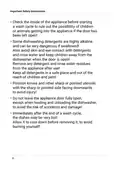
A programme can only be changed shortly after it has started,
as otherwise the detergent may already have been released
or the rinsing water may already have been drained.
If this is the case, the corresponding programme must be reset
and the detergent must be refilled.
To reset and reset the programme setting
and set it again, proceed as follows:
• Press the start/pause button
to pause operation.
3s
• Press the programme selection button
for at least 3 seconds.
The programme will be cancelled.
• Select the desired washing programme
as described before.
• Press the start/pause button
.
The wash cycle will start after 10 seconds.
Adding dishes after starting a cycle
ꢀ CAUTION!
Risk of scalding!
Vapour escaping from the appliance can be very hot
and cause scalding!
Only open the door very carefully after starting operation!
Forgotten dishes can be inserted at any time,
as long as the detergent dispenser has not yet opened.
In this case, proceed as follows:
• Press the start/pause button
to pause the washing process.
• Wait 5 seconds, then open the door carefully.
• Add the forgotten dish(es).
• Close the door.
• Press the start/pause button
.
Operation will continue after 10 seconds.
38

| General | Details |
|---|---|
| Name | KKT KOLBE DW616FS Dishwasher |
| Make | KKT KOLBE |
| Language | English |
| Filetype | PDF (Download) |
| File size | 10.79 MB |
 (1 votes, average: 5.00 out of 5)
 Loading...

KKT KOLBE DW4505FS Dishwasher


LG Electronics LDPS6762S 23.75 in. PrintProof Smart Dishwasher

Honeywell HCTDS1W Dishwasher

Westinghouse WSF6602XB 14 Place Dishwasher

FISHER PAYKEL DD24SDFTX9 N Tall Single DishDrawer Dishwasher

Centerline CDH ML-130374 Commercial Dishwasher

SIEMENS SN23HW24TE Free-Standing Dishwasher

FORNO WQP12-6502 Pozzo Dishwasher

BOSCH SMS2HTI60E 60 cm Dishwasher

SIEMENS SE23HI60CE Dishwasher

LG LSDT990 Dishwasher
Table of Contents
- 1. Benutzerhandbuch Für Ihren Geschirrspüler - Users Manual →
- 2. Vielen Dank Für Ihr Vertrauen Und Glückwunsch Zum Kauf Ihres... →
- 3. Wichtige Sicherheitshinweise - Produktübersicht →
- 4. Wichtige Sicherheitshinweise - Bestimmungsgemäße Verwendung →
- 5. Wichtige Sicherheitshinweise - Verwendung Des Geräts →
- 6. Wichtige Sicherheitshinweise - Allgemeine Warnhinweise →
- 7. Wichtige Sicherheitshinweise →
- 8. Wichtige Sicherheitshinweise →
- 9. Wichtige Sicherheitshinweise - Stromschlaggefahr / Gefahren ... →
- 10. Wichtige Sicherheitshinweise →
- 11. Wichtige Sicherheitshinweise - Gefahr Von Beschädigungen Und... →
- 12. Wichtige Sicherheitshinweise →
- 13. Weitere Hinweise Und Symbole - In Diesem Handbuch →
- 14. Weitere Hinweise Und Symbole - Gerät, Komponenten Und Zubehö... →
- 15. Weitere Hinweise Und Symbole - Entsorgung Und Umweltschutz →
- 16. Weitere Hinweise Und Symbole - Hinweise Zu Wasser- Und Energ... →
- 17. Weitere Hinweise Und Symbole - Hinweise Zum Transport Des Ge... →
- 18. Produktübersicht - Gerätekomponenten Und Zubehör →
- 19. Produktübersicht - Geräteabmessungen Und -eigenschaften →
- 20. Produktübersicht - Bedienfeld Und Anzeige →
- 21. Produktübersicht - Display - Anzeige →
- 22. Vor Dem Betrieb - Auspacken Und Vorbereitung Des Geräts →
- 23. Vor Dem Betrieb - Hinweise Zur Inbetriebnahme →
- 24. Vor Dem Betrieb - Einstellung Des Wasserenthärters Und Salzb... →
- 25. Vor Dem Betrieb - Wasserhärte →
- 26. Vor Dem Betrieb - Befüllen Sie Den Salzbehälter Vor Der Inbe... →
- 27. Vor Dem Betrieb - Befüllen Und Einstellen Des Klarspüldosier... →
- 28. Vor Dem Betrieb - Einstellen Der Klarspüldosierung →
- 29. Vor Dem Betrieb - Aufbewahrung Und Gebrauch Von Geschirrspül... →
- 30. Vor Dem Betrieb - Beladen Des Geräts →
- 31. Vor Dem Betrieb - Allgemeine Hinweise Zum Einlegen Von Gesch... →
- 32. Vor Dem Betrieb - Beladen Des Unteren Geschirrkorbs →
- 33. Vor Dem Betrieb - Beladen Des Oberkorbs →
- 34. Vor Dem Betrieb - Anpassen Der Tassenablage Am Oberkorb →
- 35. Vor Dem Betrieb - Beladen Des Besteckfachs →
- 36. Bedienung, Einstellung Und Benutzung - Übersicht Der Spülpro... →
- 37. Bedienung, Einstellung Und Benutzung - Hinweise Zu Eco-progr... →
- 38. Bedienung, Einstellung Und Benutzung - Programmänderung Währ... →
- 39. Bedienung, Einstellung Und Benutzung - Zusatzfunktionen →
- 40. Bedienung, Einstellung Und Benutzung - Extra - Spülen →
- 41. Bedienung, Einstellung Und Benutzung - Tastensperre / Kinder... →
- 42. Bedienung, Einstellung Und Benutzung - Nach Abschluss Des Sp... →
- 43. Reinigung Und Instandhaltung - Stromschlaggefahr →
- 44. Reinigung Und Instandhaltung - Reinigung Des Geschirrspülers →
- 45. Reinigung Und Instandhaltung - Entnahme Des Filtermoduls →
- 46. Reinigung Und Instandhaltung - Wiederzusammensetzen Und -ein... →
- 47. Reinigung Und Instandhaltung - Pflege Des Geschirrspülers →
- 48. Problemlösung - Bewegen Des Geschirrspülers →
- 49. Problemlösung - Das Gerät Arbeitet Nicht. →
- 50. Problemlösung - Mögliche Ursache →
- 51. Problemlösung - Mögliche Ursache →
- 52. Problemlösung - Fehlercodes Und Bedeutung →
- 53. Installation Des Geräts - Wichtige Hinweise Und Installation... →
- 54. Installation Des Geräts - Wasseranschluss →
- 55. Installation Des Geräts - Anschluss Des Geräts An Den Wasser... →
- 56. Installation Des Geräts - Anschluss An Die Stromversorgung →
- 57. Installation Des Geräts - Positionierung Des Geräts →
- 58. Installation Des Geräts - Freistehende Installation Des Gerä... →
- 59. Installation Des Geräts - Waagerechte Ausrichtung Und Höhena... →
- 60. Installation Des Geräts - Höhenanpassung Der Stellfüße →
- 61. Technische Daten - Hersteller →
- 62. Technische Daten - Hinweis Zur Produktkonformität →
- 63. Kundenservice - Kkt Kolbe Service Und Kundendienst →
- 64. Page 64 →
- 65. Kkt Kolbe Küchentechnik Gmbh & Co. Kg - Ohmstraße 17 →
- 66. User's Manual - Safe Installation →
- 67. Important Safety Instructions - Product Overview →
- 68. Important Safety Instructions - Intended Use →
- 69. Important Safety Instructions →
- 70. Important Safety Instructions - General Warnings →
- 71. Important Safety Instructions →
- 72. Important Safety Instructions →
- 73. Important Safety Instructions - Risk Of Electric Shock/dange... →
- 74. Important Safety Instructions →
- 75. Important Safety Instructions - Causes For Damage And Functi... →
- 76. Important Safety Instructions →
- 77. Further Notes And Symbols - In This Manual →
- 78. Further Notes And Symbols - Appliance, Components And Access... →
- 79. Further Notes And Symbols - Disposal And Environmental Prote... →
- 80. Further Notes And Symbols - Notes On Water And Energy Saving →
- 81. Further Notes And Symbols - Notes On Transporting The Applia... →
- 82. Product Overview - Appliance Components And Accessories →
- 83. Product Overview - Appliance Specifications →
- 84. Product Overview - Control Panel And Display →
- 85. Product Overview - Led - Display (screen) →
- 86. Before Operation - Unpacking And Preparing The Appliance →
- 87. Before Operation - Operating Requirements →
- 88. Before Operation - Setting The Water Softener And Salt Filli... →
- 89. Before Operation - Water Hardness →
- 90. Before Operation - Fill The Salt Container Before Commission... →
- 91. Before Operation - Filling And Adjusting The Rinse Aid Dispe... →
- 92. Before Operation - Setting The Rinse Aid Dosage →
- 93. Before Operation - Storage And Use Of Dishwashing Detergents →
- 94. Before Operation - Loading Dishes →
- 95. Before Operation - Before Loading The Dishwasher →
- 96. Before Operation - Loading The Lower Crockery Basket →
- 97. Before Operation - Loading The Upper Crockery Basket →
- 98. Before Operation - Adjusting The Cup Rack On The Upper Baske... →
- 99. Before Operation - Loading The Cutlery Tray (according To En... →
- 100. Operation, Setting And Use - Washing Programme Overview →
- 101. Operation, Setting And Use - Notes On Eco Programme And Tabl... →
- 102. Operation, Setting And Use - Changing The Programme During O... →
- 103. Operation, Setting And Use - Additional Functions →
- 104. Operation, Setting And Use - Extra Cleaning →
- 105. Operation, Setting And Use - Buttonlock/childlock →
- 106. Operation, Setting And Use - After Completion Of The Wash Cy... →
- 107. Cleaning And Maintenance →
- 108. Cleaning And Maintenance - Cleaning The Dishwasher →
- 109. Cleaning And Maintenance - Removing The Filter Module →
- 110. Cleaning And Maintenance - Re-assembling And Inserting The F... →
- 111. Cleaning And Maintenance - Caring For The Dishwasher →
- 112. Troubleshooting - Moving The Dishwasher →
- 113. Troubleshooting - Problem →
- 114. Troubleshooting - Possible Cause →
- 115. Troubleshooting - Problem →
- 116. Troubleshooting - Error Codes And Meaning →
- 117. Installation Of The Appliance - Important Notes And Installa... →
- 118. Installation Of The Appliance - Water Connection →
- 119. Installation Of The Appliance - Disconnecting The Appliance ... →
- 120. Installation Of The Appliance - Connection To The Power Supp... →
- 121. Installation Of The Appliance - Positioning Of The Appliance →
- 122. Installation Of The Appliance - Free-standing Installation O... →
- 123. Installation Of The Appliance - Levelling And Height Adjustm... →
- 124. Installation Of The Appliance - Height Adjustment Of The Lev... →
- 125. Technical Data - Manufacturer →
- 126. Technical Data - Note On Product Conformity →
- 127. Customer Service - Kkt Kolbe Support And Service →
- 128. Page 128 →
- 129. Page 129 →