
×
- 1. Kurzgebrauchsanweisung Gewerbegeschirrspüler (Commercial Dishwasher Quick Start Guide → Instrucciones Breves De Manejo Del Lavavajillas Industrial → Mode D'emploi Abrégé Lave-vaisselle Professionnel → Istruzioni D'uso Brevi Per Lavastoviglie Industriale)
- 2.
- 3. Gerätebeschreibung (Geräteübersicht → Oberer Sprüharm → Siebkombination → Salzbehälter)
- 4. Gerätebeschreibung (Bedienfeld → Programmauswahl → Einstellungen)
- 5. Bestimmungsgemäße Verwendung (Verwendungszweck → Einschränkungen Der Nutzung)
- 6. Bestimmungsgemäße Verwendung (Vollständige Dokumente)
- 7. Sicherheitshinweise Und Warnungen (Sachgemäße Aufstellung → Technische Sicherheit)
- 8. Sicherheitshinweise Und Warnungen (Bedienung Des Geschirrspülers → Kontrolle Vor Der Benutzung → Defekte Bauteile → Elektrische Sicherheit)
- 9. Sicherheitshinweise Und Warnungen (Elektroanschluss)
- 10. Sicherheitshinweise Und Warnungen (Sachgemäßer Gebrauch)
- 11. Sicherheitshinweise Und Warnungen (Verbrühungsgefahr → Trinkwasser → Schaum Und Reinigungsergebnis → Rutschgefahr)
- 12. Sicherheitshinweise Und Warnungen (Reinigungschemie → Materialschäden Und Korrosion → Verletzungsgefahr Durch Besteck → Kinder In Der Umgebung)
- 13. Sicherheitshinweise Und Warnungen (Kinder Ab Acht Jahre Dürfen Den Geschirrspüler Nur Ohne Aufsicht Bedienen, Wenn Ihnen Der Geschirrspüler So Erklärt Wurde, Dass Sie Den Geschirrspüler Sicher Bedienen Können.)
- 14. Sicherheitshinweise Und Warnungen (Zubehör → Transport)
- 15. Erste Inbetriebnahme (Per Wps Verbinden → Sprache Einstellen → Miele@home Einrichten → Wasserhärte Einstellen)
- 16. Erste Inbetriebnahme (Tür Öffnen → Wasserhärte Einstellen → Salz Und Klarspüler Einfüllen → Programmwahl Und Türöffnung)
- 17. Erste Inbetriebnahme (Salz Einfüllen → Tür Schließen → Quetschgefahr Durch Schließende Tür)
- 18. Erste Inbetriebnahme (Klarspüler Einfüllen)
- 19. Anwendungsgebiet (Pulverförmige Reiniger Und Reiniger-tabs → Reiniger Dosieren)
- 20. Reiniger Einfüllen (Flüssigreiniger)
- 21. Geschirrspüler Einschalten (Programm Wählen → Programmübersicht → Programmoptionen)
- 22. Anzeige Der Programmdauer (Programm Starten → Vorspülen/einweichen → Reinigen → Trocknen)
- 23. Programmende (Geschirrspüler Ausschalten → Schäden Durch Auslaufendes Wasser → Schäden Durch Wasserdampf)
- 24. Programmübersicht (Anwendung → Reiniger → Reinigerfach → Energiespar-programm)
- 25. Technische Daten (Modell → Höhe Standgerät → Breite → Tiefe Standgerät → Fassungsvermögen)
- 26. Guide To The Appliance (Appliance Overview → Control Panel → Correct Use → Operation)
- 27. Appliance Overview (Filter Combination → Salt Reservoir → D Multiflex Tray (depending On Model) → Upper Basket (depending On Model))
- 28. Control Panel (Programme Selection → Settings Sensor Control → On/off Sensor Control → Extra Dry Sensor Control)
- 29. Correct Use (This Dishwasher Is Not Intended For Continuous Use. → This Dishwasher May Not Be Used To Clean Medical Products Or Devices. → This Appliance Is Designed Exclusively For Use As A 'dishwasher' For Cleaning Loads As Described In These Instructions. → This Dishwasher Is Intended For Stationary, Indoor Use Only.)
- 30. Correct Use (Full Documentation)
- 31. Correct Installation (Technical Safety)
- 32. Warning And Safety Instructions (Electrical Safety → Installation Advice → Door Opening Mechanism)
- 33. Warning And Safety Instructions (Electrical Connection → Maintenance And Repair Work → Waterproof System)
- 34. Warning And Safety Instructions (Correct Use)
- 35. Warning And Safety Instructions (Foam Escaping From The Wash Cabinet → Risk Of Slipping → Using Cleaning Agents And Specialised Products → Detergent Safety Precautions)
- 36. Warning And Safety Instructions (Safety With Children)
- 37. Warning And Safety Instructions (Accessories → Transport)
- 38. Before Using For The First Time (Basic Settings → Setting Up Miele@home → Setting The Water Hardness)
- 39. Before Using For The First Time (Opening The Door → Set The Water Hardness Level In Your Area → Add Salt And Rinse Aid If Necessary → Select Ok To Confirm The Messages)
- 40. Before Using For The First Time (Filling The Salt Reservoir → Risk Of Scalding Due To Hot Water → Damage To The Water Softener From Detergent → Risk Of Injury Due To Door Opening Automatically)
- 41. Before Using For The First Time (Adding Rinse Aid)
- 42. Operation (Application → Powder Detergents And Detergent Tabs → Dispensing Detergent)
- 43. Operation (Adding Detergent → Liquid Detergent)
- 44. Operation (Switching On The Dishwasher → Selecting A Programme)
- 45. Operation (Starting The Programme → Display Of Programme Running → Finished)
- 46. Operation (Switching Off The Dishwasher → End Of Programme → Risk Of Damage From Leaking Water → Risk Of Damage Due To Steam)
- 47. Programme (Application → Detergent → Detergent Compartment → Cold Pre-wash)
- 48. Technical Data (Model → Dishwasher → Test Certifications Awarded → Manufacturer Address)
- 49. Descripción Del Aparato (Uso Apropiado → Primera Puesta En Funcionamiento → Funcionamiento → Datos Técnicos)
- 50. Descripción Del Aparato (Vista General Del Aparato → Brazo Aspersor Superior → Conjunto De Filtros → Bandeja Portacubiertos Multiflex 3d)
- 51. Descripción Del Aparato (Panel De Mandos → Conexión/desconexión → Selección De Programas → Ajustes)
- 52. Uso Apropiado (Instrucciones De Manejo → Limitaciones De Uso → Diseño Y Especificaciones → Advertencias De Seguridad)
- 53. Uso Apropiado (Documentación Completa)
- 54. Advertencias E Indicaciones De Seguridad (Emplazamiento Adecuado → Seguridad Técnica)
- 55. Advertencias E Indicaciones De Seguridad (Manejo Del Lavavajillas → Inspección Del Lavavajillas → Sustitución De Piezas Defectuosas → Conexión Eléctrica Y Seguridad)
- 56. Advertencias E Indicaciones De Seguridad (Conexión Eléctrica → Mantenimiento → Riesgos De Seguridad)
- 57. Advertencias E Indicaciones De Seguridad (Uso Apropiado)
- 58. Advertencias E Indicaciones De Seguridad (Riesgo De Quemaduras O Escaldaduras → El Agua De La Cuba No Es Potable → Espuma Generada En La Cuba → Medidas De Protección Adecuadas)
- 59. Advertencias E Indicaciones De Seguridad (Niños En El Entorno)
- 60. Advertencias E Indicaciones De Seguridad (Accesorios → Transporte)
- 61. Advertencias E Indicaciones De Seguridad
- 62. Primera Puesta En Funcionamiento (Ajustar La Hora → Ajustar El Idioma → Ajustar La Dureza Del Agua → Configurar Miele@home)
- 63. Primera Puesta En Funcionamiento (Ajuste La Dureza Del Agua → Abrir La Puerta → Rellenar Sal → Rellenar Abrillantador)
- 64. Primera Puesta En Funcionamiento (Llenar El Depósito De Sal → Cerrar La Puerta)
- 65. Primera Puesta En Funcionamiento (Introducir Abrillantador)
- 66. Campo De Aplicación (Detergente En Polvo Y Detergente En Pastillas → Dosificación Del Detergente)
- 67. Dosificación Del Detergente (Detergente Líquido)
- 68. Conectar El Lavavajillas (Seleccionar Un Programa)
- 69. Funcionamiento (Indicación De La Duración Del Programa → Iniciar Un Programa → Riesgo De Quemaduras Debido Al Agua Caliente → Fin)
- 70. Funcionamiento (Fin Del Programa → Cómo Desconectar El Lavavajillas → Daños Provocados Por La Salida De Agua → Daños Provocados Por Vapor De Agua)
- 71. Depósito Para El Detergente (Programa Especial Para Vasos → Programa De Ahorro De Energía De Larga Duración → Programa Antiséptico Especial Para Vajilla Higiénicamente Exigente → Programa Especial Para Materiales Sintéticos)
- 72. Datos Técnicos (Modelo De Lavavajillas → Altura Del Aparato Independiente → Consumo De Potencia En Estado Desconectado → Valores De Emisión De Ruido)
- 73. Description De Lappareil (Utilisation Conforme → Consignes De Sécurité Et Mises En Garde → Fonctionnement → Caractéristiques Techniques)
- 74. Description De Lappareil (Vue Densemble De Lappareil → Bras De Lavage Supérieur → Tiroir 3d Multiflex (selon Modèle) → Panier Supérieur (selon Modèle))
- 75. Description De Lappareil (Bandeau De Commande → Écran → Sélection Du Programme → Réglages)
- 76. Utilisation Conforme (Caractéristiques Du Lave-vaisselle → Restrictions D'utilisation → Utilisation Recommandée → Conditions D'utilisation)
- 77. Utilisation Conforme (Documents Complets)
- 78. Consignes De Sécurité Et Mises En Garde (Installation Conforme)
- 79. Consignes De Sécurité Et Mises En Garde (Sécurité Technique)
- 80. Consignes De Sécurité Et Mises En Garde (Mécanisme De Porte En Parfait État De Fonctionnement → Raccordement Électrique → Conditions De Sécurité Suffisantes → Accès Aux Branchements D'autres Appareils Électriques)
- 81. Consignes De Sécurité Et Mises En Garde (Utilisation Conforme)
- 82. Consignes De Sécurité Et Mises En Garde (Risques Liés À La Porte Du Lave-vaisselle → Précautions Lors De L'utilisation → Gestion De La Mousse Et Des Détergents → Sécurité Des Liquides Sur Le Sol)
- 83. Consignes De Sécurité Et Mises En Garde (Veuillez Respecter Scrupuleusement Les Instructions Du Fabricant → N'inhalez Pas De Détergent En Poudre ! → Les Détergents En Poudre Et Liquides Contenant Du Chlore Actif Ne Doivent Pas Être Utilisés. → Ne Lavez Aucune Charge Couverte De Cendres, Sable, Cire, Graisse Lubrifiante Ou Peinture Dans Le Lave-vaisselle.)
- 84. Consignes De Sécurité Et Mises En Garde (Présence D'enfants → Risque De Blessures)
- 85. Consignes De Sécurité Et Mises En Garde (Accessoires → Transport)
- 86. Première Mise En Service (Réglages De Base → Activer Miele@home → Réglage De La Dureté De Leau → Connexion Via App)
- 87. Première Mise En Service (Ouvrir La Porte → Réglez La Dureté D'eau → Confirmez Les Messages → Prévisions De Consommation)
- 88. Première Mise En Service (Ajouter Du Sel Régénérant → Risque De Brûlures Au Contact De Leau Chaude → Dommages À Cause Du Détergent Dans L'adoucisseur → Fermeture De Porte)
- 89. Première Mise En Service (Remplir Le Produit De Rinçage)
- 90. Fonctionnement (Domaine Dapplication → Détergent En Poudre Et Tablettes → Doser Le Détergent)
- 91. Fonctionnement (Verser Le Détergent → Détergent Liquide)
- 92. Fonctionnement (Enclencher Le Lave-vaisselle → Sélectionner Un Programme)
- 93. Fonctionnement (Affichage De La Durée Du Programme → Démarrer Un Programme → Prélavage / Trempage → Nettoyage)
- 94. Fonctionnement (Fin Du Programme → Mettre Le Lave-vaisselle Hors Tension → Risque De Dommages Dus À Lécoulement Deau → Dommages Provoqués Par La Vapeur D'eau)
- 95. Tableau Des Programmes (Utilisation → Détergent → Bac De Détergent → Prélavage À Froid)
- 96. Caractéristiques Techniques (Modèle De Lave-vaisselle → Hauteur Appareil Posable → Largeur → Profondeur De Lappareil Posable)
- 97. Descrizione Apparecchi (Panoramica Macchina → Uso Previsto → Indicazioni Per La Sicurezza E Avvertenze → Funzionamento)
- 98. Descrizione Apparecchio (Panoramica Macchina → Braccio Irroratore Superiore → Combinazione Filtri → Cassetto Multiflex 3d (a Seconda Del Modello))
- 99. Descrizione Apparecchio (Pannello Comandi → Display → Selezione Programmi → Impostazioni)
- 100. Uso Previsto (Limitazioni D'uso → Utilizzo Sicuro → Ambiente Di Utilizzo → Carico E Accessori)
- 101. Uso Previsto (Documenti Completi)
- 102. Indicazioni Per La Sicurezza E Avvertenze (Corretta Installazione → Sicurezza Tecnica)
- 103. Indicazioni Per La Sicurezza E Avvertenze (Formazione Del Personale → Controllo Dei Danni Visibili → Manutenzione E Pezzi Di Ricambio → Sicurezza Elettrica Della Lavastoviglie)
- 104. Indicazioni Per La Sicurezza E Avvertenze (Allacciamento Elettrico)
- 105. Indicazioni Per La Sicurezza E Avvertenze (Impiego Corretto)
- 106. Indicazioni Per La Sicurezza E Avvertenze (L'acqua Che Si Trova Nella Vasca Di Lavaggio Non È Potabile. → Utilizzare I Prodotti Solo Per I Casi Indicati Dal Relativo Produttore. → Non Inalare I Detersivi In Polvere! Non Ingerire I Detersivi! → Le Persone Di Età Superiore Ai 16 Anni Possono Riempire I Prodotti Chimici.)
- 107. Indicazioni Per La Sicurezza E Avvertenze (Bambini)
- 108. Indicazioni Per La Sicurezza E Avvertenze
- 109. Indicazioni Per La Sicurezza E Avvertenze (Accessori → Trasporto)
- 110. Impostazioni Di Base (Accendere La Lavastoviglie → Impostare La Lingua → Configurare Miele@home → Impostare La Durezza Dell'acqua)
- 111. Prima Messa In Servizio (Impostare La Durezza Dell'acqua → Aggiungere Brillantante → Rabboccare Il Sale → Funzione 'knock2open')
- 112. It - Prima Messa In Servizio (Caricare Il Sale → Chiudere Lo Sportello)
- 113. Prima Messa In Servizio (Caricare Il Brillantante)
- 114. Funzionamento (Ambito Di Applicazione → Detersivi In Polvere E Tabs → Dosare Il Detersivo)
- 115. Funzionamento (Caricare Il Detersivo → Detersivi Liquidi)
- 116. Accendere La Lavastoviglie (Selezionare Un Programma → Scegliere Sempre Il Programma → Controllare Che I Bracci Irroratori Ruotino Liberamente → Scegliere Il Programma Desiderato)
- 117. Funzionamento (Avviare Un Programma → Visualizzazione Della Durata Del Programma → Prelavaggio / Ammollo → Lavaggio)
- 118. Funzionamento (Fine Programma → Spegnere La Lavastoviglie → Danni Dovuti Alla Fuoriuscita Di Acqua → Danni Dovuti Al Vapore Acqueo)
- 119. Vaschetta Del Detersivo (Programma Specifico Per Bicchieri → Programma A Risparmio Energetico Di Lunga Durata → Programma Specifico Per Stoviglie Che Richiedono La Massima Igiene → Prelavaggio A Freddo)
- 120. Dati Tecnici (Modello → Altezza Apparecchio A Posizionamento Libero → Larghezza → Peso)
- 121. Beschrijving Van Het Apparaat (Overzicht → Verantwoord Gebruik → Eerste Ingebruikneming → Programma-overzicht)
- 122. Nl - Beschrijving Van Het Apparaat (Overzicht → Bovenste Sproeiarm → Zeefcombinatie → D-multiflex-lade (afhankelijk Van Het Model) → Zoutreservoir)
- 123. Nl - Beschrijving Van Het Apparaat (Bedieningspaneel → Programmakeuze → Instellingen)
- 124. Verantwoord Gebruik (Gebruik Van De Vaatwasser → Beperkingen Van De Vaatwasser → Veiligheidsinstructies)
- 125. Verantwoord Gebruik (Volledige Documenten)
- 126. Veiligheidstips En Waarschuwingen (Correcte Plaatsing)
- 127. Veiligheidstips En Waarschuwingen (Technische Veiligheid)
- 128. Veiligheidstips En Waarschuwingen (Elektrische Aansluiting)
- 129. Veiligheidstips En Waarschuwingen (Veilig Gebruik)
- 130. Veiligheidstips En Waarschuwingen (Houd Rekening Met De Hoge Temperatuur Van De Vaatwasser Tijdens Het Gebruik. → Het Water In De Spoelruimte Is Geen Drinkwater! → Schuim Dat Uit De Spoelruimte Komt, Kan Schade Aan De Vaatwasser Veroorzaken. → Let Bij Gebruik Van Reinigingsmiddelen En Speciale Producten Altijd Op De Aanwijzingen Van De Fabrikant.)
- 131. Veiligheidstips En Waarschuwingen (Reinigingsmiddelen → Materiële Schade En Corrosie → Scherpe Voorwerpen → Grove Resten Van Voedingsmiddelen)
- 132. Veiligheidstips En Waarschuwingen (Kinderen In De Omgeving)
- 133. Veiligheidstips En Waarschuwingen (Accessoires → Transport)
- 134. Eerste Ingebruikneming (Basisinstellingen → Miele@home Installeren → Waterhardheid Instellen)
- 135. Eerste Ingebruikneming (Deur Openen → Knock2open-functie → Vul Zout Bij → Vul Naspoelmiddel Bij)
- 136. Eerste Ingebruikneming (Zout Doseren → De Deur Sluiten → Pas Op)
- 137. Eerste Ingebruikneming (Naspoelmiddel Bijvullen)
- 138. Gebruik (Toepassing → Reinigingsmiddel Doseren)
- 139. Gebruik (Reinigingsmiddel Bijvullen → Vloeibaar Reinigingsmiddel)
- 140. Gebruik (Vaatwasser Inschakelen → Programma Selecteren)
- 141. Gebruik (Programma Starten → Voorspoelen/inweken → Einde)
- 142. Gebruik (Einde Programma → Vaatwasser Uitschakelen → Schade Door Uitstromend Water → Schade Door Waterdamp)
- 143. Programma-overzicht (Toepassing → Reinigingsmiddel → Dosering Op Basis Van Miele Reinigingsproducten → Vak Voor Reinigingsmiddel)
- 144. Technische Gegevens (Model → Hoogte Vrijstaand Apparaat → Diepte Vrijstaand Apparaat → Capaciteit)
- 145. Descrição Do Aparelho (Vista Geral Da Máquina → Painel De Comandos → Utilização Adequada → Medidas De Segurança E Precauções)
- 146. Descrição Do Aparelho (Vista Geral Da Máquina → Braço De Lavagem Superior → Conjunto De Filtros → Gaveta 3d Multiflex (conforme O Modelo))
- 147. Descrição Do Aparelho (Painel De Comandos → Seleção De Programa → Regulações)
- 148. Utilização Adequada (Limitações De Uso → Ambientes De Instalação → Propósito Da Máquina → Condições De Uso)
- 149. Utilização Adequada (Documentação Completa)
- 150. Medidas De Segurança E Precauções (Instalação Adequada)
- 151. Medidas De Segurança E Precauções (Segurança Técnica → Trabalhos De Instalação E Manutenção → Utilização Da Máquina De Lavar Louça → Verificação Da Máquina De Lavar Louça)
- 152. Medidas De Segurança E Precauções (Funcionamento Do Mecanismo Da Porta → Ligação Elétrica → Uso De Cabos De Extensão E Tomadas Múltiplas → Revestimento Exterior Da Máquina De Lavar Louça)
- 153. Medidas De Segurança E Precauções (Sistema Waterproof → Substituição Do Cabo De Ligação → Desligamento Da Máquina Para Manutenção → Garantia E Serviço Técnico Autorizado)
- 154. Medidas De Segurança E Precauções (Utilização Adequada)
- 155. Medidas De Segurança E Precauções (Evite Inalar Detergentes Em Pó! Não Ingira Detergente! → Não Devem Ser Utilizados Produtos De Limpeza Em Pó E Líquidos Que Contenham Cloro Ativo. → Para Evitar Danos No Material E Corrosão, Não Devem Ser Utilizados Quaisquer Ácidos, Soluções Com Cloretos Nem Materiais Ferrosos Corrosivos Na Cuba E No Revestimento Exterior. → Não Lave Utensílios Que Tenham Resíduos De Cinza, Areia, Cera, Lubrificantes Ou Tinta Na Máquina De Lavar Louça.)
- 156. Medidas De Segurança E Precauções (Crianças Junto À Máquina)
- 157. Medidas De Segurança E Precauções (Acessórios → Transporte)
- 158. Primeira Colocação Em Funcionamento (Configurar A Hora Do Dia → Configurar O Idioma → Configurar A Miele@home → Regular A Dureza Da Água)
- 159. Primeira Colocação Em Funcionamento (Regule A Dureza Da Água Na Sua Residência → Adicionar Sal → Adicionar Abrilhantador → Função Knock2open)
- 160. Primeira Colocação Em Funcionamento (Adicionar Sal → Danos Devido A Tipos Inadequados De Sal → Danos No Sistema De Descalcificação Causados Pelo Detergente → Perigo De Queimadura Devido A Água Quente)
- 161. Primeira Colocação Em Funcionamento (Adicionar Secante)
- 162. Funcionamento (Área De Aplicação → Detergente Em Pó Ou Em Pastilhas → Dosear Detergente)
- 163. Adicionar Detergente (Detergente Líquido)
- 164. Funcionamento (Ligar A Máquina De Lavar Louça → Selecionar O Programa)
- 165. Funcionamento (Indicação Da Duração Do Programa → Iniciar O Programa → Limpeza → Fim)
- 166. Funcionamento (Fim Do Programa → Desligar A Máquina De Lavar Louça → Danos Devido A Fuga De Água → Danos Devido A Vapor De Água)
- 167. Lista De Programas (Compartimento Do Detergente → Programa Especial Para Copos → Programa De Poupança De Energia → Programa De Higiene Especial)
- 168. Caraterísticas Técnicas (Modelo → Máquina De Lavar Louça → Valores De Emissão De Ruídos → Certificados Atribuídos)
- 169. Contact Service Commercial (Contact Sav Professionnel (intervention) → Contact Support Technique (hotline) → Agenzie E Centri Di Assistenza Tecnica Autorizzati Miele In Tutte Le Regioni Italiane. → Manufacturer: Miele & Cie. Kg, Carl-miele-straße 29, 33332 Gütersloh, Germany)
×
Miele PFD 104 SCVi EP1 Commercial Dishwasher


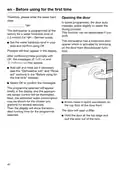























en - Before using for the first time
You will then be guided by the display
and the relevant Miele app.
Basic settings
Switching on the dishwasher
Setting the time of day
Open the door.
The time of day is set automatically if
a connection is established with the
WiFi network.
Switch the dishwasher on using the
sensor control.
The welcome screen will appear when
the dishwasher is switched on and the
welcome melody will sound.
The display will then change to the
screen for setting the time of day.
The current time of day must be set be-
fore you can use the timer option.
Setting the language
The display will then change automatic-
ally to the screen for setting the lan-
guage.
Use the sensor controls to enter
the hour and confirm your entry by
touching OK.
Select the language you want as well
as the country, if appropriate, using
the sensor control and confirm
with OK.
Then set the minutes and confirm
with OK.
Holding down the relevant or
sensor control will increase or de-
crease the time automatically.
A tick will appear next to the lan-
guage that has been set.
Setting up Miele@home
Setting the water hardness
The message Miele@home will appear
on the display.
The display will change to the screen
for setting the water hardness.
To set up Miele@home now, confirm
by touching OK.
- You should programme the dish-
washer to the correct water hardness
for your area.
Tip: To postpone setup until later, select
the option Skip and confirm by touching
OK.
- Your local water authority will be able
to advise you on the water hardness
level in your area.
There are two ways of connecting your
dishwasher to your WiFi network:
- Where the water hardness fluctuates,
e.g. between 1.8 and 2.7 mmol/l (10–
15 °dH – German scale), always pro-
gramme the dishwasher to the higher
value (2.7 mmol/l or 15 °dH in this ex-
ample).
Select the connection method you
want and confirm your choice with
OK.
1. Connect using App
2. Connect using WPS
(WPS = WiFi Protected Setup)
In the event of a fault, it will help the
service technician if you know the water
hardness of your local water supply.
39

| General | Details |
|---|---|
| Name | Miele PFD 104 SCVi EP1 Commercial Dishwasher |
| Make | Miele |
| Language | English |
| Filetype | PDF (Download) |
| File size | 2.96 MB |
 (1 votes, average: 5.00 out of 5)
 Loading...

Miele PFD 103 SCi XXL XXL Dishwasher

Miele PFD 101 i Dishwasher

Miele AK-CC 550A APFD 102 Dishwasher

Miele PFD 102 APFD 102 Dishwasher

Miele 11 836 740 Dishwasher

Miele PFD 401 U Commercial Dishwasher

Miele PLW 8683 Laboratory Dishwasher

Miele PFD 100 SmartBiz Free-Standing Dishwasher

Miele 12 668 930 Dishwasher

Miele PFD 102 i Dishwasher


VALBERG 14S44 C XAD929C,14S44 C DXAD929C Dishwasher

Not mentioned WFE 2B19 X UK Dishwasher

Whirlpool WDT740SALB Dishwasher

GE APPLIANCES GD*650-670 Series Interior Dishwasher

GAGGENAU 8001221619 C Dishwasher

GAGGENAU 11029813 Fully- Dishwasher

AEG FSE75748P Dishwasher

Omega ODWIF6015 Integrated Dishwasher

AEG FFB73727PM Dishwasher

GE APPLIANCES PDT755SY UltraFresh System Dishwasher
Table of Contents
- 1. Kurzgebrauchsanweisung Gewerbegeschirrspüler - Commercial Di... →
- 2. Page 2 →
- 3. Gerätebeschreibung - Geräteübersicht →
- 4. Gerätebeschreibung - Bedienfeld →
- 5. Bestimmungsgemäße Verwendung - Verwendungszweck →
- 6. Bestimmungsgemäße Verwendung - Vollständige Dokumente →
- 7. Sicherheitshinweise Und Warnungen - Sachgemäße Aufstellung →
- 8. Sicherheitshinweise Und Warnungen - Bedienung Des Geschirrsp... →
- 9. Sicherheitshinweise Und Warnungen - Elektroanschluss →
- 10. Sicherheitshinweise Und Warnungen - Sachgemäßer Gebrauch →
- 11. Sicherheitshinweise Und Warnungen - Verbrühungsgefahr →
- 12. Sicherheitshinweise Und Warnungen - Reinigungschemie →
- 13. Sicherheitshinweise Und Warnungen - Kinder Ab Acht Jahre Dür... →
- 14. Sicherheitshinweise Und Warnungen - Zubehör →
- 15. Erste Inbetriebnahme - Per Wps Verbinden →
- 16. Erste Inbetriebnahme - Tür Öffnen →
- 17. Erste Inbetriebnahme - Salz Einfüllen →
- 18. Erste Inbetriebnahme - Klarspüler Einfüllen →
- 19. Anwendungsgebiet - Pulverförmige Reiniger Und Reiniger-tabs →
- 20. Reiniger Einfüllen - Flüssigreiniger →
- 21. Geschirrspüler Einschalten - Programm Wählen →
- 22. Anzeige Der Programmdauer - Programm Starten →
- 23. Programmende - Geschirrspüler Ausschalten →
- 24. Programmübersicht - Anwendung →
- 25. Technische Daten - Modell →
- 26. Guide To The Appliance - Appliance Overview →
- 27. Appliance Overview - Filter Combination →
- 28. Control Panel - Programme Selection →
- 29. Correct Use - This Dishwasher Is Not Intended For Continuous... →
- 30. Correct Use - Full Documentation →
- 31. Correct Installation - Technical Safety →
- 32. Warning And Safety Instructions - Electrical Safety →
- 33. Warning And Safety Instructions - Electrical Connection →
- 34. Warning And Safety Instructions - Correct Use →
- 35. Warning And Safety Instructions - Foam Escaping From The Was... →
- 36. Warning And Safety Instructions - Safety With Children →
- 37. Warning And Safety Instructions - Accessories →
- 38. Before Using For The First Time - Basic Settings →
- 39. Before Using For The First Time - Opening The Door →
- 40. Before Using For The First Time - Filling The Salt Reservoir →
- 41. Before Using For The First Time - Adding Rinse Aid →
- 42. Operation - Application →
- 43. Operation - Adding Detergent →
- 44. Operation - Switching On The Dishwasher →
- 45. Operation - Starting The Programme →
- 46. Operation - Switching Off The Dishwasher →
- 47. Programme - Application →
- 48. Technical Data - Model →
- 49. Descripción Del Aparato - Uso Apropiado →
- 50. Descripción Del Aparato - Vista General Del Aparato →
- 51. Descripción Del Aparato - Panel De Mandos →
- 52. Uso Apropiado - Instrucciones De Manejo →
- 53. Uso Apropiado - Documentación Completa →
- 54. Advertencias E Indicaciones De Seguridad - Emplazamiento Ade... →
- 55. Advertencias E Indicaciones De Seguridad - Manejo Del Lavava... →
- 56. Advertencias E Indicaciones De Seguridad - Conexión Eléctric... →
- 57. Advertencias E Indicaciones De Seguridad - Uso Apropiado →
- 58. Advertencias E Indicaciones De Seguridad - Riesgo De Quemadu... →
- 59. Advertencias E Indicaciones De Seguridad - Niños En El Entor... →
- 60. Advertencias E Indicaciones De Seguridad - Accesorios →
- 61. Advertencias E Indicaciones De Seguridad →
- 62. Primera Puesta En Funcionamiento - Ajustar La Hora →
- 63. Primera Puesta En Funcionamiento - Ajuste La Dureza Del Agua →
- 64. Primera Puesta En Funcionamiento - Llenar El Depósito De Sal →
- 65. Primera Puesta En Funcionamiento - Introducir Abrillantador →
- 66. Campo De Aplicación - Detergente En Polvo Y Detergente En Pa... →
- 67. Dosificación Del Detergente - Detergente Líquido →
- 68. Conectar El Lavavajillas - Seleccionar Un Programa →
- 69. Funcionamiento - Indicación De La Duración Del Programa →
- 70. Funcionamiento - Fin Del Programa →
- 71. Depósito Para El Detergente - Programa Especial Para Vasos →
- 72. Datos Técnicos - Modelo De Lavavajillas →
- 73. Description De Lappareil - Utilisation Conforme →
- 74. Description De Lappareil - Vue Densemble De Lappareil →
- 75. Description De Lappareil - Bandeau De Commande →
- 76. Utilisation Conforme - Caractéristiques Du Lave-vaisselle →
- 77. Utilisation Conforme - Documents Complets →
- 78. Consignes De Sécurité Et Mises En Garde - Installation Confo... →
- 79. Consignes De Sécurité Et Mises En Garde - Sécurité Technique →
- 80. Consignes De Sécurité Et Mises En Garde - Mécanisme De Porte... →
- 81. Consignes De Sécurité Et Mises En Garde - Utilisation Confor... →
- 82. Consignes De Sécurité Et Mises En Garde - Risques Liés À La ... →
- 83. Consignes De Sécurité Et Mises En Garde - Veuillez Respecter... →
- 84. Consignes De Sécurité Et Mises En Garde - Présence D'enfants →
- 85. Consignes De Sécurité Et Mises En Garde - Accessoires →
- 86. Première Mise En Service - Réglages De Base →
- 87. Première Mise En Service - Ouvrir La Porte →
- 88. Première Mise En Service - Ajouter Du Sel Régénérant →
- 89. Première Mise En Service - Remplir Le Produit De Rinçage →
- 90. Fonctionnement - Domaine Dapplication →
- 91. Fonctionnement - Verser Le Détergent →
- 92. Fonctionnement - Enclencher Le Lave-vaisselle →
- 93. Fonctionnement - Affichage De La Durée Du Programme →
- 94. Fonctionnement - Fin Du Programme →
- 95. Tableau Des Programmes - Utilisation →
- 96. Caractéristiques Techniques - Modèle De Lave-vaisselle →
- 97. Descrizione Apparecchi - Panoramica Macchina →
- 98. Descrizione Apparecchio - Panoramica Macchina →
- 99. Descrizione Apparecchio - Pannello Comandi →
- 100. Uso Previsto - Limitazioni D'uso →
- 101. Uso Previsto - Documenti Completi →
- 102. Indicazioni Per La Sicurezza E Avvertenze - Corretta Install... →
- 103. Indicazioni Per La Sicurezza E Avvertenze - Formazione Del P... →
- 104. Indicazioni Per La Sicurezza E Avvertenze - Allacciamento El... →
- 105. Indicazioni Per La Sicurezza E Avvertenze - Impiego Corretto →
- 106. Indicazioni Per La Sicurezza E Avvertenze - L'acqua Che Si T... →
- 107. Indicazioni Per La Sicurezza E Avvertenze - Bambini →
- 108. Indicazioni Per La Sicurezza E Avvertenze →
- 109. Indicazioni Per La Sicurezza E Avvertenze - Accessori →
- 110. Impostazioni Di Base - Accendere La Lavastoviglie →
- 111. Prima Messa In Servizio - Impostare La Durezza Dell'acqua →
- 112. It - Prima Messa In Servizio - Caricare Il Sale →
- 113. Prima Messa In Servizio - Caricare Il Brillantante →
- 114. Funzionamento - Ambito Di Applicazione →
- 115. Funzionamento - Caricare Il Detersivo →
- 116. Accendere La Lavastoviglie - Selezionare Un Programma →
- 117. Funzionamento - Avviare Un Programma →
- 118. Funzionamento - Fine Programma →
- 119. Vaschetta Del Detersivo - Programma Specifico Per Bicchieri →
- 120. Dati Tecnici - Modello →
- 121. Beschrijving Van Het Apparaat - Overzicht →
- 122. Nl - Beschrijving Van Het Apparaat - Overzicht →
- 123. Nl - Beschrijving Van Het Apparaat - Bedieningspaneel →
- 124. Verantwoord Gebruik - Gebruik Van De Vaatwasser →
- 125. Verantwoord Gebruik - Volledige Documenten →
- 126. Veiligheidstips En Waarschuwingen - Correcte Plaatsing →
- 127. Veiligheidstips En Waarschuwingen - Technische Veiligheid →
- 128. Veiligheidstips En Waarschuwingen - Elektrische Aansluiting →
- 129. Veiligheidstips En Waarschuwingen - Veilig Gebruik →
- 130. Veiligheidstips En Waarschuwingen - Houd Rekening Met De Hog... →
- 131. Veiligheidstips En Waarschuwingen - Reinigingsmiddelen →
- 132. Veiligheidstips En Waarschuwingen - Kinderen In De Omgeving →
- 133. Veiligheidstips En Waarschuwingen - Accessoires →
- 134. Eerste Ingebruikneming - Basisinstellingen →
- 135. Eerste Ingebruikneming - Deur Openen →
- 136. Eerste Ingebruikneming - Zout Doseren →
- 137. Eerste Ingebruikneming - Naspoelmiddel Bijvullen →
- 138. Gebruik - Toepassing →
- 139. Gebruik - Reinigingsmiddel Bijvullen →
- 140. Gebruik - Vaatwasser Inschakelen →
- 141. Gebruik - Programma Starten →
- 142. Gebruik - Einde Programma →
- 143. Programma-overzicht - Toepassing →
- 144. Technische Gegevens - Model →
- 145. Descrição Do Aparelho - Vista Geral Da Máquina →
- 146. Descrição Do Aparelho - Vista Geral Da Máquina →
- 147. Descrição Do Aparelho - Painel De Comandos →
- 148. Utilização Adequada - Limitações De Uso →
- 149. Utilização Adequada - Documentação Completa →
- 150. Medidas De Segurança E Precauções - Instalação Adequada →
- 151. Medidas De Segurança E Precauções - Segurança Técnica →
- 152. Medidas De Segurança E Precauções - Funcionamento Do Mecanis... →
- 153. Medidas De Segurança E Precauções - Sistema Waterproof →
- 154. Medidas De Segurança E Precauções - Utilização Adequada →
- 155. Medidas De Segurança E Precauções - Evite Inalar Detergentes... →
- 156. Medidas De Segurança E Precauções - Crianças Junto À Máquina →
- 157. Medidas De Segurança E Precauções - Acessórios →
- 158. Primeira Colocação Em Funcionamento - Configurar A Hora Do D... →
- 159. Primeira Colocação Em Funcionamento - Regule A Dureza Da Águ... →
- 160. Primeira Colocação Em Funcionamento - Adicionar Sal →
- 161. Primeira Colocação Em Funcionamento - Adicionar Secante →
- 162. Funcionamento - Área De Aplicação →
- 163. Adicionar Detergente - Detergente Líquido →
- 164. Funcionamento - Ligar A Máquina De Lavar Louça →
- 165. Funcionamento - Indicação Da Duração Do Programa →
- 166. Funcionamento - Fim Do Programa →
- 167. Lista De Programas - Compartimento Do Detergente →
- 168. Caraterísticas Técnicas - Modelo →
- 169. Contact Service Commercial - Contact Sav Professionnel (inte... →