
Whirlpool Dishwasher
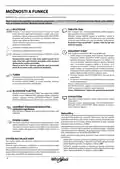

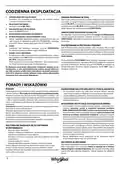
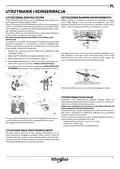
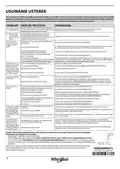

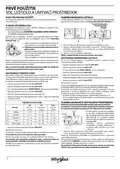


OPTIONS AND FUNCTIONS
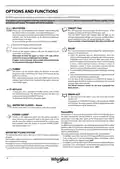
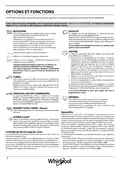
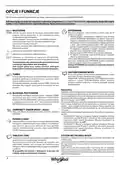
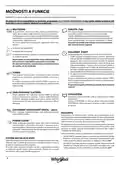
OPTIONS can be selected directly by pressing the corresponding button (see CONTROL PANEL).
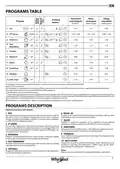
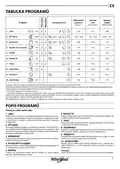
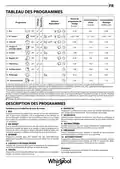
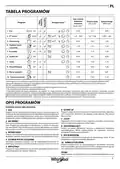
If an option is not compatible with the selected program see PROGRAMS TABLE, the corresponding LED flashes rapidly 3 times
and beeps will sound. The option will not be enabled.
MULTIZONE
TABLET (Tab)
If there are not many dishes to be washed, a half loading may
be used in order to save water, electricity and detergent.
Select the program and then press the MULTIZONE button: the
indicator over the button lights up. By default the appliance
washes dishes in all racks.
This setting allows you to optimize the performance of the
program according to the type of detergent used.
Press the TABLET button (the indicator light will light up, the
corresponding symbol will light up) if you use combined deter-
gents in tablet form (rinse aid, salt and detergent in 1 dose).
If you use powder or liquid detergent, this option should be off.
To wash only the specific rack, press this button repeatedly:
shown on the display (only lower rack)
shown on the display (only upper rack)
DELAY
The start of the program may be delayed for a period of time
between 0:30 and 24 hours.
shown on the display (option is OFF and the appliance will
wash dishes in all racks).
1. Select the program and any desired options. Press the
DELAY button (repeatedly) to delay the start of the program.
Adjustable from 0:30 to 24 hours. With each press of the
button, the delay start increases by: 0:30 if selection below
4 hours, 1:00 if selection is below 12 hours, 4 hours if
selection is above 12 hours. If 24 hours reached, and the
button is pressed, the delayed start is deactivated.
2. Press the START/PAUSE button: the timer will begincounting
down;
3. Once this time has elapsed, the indicator light switches off
and the program begins automatically.
If at the time of the countdown the START/PAUSE button is
pressed again the DELAY option is cancelled and the selected
program starts automatically.
Remember to load the upper or lower rack only, and to
reduce the amount of detergent accordingly.
If upper rack is removed, please apply detergent directly
to tub instead of detergent dispenser.
TURBO
This option can be used to reduce the duration of the main
programs while maintaining the same washing and drying
performance levels.
After selecting the program, press the TURBO button and the
indicator light will switch on. To deselect the option, press the
same button again.
The DELAY function cannot be set once a program has
been started.
KEYLOCK
A long press (for 3 seconds) of TURBO button, will activate
the KEYLOCK function. The KEYLOCK function will block the
control panel except the ON/OFF button.
To deactivate the KEYLOCK, long press again.
DRAIN OUT
To stop and cancel the active cycle, the Drain Out function
can be used.
A long press of START/PAUSE button, will activate the DRAIN
OUT function.The active program will be stopped and the water
in the dishwasher will be drained out.
WATER TAP CLOSED – Alarm
Flashes when there is no inlet water or water tap is closed.
NaturalDry
NaturalDry is a convection drying system which automatically opens
the door during/after drying phase to ensure exceptional drying
performance every day. Door opens at the temperature that is safe to
your kitchen furniture, thus door will not be opened when the option
of TURBO is on.
POWER CLEAN®
Thanks to the additional power jets this option provides a
more intensive and powerful wash in the lower rack, in the
specific area. This option is recommended for washing pots
and casseroles. Press this button to activate POWER CLEAN®
(the indicator lights up).
As additional steam protection, special designed protection foil is added
together with the dishwasher (depending on the model type - can be
the need to buy it). To see how to mount protection foil please refer to
(INSTALLATION GUIDE).
NaturalDry functionality could be disabled by the user as follows:
• To DISABLE: Switch On, then switch Off. Keep the P button pressed for
5 sec., at the end of 5 sec the dishwasher plays a short beep. Switch
On the machine, the display shows„oOF”.
WATER RECYCLING SYSTEM
This dishwasher allows you to save up to 3 litres of water using the Eco
program.
Saved water is filtered and stored in a dedicated tank and will be reused
for subsequent Eco program.
For hygienic reasons, if the Eco cycle is not used for three or more days it
is strongly recommended to perform cleaning cycle of the dishwasher.
It can be done using Self-Clean cycle (see program table).
• To ENABLE: Switch On, then switch Off the machine. Keep the P button
pressed for 5 sec., at the end of 5 sec the dishwasher plays a short beep.
Switch On the machine, the display shows„oOn”.
4

| General | Details |
|---|---|
| Name | Whirlpool Dishwasher |
| Make | Whirlpool |
| Language | English |
| Filetype | PDF (Download) |
| File size | 19.06 MB |
 (1 votes, average: 5.00 out of 5)
 Loading...

Whirlpool 2B19 Dishwasher

Whirlpool WFO3O33PLAUS Standard Dishwasher

Whirlpool W11323304G Dishwasher

Whirlpool WH7IPC15BM60 Dishwasher

Whirlpool FINPUTSAD Dishwasher

Whirlpool W7U HS31 X Dishwasher

Whirlpool Thron Dishwasher

Whirlpool WDF332PAMS 24 Front Tall Tub Dishwasher

Whirlpool WRF540CWHZ Dishwasher

Whirlpool W10901596A Dishwasher Internet Connectivity


SAMSUNG DW80N3030UW Front Control Dishwasher

FORNO WQP12-6502 Pozzo Dishwasher

Smeg ST3-9AG Dishwasher

FISHER AND PAYKEL DW60FC4X3 Dishwasher

LG LDTH7972D Smart Tub Dishwasher

Haier HDW13F0S1 Dishwasher
FISHER AND PAYKEL DD60SCTX9 7 Contemporary Tall Dishwasher

ARDESTO DWMB-V459SMT3 Dishwasher

Amana ADB1400PY Undercounter Dishwasher

Bauknecht BK6UC11BS7A0X Dishwasher