
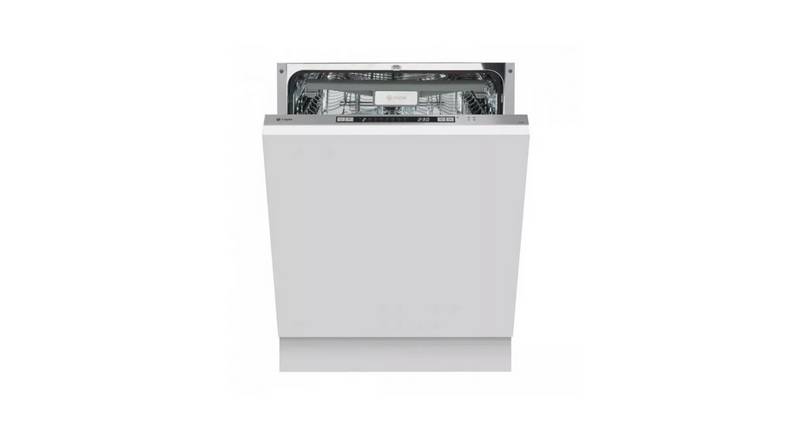
caple DI641 Dishwasher
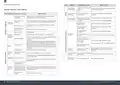
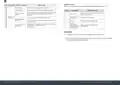




NOTE: EN 50242:
C L E A N I N G A N D M A I N T E N A N C E
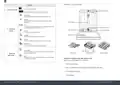
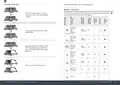
This program is the test cycle. The information for comparability test in accordance with EN 50242.
EXTERNAL CARE
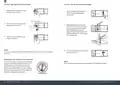
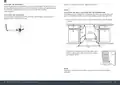
STARTING A CYCLE WASH
»
Draw out the lower and upper basket, load the dishes and push them back. It is commended
to load the lower basket first, then the upper one.
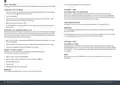
THE DOOR AND THE DOOR SEAL
Clean the door seals regularly with a soft damp cloth to remove food deposits. When the
dishwasher is being loaded, food and drink residues may drip onto the sides of the dishwasher
door. These surfaces are outside the wash cabinet and are not accessed by water from the spray
arms. Any deposits should be wiped off before the door is closed.
»
»
Pour in the detergent.
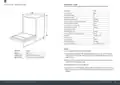
Insert the plug into the socket. The power supply refer to last page”Technical fiche”. Make
sure that the water supply is turned on to full pressure.
THE CONTROL PANEL
»
»
Open the door, Press the Power button.
If cleaning is required, the control panel should be wiped with a soft damp cloth ONLY.
Choose a program, the response light will turn on. Then close the door, the dishwasher will
start its cycle.
WARNING
To avoid penetration of water into the door lock and electrical components, do not use a spray
cleaner of any kind.
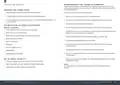
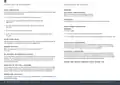
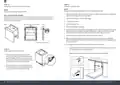
CHANGING THE PROGRAM MID-CYCLE
A wash cycle can only be changed if it has been running for a short time otherwise, the detergent
may have already been released and the dishwasher may have already drained the wash water. If
this is the case, the dishwasher needs to be reset and the detergent dispenser must be refilled. To
reset the dishwasher, follow the instructions below:
Never use abrasive cleaners or scouring pads on the outer surfaces because they may scratch the
finish. Some paper towels may also scratch or leave marks on the surface.
»
Open the door a little to stop the dishwasher, after the spray arm stop working, you can open
the door completely.
INTERNAL CARE
FILTERING SYSTEM
»
»
Press and hold the Program button for 3-5 seconds. The machine will enter stand by mode.
You can then change the Program to the desired cycle setting.
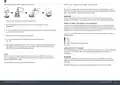
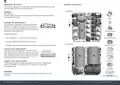
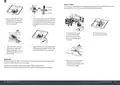
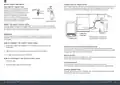
The filtering system in the base of the dishwasher retains coarse debris from the washing cycle.
The collected coarse debris may cause the filters to clog. Check the condition of the filters regularly
and clean them if necessary under running water. Follow the steps below to clean the filters in the
wash cabinet.
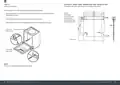
FORGET TO ADD A DISH?
A forgotten dish can be added any time before the detergent dispenser opens.
If this is the case, follow the instructions below:
NOTE:
Pictures are only for reference, different models of the filtering system and spray arms may
be different.
»
»
»
»
»
Open the door a little to stop the washing.
After the spray arms stop working, you can open the door completely.
Add the forgotten dishes.
Close the door.
The dishwasher will start running again.
WARNING
It is dangerous to open the door mid-cycle, as hot steam may scald you.
26 Instruction manual DI641 Please keep this instruction manual for future reference
Please keep this instruction manual for future reference Instruction manual DI641
27

| General | Details |
|---|---|
| Name | caple DI641 Dishwasher |
| Make | caple |
| Language | English |
| Filetype | PDF (Download) |
| File size | 3.62 MB |
 (1 votes, average: 5.00 out of 5)
 Loading...

caple DI654 Dishwasher

caple DI631 Dishwasher

BOSCH SMV4ECX23E Dishwasher

BOSCH SMH8ZCX10R Dishwasher

comfee CDC22P4AWW Portable Dishwasher

BOSCH BSH CDN Service Dishwasher

FISHER PAYKEL DD60D4NX9 Dishwasher

Miele PFD 400 Dishwasher

FISHER PAYKEL DD24SCTX9N Sanitize Dishwasher

FISHER PAYKEL DD24DT4NX9 Dishwasher

FISHER and PAYKEL DD60SDFTX9 Tall, Dishwasher

IKEA MEDELSTOR Dishwasher