
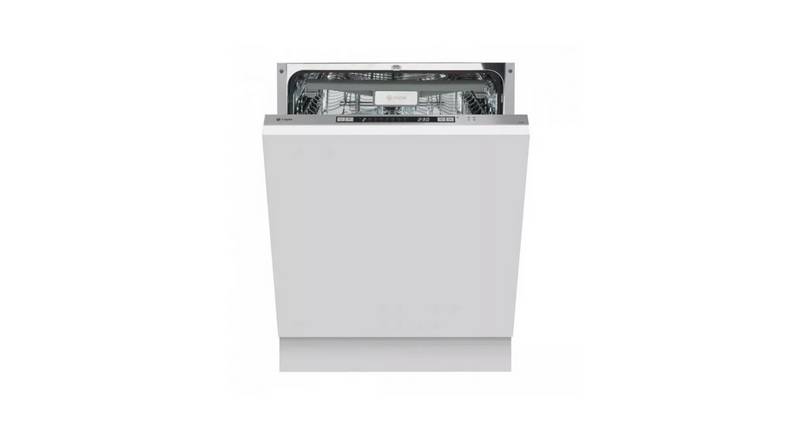
caple DI641 Dishwasher
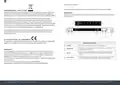
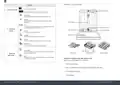
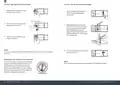
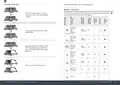
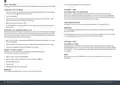
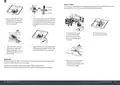
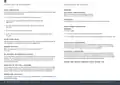
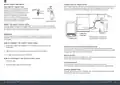
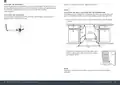
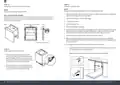
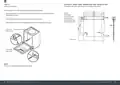
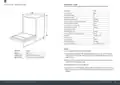




C O N T R O L PA N E L
For detailed operating method read the corresponding content on the instruction manual.
ENVIRONMENTAL PROTECTION
Waste electrical products should not be disposed of with household waste. Please recycle where
facilities exist. Check with your Local Authority or retailer for recycling advice. This appliance is
marked according to the European Directive on Waste Electrical and Electronic Equipment (WEEE).
IMPORTANT:
To get the best performance from your dishwasher, read all operating instructions before using it
for the first time.
By ensuring this product is disposed of correctly, you will help prevent potential negative
consequences for the environment and human health, which could otherwise be caused by
inappropriate waste handling of this product. The symbol on the product indicates that this
product may not be treated as household waste. Instead it shall be handed over to the applicable
collection point for the recycling of electrical and electronic equipment. Disposal must be carried
out in accordance with local environmental regulations for waste disposal.
5
6
For more detailed information about treatment, recovery and recycling of this product, please
contact your local council, your household waste disposal service or the retailer where you
purchased the product.
1
2
5
3
4
7
CE DECLARATIONS OF CONFORMITY
This appliance has been manufactured to the strictest standards and complies with all applicable
legislation, Low Voltage Directive (LVD) and Electromagnetic Compatibility (EMC).
OPERATION (BUTTON)
Press this button to turn on your dishwasher, the screen lights up.
1 - POWER
Press this button to toggle through and select the appropriate washing program. The
corresponding indicator will be lit.
2 - PROGRAM
WARRANTY:
Your new appliance is covered by warranty. The warranty card is enclosed - if it is missing, you
must provide the following information to your retailer in order to receive a replacement: date
of purchase, model and serial number (placed on the inside of the appliance storage drawer).
Ensure you keep your warranty card safe, you may need to show it to Caple Service together with
proof of purchase.
Press this button to set the delayed hours for washing. You can delay the start of
washing up to 24 hours. One press on this button delays the start of washing by
one hour.
3 - DELAY
For small loads, you may use just the upper or lower rack to save energy. Each press
of the Half Load button cycles between upper rack only and lower rack only.
4 - HALF-LOAD
If you fail to show your warranty card you will incur all repair charges.
Spare parts are only available from Caple Service and spare parts authorised centres.
8
Instruction manual DI641 Please keep this instruction manual for future reference
Please keep this instruction manual for future reference Instruction manual DI641
9

| General | Details |
|---|---|
| Name | caple DI641 Dishwasher |
| Make | caple |
| Language | English |
| Filetype | PDF (Download) |
| File size | 3.62 MB |
 (1 votes, average: 5.00 out of 5)
 Loading...

caple DI654 Dishwasher

caple DI631 Dishwasher

GE GDF510PGR Plastic Interior Dishwasher

Fisher and Paykel DD24DCTW9 N Dishwasher

Whirlpool WDF560SAF Undercounter Dishwasher

Brandt BDJ3434VB Dishwasher

TECHNIKA TDX7SS-7 Dishwasher

BOSCH SBV6ECX00E/38 Dishwasher

BOSCH SMS6ZCI49E Free-Standing Dishwasher

Omega ODWF6014BX Dishwasher

Kenmore W10898468B Ultra WashTMHE Dishwasher

Whirlpool W2IHKD526A Fully Integrated Dishwasher