
LG LRFLC2706S Dishwasher


















40 SMART FUNCTIONS
SMART FUNCTIONS
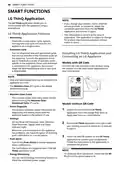
LG ThinQ Application
NOTE
The LG ThinQ application allows you to
communicate with the appliance using a
smartphone.
• If you change your wireless router, Internet
service provider, or password, delete the
connected appliance from the LG ThinQ
application and connect it again.
LG ThinQ Application Features
• Monitoring
• This information is current at the time of
publication. The application is subject to change
for product improvement purposes without
notice to users.
- Check the current status, cycle, options,
running time and cycle end time for the
appliance on a single screen.
• Download Cycle
- You can download new and specialized cycles
that are not included in the standard cycles on
the appliance. Connect the appliance to the
app to download a variety of specialty cycles
specific to the appliance. Once cycle download
is completed in the appliance, the product
keeps the downloaded cycle until a new cycle
is downloaded.
Installing LG ThinQ Application and
Connecting an LG Appliance
Models with QR Code
Scan the QR code attached to the product using
the camera or a QR code reader application on
your smartphone.
NOTE
• Only one downloaded cycle can be stored on the
appliance at a time.
• The Machine Clean (P1) cycle is the default
downloaded cycle.
• Machine Clean Coach
- This function shows how many cycles remain
before running the Machine Clean
(Download Cycle: P1) cycle.
Models without QR Code
• Smart Diagnosis
1
2
3
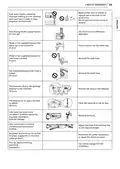
Search for and install the LG ThinQ
application from the Google Play Store or
Apple App Store on a smartphone.
- This function provides useful information for
diagnosing and solving issues with the
appliance based on the pattern of use.
• Settings
- Set the Rinse Aid Dispenser Level, Machine
Clean Reminder, Signal Level and Clean
Indicator Light.
When the cycle is complete or the appliance
has problems, you have the option of receiving
push notifications on a smart phone.
Run the LG ThinQ application and sign in with
your existing account or create an LG account
to sign in.
Touch the add (~) button on the LG ThinQ
• Push Alerts
application to connect your LG appliance.
Follow the instructions in the application to
complete the process.
- Turn on the Push Alerts to receive appliance
status notifications.
The notifications are triggered even if the LG
ThinQ application is off.
NOTE
• To verify the Wi-Fi connection, check that the Wi-
Fi LED on the control panel is lit.
• Energy Monitoring
- You can use the energy monitoring function to
check the estimated power usage.

| General | Details |
|---|---|
| Name | LG LRFLC2706S Dishwasher |
| Make | LG |
| Language | English |
| Filetype | PDF (Download) |
| File size | 4.74 MB |
 (1 votes, average: 5.00 out of 5)
 Loading...

LG LDTH7972SS Black Dishwasher

LG SDWB24S3 STUDIO Smart Dishwasher

LG LDTH7972D Smart Tub Dishwasher

LG LDPH7972D Smart Dishwasher

LG XD3A25UMB 15 Place QuadWash Dishwasher

LG LDT779 Dishwasher

LG LDT7808BD Dishwasher

LG LDFN4542S Dishwasher

LG DFB424 Dishwasher

LG LDTS5552D PrintProof Black Dishwasher


BOSCH SMS26DW00T Dishwasher

LIVINOX LDW-14P-8BL Dishwasher

WASHTECH XP Dishwasher

BOSCH SMV4HB802E Dishwasher

BOSCH SMS6ZCI12E Dishwasher
BOSCH SGS2HKI66G Dishwasher

IKEA 804.621.67 Lagan Dishwasher

FISHER PAYKEL DW60UT4HI2 Dishwasher

Omega ODWF6014BX Dishwasher

FISHER PAYKEL DD24SAX9 N ™ Dishwasher