
SHARP SDW6767HS Dishwasher
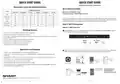
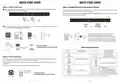


QUICK START GUIDE
QUICK START GUIDE
DISHWASHER MODEL: SDW6767HS
Dishwasher Cycle and Washing Options
WI-FI SPECIFICATIONS
Available Washing Options
CYCLE
Wireless LAN: IEEE802.11b/g/n
Frequency range: 2.4GHz frequency band
Zone Wash
Power Wash
Hi Temp
Sanitize
Heated Dry
Fan Dry
Auto
Heavy Duty
Normal
NA
NA
There are three different ways to connect your dishwasher to Amazon Alexa. First, download the Amazon
Alexa app, then connect your Dishwasher to Wi-Fi using one of three methods: With a Barcode, Without a
Barcode and Zero Touch Setup. Next, you need to enable Remote Command & Control.
Light
NA
NA
Express Wash
Rinse Only
Step 1: Wi-Fi Connection
NA
NA
NA
NA
NA
Option 1: With a Barcode
Washing Options
Touch Power to turn on the dishwasher, then touch and hold Rinse Only and Hi Temp Wash together
for 5 seconds until "FR" appears on the display.
1. Delay – Touch and hold Delay until desired delay time is displayed.
2. Wash Zone – Not available for Auto and Rinse Only cycles.
3. Power Wash – Place heavily soiled dishes facedown in lower rack directly above the Power Wash arm in the back left
corner of the dishwasher.
4. Fan Dry – Extends drying time for improved drying performance.
5. High Temp Wash – Maintains 140°F (60°C) water temperature.
6. Heat dry – Operates heater during the drying process.
7. Sanitize - Maintains 158°F (70°C) water temperature.
5
S
Operations and Displays
Open the Amazon Alexa app, select Devices and touch + to add a device. Select the type of device and
follow instructions to scan the barcode located on the right side of the inner part of the door.
1. POWER – Touch and hold Power for 3 seconds to turn on/off the dishwasher.
2. START/CANCEL – Select desired wash cycle, touch START/CANCEL and close the door within 4 seconds to start
wash cycle.
2
3. Display Window – Displays the remaining hours and minutes of the running cycle, delay hours, error codes, etc.
4. Wi-Fi Indicator Light – Indicates successful network connection.
Dishwasher
Add Device
1
5. Rinse Aid Indicator Light – Indicates low Rinse Aid level.
6. Sanitized Indicator Light – Indicates Sanitized function is complete.
Devices
7. Child Lock Indicator Light – Indicates Child Lock is enabled. Touch and hold Light and Express Wash together for
3 seconds to disable or enable Child Lock.
The barcode is located
Proceed to Step 2:
Enable Remote
Command & Control
on the inner part of the
right side of the door
Sharp
SHARP ELECTRONICS CORPORATION ꢀ 100 Paragon Drive • Montvale, New Jersey 07645 • USA
4
1


| General | Details |
|---|---|
| Name | SHARP SDW6767HS Dishwasher |
| Make | Sharp |
| Language | English |
| Filetype | PDF (Download) |
| File size | 0.36 MB |
 (1 votes, average: 5.00 out of 5)
 Loading...

SHARP SDW6506JS 24 Front Dishwasher

SHARP SDW6888JS Smart Dishwasher

SHARP QW-NA24S42DI-EE Dishwasher

SHARP QW-NA1BF47EI-EU Series Dishwasher

SHARP SDW6767HS Slide In Smart Dishwasher

SHARP SDW6767HS Smart Dishwasher

SHARP QW-NA26F39DI-EN Dishwasher

SHARP QW-NS1CF49EI-ES Dishwasher

SHARP SDW6757ES Dishwasher

SHARP QW-NA25GU44BS-DE Undercounter Dishwasher

SHARP SDW6767HS Dishwasher Overview
Summary of Contents
- Page 1: Quick start guide Dishwasher model: SDW6767HS Dishwasher cycle and washing options Wi-Fi specifications Available washing options There are three different ways to connect your dishwasher to Amazon Alexa. Step 1: Wi-Fi connection Power wash – Place heavily soiled dishes facedown in lower rack directly above the Power Wash arm. Sanitize - Maintains 158°F (70°C) water temperature. Wi-Fi indicator light – Indicates successful network connection.
- Page 2: Quick start guide Option 2: Without a barcode Enable remote command & control Touch power to turn on the dishwasher, then touch and hold rinse only and wash zone together for 5 seconds until UG appears on the display. Authorize your appliance to accept control commands from your mobile app or voice commands. To start the network control, touch and hold rinse only and start/cancel together for 5 seconds until the Wi-Fi indicator stops flashing and remains lit. You have successfully connected the dishwasher and enabled remote command and control. Access your dishwasher on the devices tab in the Amazon Alexa app. You can change the name from First Dishwasher to Dishwasher in the devices tab. Zero touch setup is only available if your dishwasher was purchased through Amazon.com. An active Echo Dot (2nd Gen or later) can also perform zero touch setup. Note: Alexa command list is subject to change without notice.

FISHER PAYKEL DD60DCX9 Dishwasher

KitchenAid KDFE104KBL Front Control Dishwasher

BOSCH SMV4HAX08E Dishwasher

FISHER and PAYKEL DD60D4NB9 Dish Drawer Dishwasher

Classeq C500-30D Undercounter Dishwasher

BOSCH SMH4EVX08E Dishwasher

IKEA LAGAN 104.756.20 Dishwasher

BOSCH SMS4ETI02E-01 Dishwasher

Whirlpool 400011668910 Dishwasher

Hotpoint QEUO18 Dishwasher