
INVENTUM VVW6008AW Dishwasher








(Figure 17)
(Figure 18)
1. Place the dishes correctly in the lower basket.
2. Do not place the dishes incorrectly in the lower basket.
ADJUSTING THE HEIGHT OF THE UPPER BASKET
The complete upper basket can be moved to create more space in the upper basket or in the lower basket. When the
upper basket is in the upper position, you can place large items, such as pots and large plates, in the lower basket.
When the upper basket is in the lower position, you can place large plates in the upper basket.
(Figure 19)
1. Open the latch (A) on both guiding rails.
2. Remove the basket from the guiding rails.
(Figure 20)
3. Put the runners in the guiding rails:
a. Put the upper runners (B) in the guiding rails to put the basket in the lower position.
b. Put the lower runners (C) in the guiding rails to put the basket in the upper position.
4. Push the basket back in the guiding rails.
5. Close the latch on both guiding rails.
ADJUSTING THE HEIGHT OF THE RACKS OF THE UPPER BASKET
The racks can be moved up to create more space in the upper basket, for example to place different-sized glasses
under the racks or to place cutlery items on the racks.
(Figure 21)
1. Move the racks (A) up or down.
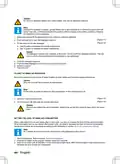
STARTING THE APPLIANCE
1. Push the on/off button to start the appliance. The indicator on the on/off button goes on.
CHOOSING A PROGRAM
Note:
For an overview of the programs, refer to section Programs.
1. Use the program selector button to choose a program. The indicator for the program comes on.
2. Use the timer button to delay the start time of the program. Refer to section Delaying the program.
Note:
If the half-load option is not compatible with the selected program, a buzzer sounds.
4. If necessary, cancel the half-load option by pushing the half-load button again until the corresponding indicator
goes off.
5. Push the start/pause button to start the program.
CHANGING THE PROGRAM
You can change the program while the appliance is running.
1. Push the start/pause button.
2. Wait until the program stops.
3. Use the program selector button to choose another program.
4. Push the start/pause button.
The newly selected program will resume the course of the previously selected program.
46 • English

| General | Details |
|---|---|
| Name | INVENTUM VVW6008AW Dishwasher |
| Make | INVENTUM |
| Language | English |
| Filetype | PDF (Download) |
| File size | 2.68 MB |
 (1 votes, average: 5.00 out of 5)
 Loading...

INVENTUM VVW6040AB Building Depot Dishwasher

INVENTUM VVW6060AB Dishwasher

INVENTUM VVW6030AS dishwasher

Inventum VVW6046AB Dishwasher

Inventum IVW6021A Dishwasher

INVENTUM VVW4530AW Dishwasher

INVENTUM VVW6046AW Dishwasher

INVENTUM IVW6008AXL Dishwasher

INVENTUM VVW6035AW Dishwasher

INVENTUM IVW6015A Dishwasher


ZLINE Classic Dishwasher

KitchenAid KDTE304RBS Third Level Jet Rack Dishwasher
Diamond WR-LV50-MPSC Dishwasher

FISHER PAYKEL DD60DDFX9 Dishwasher

HOMCOM 800-190V70 Tabletop Dishwasher

Midea MDC17P0ABB Dishwasher

BOSCH SMS8YCI03E Dishwasher

FISHER AND PAYKEL DW60UT4I2 Dishwasher

BOSCH SPI2HKS08E Semi Integrated Dishwasher

GAGGENAU 11029813 Fully- Dishwasher