
HOBART CLCS66e ML Series Dishwasher


CLe-series
Dishwashers
MODeL
r-L OPeraTiON L-r OPeraTiON
CL44e
CLPs66e
CLCs66e
ML-138101
ML-138103
ML-138109
ML-138102
ML-138104
ML-138110
CL54e
CLPs76e
CLCs76e
ML-138105
ML-138107
ML-138111
ML-138106
ML-138108
ML-138112
CL64e
CLPs86e
CLCs86e
ML-138174
ML-138176
ML-138178
ML-138175
ML-138177
ML-138179
CL44er
CLPs66er
CLCs66er
ML-138251
ML-138253
ML-138259
ML-138252
ML-138254
ML-138260
CL54er
CLPs76er
CLCs76er
ML-138255
ML-138257
ML-138261
ML-138256
ML-138258
ML-138262
CL64er
CLPs86er
CLCs86er
ML-138278
ML-138280
ML-138282
ML-138279
ML-138281
ML-138283
701 S. RIDGE AVENUE
TROY, OHIO 45374-0001
937 332-3000
F44126 Rev. B (February 2011)


| General | Details |
|---|---|
| Name | HOBART CLCS66e ML Series Dishwasher |
| Make | HOBART |
| Language | English |
| Filetype | PDF (Download) |
| File size | 2.18 MB |
 (1 votes, average: 5.00 out of 5)
 Loading...

HOBART AM16 Commercial Dishwasher

HOBART S.48820 Commercial Dishwasher

HOBART CLCS66e ML Series Dishwasher Overview
Summary of Contents
- Page 1: Dishwashers Model Operation CL44e CLPs66e CLCs66e ML-138101 ML-138103 ML-138109 ML-138102
- Page 2: Important for your safety This manual has been prepared for personnel qualified to install gas equipment. Post in a prominent location the instructions to be followed in the event the smell of gas is detected. In the event a gas odor is detected, shut down units at main shutoff valve and contact the local gas company or gas supplier for service. Do not store or use gasoline or other flammable vapors or liquids in the vicinity of this or any other appliance. Do not use this appliance if any part has been under water. Immediately call a qualified service technician to inspect the appliance and to replace any part of the control system and any gas control which has been under water. In the event of a power failure, do not attempt to operate this device.
- Page 3: GENERAL Chemical sanitizing INSTALLATION Unpacking Installation codes Adjust machine height and level machine Dish table assembly Water requirements Plumbing connections Drain connection Water connections Chemical feeder installations OPERATION Preparation Keypad and display Filling the dishwasher Starting the gas heat dishwasher Minimum temperatures High-temperature operation Low-temperature operation Dishwashing CLEANING Deliming recommendations DOs and DON’Ts for your new Hobart warewasher PROGRAMMING Programming security levels Programming instructions Menu display prompts Entering the parameters menu MAINTENANCE Vent Lubrication Service TROUBLESHOOTING
- Page 4: Installation, operation, and care of CL e and CL e R-series dishwashers are outlined. CL e and CL e R machines are rack-type warewashers that move racks through wash and rinse zones. The machines are available in various lengths, sections, features, and speeds to meet productivity needs. All CL e and CL e R-series dishwashers have electronic controls with digital temperature displays. CL e R models feature an energy recovery system that preheats incoming cold water for the final rinse. The CL e R units operate in hot water sanitizing mode and include a built-in 30kW booster heater. Construction includes welded stainless steel for tanks, chambers, frames, and adjustable feet. CLP S models feature a 22-inch power scrapper section to remove heavy soil before washing. Machines can be configured for left-to-right or right-to-left operation and can use electric, gas, or steam heat. Hobart offers three right-angle installation options for corner setups.
- Page 5: Chemical sanitizing machines can operate in low-temperature sanitizing mode with chemical sanitizers. Hot water sanitizing mode is indicated by High Temp. on the display. Low-temperature sanitizing mode is indicated by Low Temp. on the display. CLe models using chemical sanitization require incoming and final rinse water at a minimum of 120°F. Tank heaters raise the temperature to 130°F for wash and power rinse if equipped. Immediately check for shipping damage after unpacking the dishwasher. Verify that the electrical service matches the specifications on the machine data plate before installation. Installation must comply with state and local codes or the National Fuel Gas Code and National Electrical Code. Dish tables should be fitted into the dishwasher and sealed to prevent leakage. The dishwasher must be leveled and in its final position before table assembly and plumbing connections.
- Page 6: Water requirements are essential for optimal ware washing performance. Proper water quality can reduce spotting, enhance labor effectiveness, and extend equipment life. Water conditions vary by location, affecting recommended water treatment. Consult your municipal water supplier for local water specifics before installation. Recommended water hardness is 3 grains per gallon or less, with chlorides not exceeding 30 parts per million. Water hardness above 3 grains per gallon should be treated with a water conditioner. Effective water treatment can lower costs related to machine cleaning and reduce detergent usage. Sediment and other dissolved solids may necessitate particulate filtration or additional water treatment. Lime buildup in the dishwasher or booster heater indicates a need for in-line water treatment. Contact your local service office for specific recommendations on water treatment.
- Page 7: Plumbing connections must comply with applicable sanitary, safety and plumbing codes. The plumber who connects this machine is responsible for making certain that both water and steam lines are thoroughly flushed out before connecting to any manual valve or solenoid valve. This flush-out is necessary to remove all foreign matter, such as chips, pipe joint compound, or bits of solder. Debris, if not removed, may lodge in the valves and render them inoperative. The common drain for the tank(s) requires only one connection to the floor drain. Connect the drain through a trap to the sewer using 2 NPT pipe. If a grease trap is required by code, it should have a minimum flow capacity of 31 gallons per minute. Use 1/2 minimum I.D. pipe size for the incoming water supply line to the machine. A flowing pressure of 15 to 25 psig must be maintained at the machine. The water pressure regulator must have a relief bypass.
- Page 8: Required incoming water temperature varies based on sanitizing mode and model specifications. For hot water sanitizing, minimum incoming water temperature is 110°F (43°C) and maximum is 194°F (90°C). Chemical feeder installations must include an automatic detergent feeder and, if applicable, an automatic chemical sanitizer feeder. Visual means to verify the delivery of detergents and sanitizers are required. Detergent feeder ports are installed to discharge detergent into the wash tank. An electric monitoring device is used to maintain the proper concentration of detergent. Rinse agent is typically fed into the final rinse water at designated ports. Chemical sanitizer is fed into the final rinse water line for low-temperature sanitizing. Refer to optional equipment control connections for electrical connection details. Figures illustrate the typical installation of detergent and rinse agent feeders.
- Page 9: Steam connection requires a steam supply pressure that matches the steam trap rated for 10 to 50 psig differential pressure. If the flowing pressure exceeds 50 psig, a pressure regulator must be installed in the supply line. Steam flow is controlled by solenoid valves. Single-tank steam coil installations need two connections: one for supply and one for return. Two-tank steam coil installations require one common supply connection and two return connections. Gas connection requires checking the gas data plate for the type of gas to be used. Machines are shipped configured for natural gas, and a conversion kit is provided for LP gas. An additional regulator valve must be installed if flowing gas pressure is above specified levels. The gas supply line must include a shut-off valve per code, and leak testing must be performed before operation. Installation must comply with local codes or the National Fuel Gas Code.
- Page 10: Gas specifications detail the flowing gas pressure and connection types for various models. Models include CL44e, CLPS66e, CLCS66e, CL54e, CLPS76e, CLCS76e, and their respective R variants. Natural gas and propane specifications are provided, with BTU/hr ratings and manifold pressure ranges. Dissipate test pressure from the gas supply line before reconnecting the appliance to avoid damaging the gas valve. Gas heat machines must exhaust flue gases to the exterior of the building. Ensure unobstructed flow of combustion and ventilation air around the dishwasher. Maintain adequate clearances for air openings into the combustion chamber and ensure a supply of make-up air. The dishwasher requires specific clearances from combustible construction and for servicing. The burner ignites automatically without a pilot light, and gas flow is regulated by the temperature control circuit. CLeR units require a back draft damper in the ventilation system, and local codes dictate venting requirements for commercial dishwashers.
- Page 11: A Hobart CL e R Series dishwasher equipped for gas tank heat is not provided with a flue collar and is not intended to have the flue directly connected to a ventilation system. The products of combustion must be vented to the outside air. Exhaust air must not be vented into a wall, a ceiling, or a concealed space of a building. A vent hood over the entire dishwasher can be employed to vent both the moist air from the dishwashing chamber and the flue gases from the gas heater. The volume of flue exhaust required for venting must be calculated using the Exhaust Flow Requirements. A Type II canopy hood is recommended. A factory-built commercial exhaust hood may be listed as conforming to Underwriters Laboratory's Standard 710. Hoods must be installed according to the manufacturer's instructions. Makeup air must be provided to ensure a positive building pressure in the room where the unit is located. Factory-built hoods not tested to UL Standard 710 must comply with specific material and construction specifications.
- Page 12: Pant-leg vent connections Gas heat machines must be provided with a means to exhaust the flue gases to the exterior of the building. Pant-leg duct connectors alone do not provide ventilation for the gas flue at the rear of the machine. A mini-vent hood must be used or a canopy type hood may be used. The recommended exhaust requirement is 200 CFM at the entrance end of the dishwasher and 400 CFM at the discharge end. Sufficient make-up air must be provided so the exhaust flow results in a positive building pressure. Hoods are provided with 4 x 16 vent connectors with vent dampers which allow adjustment during installation. Vent stacks must be watertight and fit inside the vent connector openings. The mini-vent hood must be positioned a minimum of 18 above the flue exit at the rear of the dishwasher. If a powered means of exhaust is used, an electrical interlock must be provided to allow the flow of gas to the dishwasher burner only when the exhaust system is in operation. Local codes will prevail.
- Page 13: Page 13
- Page 14: Exhaust flow requirements are based on the 2009 International Mechanical Code (IMC). The flow of air required for a vent hood is based on the linear length of the face of the hood. The minimum net air flow for Type II hoods used with dishwashers is 100 CFM per linear foot of hood length. Multiply the hood's length, in feet, times 100 CFM to obtain the required flow rate. Subtract make-up air flow supplied directly to a hood cavity from the total exhaust flow rate of the hood, if applicable. For hood designs not covered by these calculations, consult the latest edition of the IMC or other local codes. Electrical and grounding connections must comply with the applicable portions of the National Electrical Code. Disconnect the electrical power to the machine and follow lockout/tagout procedures. There may be multiple circuits; ensure all circuits are disconnected. Connect a permanent electrical power supply to the terminal block in the control box on top of the machine.
- Page 15: Single-Point Electrical Connection (S.P.E.C.) — Three-Phase Only All three-phase machines are prewired for single-point electrical connection for the motors, controls and electric tank heaters; however, electric tank heat machines may be field wired for separate electrical connections. Motor Rotation — Three-Phase Only Before placing a three-phase machine into service, check to verify that the conveyor motor rotates in the correct direction. Incorrect rotation will result in unacceptable performance. To check the conveyor motor's rotation: Close the machine doors, press POWER on the keypad and allow the machine to fill. Disconnect the electrical power to the machine and follow lockout/tagout procedures. Reconnect the electrical power to the machine, being careful not to touch any uninsulated electrical parts exposed by removing the front panel. The conveyor motor and clutch must rotate counterclockwise for machines with right-to-left operation, and clockwise for machines with left-to-right operation. If the rotation of the conveyor motor is correct, press POWER to turn the machine off. If the conveyor motor does not rotate in the proper direction, disconnect the electrical power to the machine. At the machine control box on top of the machine, reverse any two of the incoming power supply leads. Reconnect the electrical power to the machine. Re-check the conveyor motor's rotation. Replace the top cover to the control box, and replace the front panel.
- Page 16: Optional equipment control connections must comply with the National Electrical Code and local electrical codes. Disconnect the electrical power to the machine and follow lockout/tagout procedures. There may be multiple circuits; ensure all circuits are disconnected. The maximum rating for a detergent dispenser connected to DPS1 and DPS2 is 1.5 amps at line voltage. The maximum rating for a rinse aid dispenser and/or chemical sanitizer feeder connected to RPS1 and RPS2 is 1.5 amps at line voltage. The maximum rating for a vent fan control connected to VFC1 and VFC2 is 1.5 amps, pilot duty. Certain procedures require electrical tests or measurements while power is applied to the machine; exercise extreme caution. Setup procedures must be performed after water connections have been completed, tanks are full, and the machine is cold. Verify that both manual hot and cold water supply valves are on before proceeding. Turn main power to the machine OFF at the customer’s disconnect before performing any maintenance.
- Page 17: Open the door of the dishwasher and insert a dish rack upside down in the final rinse zone to activate final rinse flow. Turn main power to the machine ON at customer’s disconnect. Press the power button on the keypad to turn the machine on. Verify the yellow LED is on. Verify the yellow LED on the solid state thermostat is ON. Verify warm water valve turns on. Verify cold water valve turns on.
- Page 18: Adjust pressure regulator in the cold water plumbing assembly until final rinse pressure gauge reads 20 ± 5 PSI. Reconnect the thermistor connection after establishing cold water pressure. Verify the red light on the solid state thermostat is ON. Verify the warm water valve turns off. Verify the hot water valve turns ON. Adjust the pressure regulator in the hot water plumbing assembly until the final rinse pressure gauge matches the values set for the cold water supply, 20 ± 5 PSI. Press power button on keypad to turn machine off. Turn main power to machine OFF at customer’s disconnect. Open door of dishwasher and remove dish rack from final rinse zone. Turn main power to the machine ON at customer’s disconnect; machine is now ready for normal operation.
- Page 19: Air flow adjustment Turn main power to machine OFF at customer's disconnect. Open door of dishwasher and insert a dish rack upside down in final rinse zone to activate final rinse flow. Turn main power to machine ON at customer's disconnect. Press power button on keypad to turn machine on. Press start button on keypad to turn pumps and final rinse on. Verify that the tank temperatures and final rinse temperature are above the minimum requirements. Completely close vent by adjusting vent stack damper shaft to horizontal position. Opening the vent stack damper too far may cause low tank temperatures. For pant leg vent systems, adjust the vent stack damper shaft until the steam escaping is eliminated. For canopy hood vent systems, adjust the vent stack damper shaft to approximately 15° to 25° open.
- Page 20: Verify that the steam escaping from around the bottom of the energy recovery hood and curtain is eliminated. Adjust damper in small increments just until the steam is eliminated. If the curtain is being drawn in, damper is overadjusted. Adjust damper shaft until steam is eliminated at this area. Press power button on keypad to turn machine off. Turn main power to machine off at customer's disconnect. Open door of dishwasher and remove dish rack from final rinse zone. Turn main power to machine on at customer's disconnect; machine is now ready for normal operation.
- Page 21: Operation Preparation Make sure the dishwasher is clean and all parts are in place. Install the standpipe in the scrapper tank. Standpipe with strainer goes in the first tank where the rack enters the machine. Install the rear and side strainer pans and lower the strainer bucket. Install the upper wash arm and the lower wash arm in the scrapper with all end caps. Install the standpipe(s) in the tank(s). Install the strainer pan and the strainer bucket. Hang all curtains according to the appropriate curtain diagram. Close all doors: This lowers and seats the standpipe(s).
- Page 22: Ensure drip pan is installed in energy recovery hood assembly. Curtains are keyed for proper installation. CLeR models require an additional curtain at discharge of hood assembly. Final rinse and wash procedures are outlined. Installation direction for rinsing and washing is specified. Different model designations are listed, including CL44e, CL54e, CL64e, and their respective R variants. The document includes references to specific parts and components. Installation and operational instructions are emphasized. Proper assembly and maintenance are critical for performance. Visual aids may be referenced for clarity in installation.
- Page 23: Single-tank machines with power scrapper or corner scrapper. Models include CLPS66e, CLPS76e, CLPS66eR, CLPS76eR, CLCS66e, CLCS76e, CLCS66eR, and CLCS76eR. Final rinse and wash processes are outlined. Scrapper operations are detailed for both right to left and left to right configurations. Two-tank machines with power scrapper are also mentioned. Models include CLPS86e and CLPS86eR. Various components such as carry over, middle STD, middle HTS, and CS are listed. Final rinse and wash processes are reiterated for two-tank machines. Scrapper operations are similarly detailed for both configurations. The document appears to provide operational instructions for different machine models.
- Page 24: Two-tank machines with corner scrapper (CLCS) CLCS86e, CLCS86eR The controls are mounted on top of the dishwasher. The keypad and display are mounted in front of the control box.
- Page 25: Filling the dishwasher requires all water supply valves to be opened and the electric supply to be turned on before the machine will function. Preparation and curtain installation must be completed before starting the machine. To begin filling, press the POWER key. If equipped with a Power Scrapper or Corner Scrapper, the scrapper tank will fill with overflow water from the wash tank. For starting the gas heat dishwasher, read the safety information before operating. Turn the main gas supply to the dishwasher ON and wait for 5 minutes to clear out any gas. If no gas smell is detected, turn the manual gas valve ON and press the POWER key. The ignition system includes a 15-second pre-purge period before ignition occurs. The water temperatures in the tanks and rinse arms are regulated by the microprocessor control. Minimum temperatures for high-temperature sanitizing are specified for single-tank and two-tank models.
- Page 26: Minimum temperatures using low-temperature, chemical sanitizing are specified for single-tank and two-tank models. For single-tank models, the wash tank temperature is 130°F and the rinse tank temperature is 120°F. For two-tank models, both the wash tank and power scrapper tank temperatures are 130°F, while the final rinse temperature is 120°F. If the tank is drained before turning off the power switch, the low-water protector switch will stop the tank heat automatically. When the proper water level is restored, the tank heat will restart automatically. Do not use the low-water protection as a power on-off switch. Press the power key on the keypad to turn the machine off when not in use. Alternative temperature display names vary for different models. The long name is equivalent to the short name for temperature display. Low final rinse temperature alert displays a message if the final rinse temperature was below the minimum requirement for a short time.
- Page 27: DISHWASHING After the machine has filled, start the pumps by pushing the START / ENTER key on the keypad or by inserting a rack into the machine. The machine will operate only if the tanks have filled to the proper level and all doors are closed. Pre-scrap dishes thoroughly to remove large food particles and debris. Never use steel wool on ware that is to be loaded into the dishwasher. Stack dishes in the racks. Do not stack dishes one on top of another, as water must have free access to both sides of every dish. Do not attempt to wash large items without first checking to make sure they will fit through the machine opening. Do not allow foreign objects to enter the dishwasher, especially metallic contaminants. When one rack has been loaded, slide it part way into the machine until the conveyor dogs catch the rack. The operation of the dishwasher is automatic. When a rack enters the machine, the pumps and conveyor automatically start. Allow dishes to drain and air-dry before removing the ware from the rack. If the rack jams or if the load becomes excessive, an overload mechanism shuts off the conveyor drive motor.
- Page 28: Optional table limit switch activates when a rack reaches the end of the unload table, shutting off the conveyor, pumps, and final rinse. The display alternates between tank names and 'Unload Dishes' until the rack is removed and the limit switch resets. The auto-timer conserves energy by shutting off pumps and conveyor if no rack enters the machine for a preset time, with tank temperatures still displayed. The auto-timer shut off setting is factory preset at 45 seconds but can be adjusted from 30 to 180 seconds. Energy saver mode activates after a period of inactivity, turning off all components and dimming the display. To exit energy saver mode, press the STOP key or the POWER key to turn off the machine completely. Dirty water mode has three settings: disabled, alert only, and alert & lockout, with the factory setting being disabled. The machine must be thoroughly cleaned at the end of each shift or at least twice a day using safe products for stainless steel. Before cleaning, turn off the machine and disconnect electrical power, following lockout/tagout procedures. Inspect the final rinse nozzles for debris and open drains by pulling the drain lever up.
- Page 29: Remove wash arms and flush them in a sink. Clean off any debris from machine walls using a hose with spray nozzle. Clean debris from the back side of doors and around the door seal of the chamber. Clean dish tables by flushing any debris into the dishwasher. Remove all strainer pans and baskets, empty contents, and clean them in a sink. When tanks are empty, remove the standpipe and clean the pump intake strainers. Thoroughly scrub, rinse, and allow curtains to dry at the end of each day’s operation. Wash out the interior of the machine with a hose fitted with a spray nozzle. Return all standpipes, strainer pans, and strainer baskets to their proper locations. Leave doors open and curtains removed while the machine is not in use to allow the interior to air out and dry.
- Page 30: Reassemble standpipe(s), strainer pan(s) and strainer basket(s), per page 20. Rehang curtains after interior has dried out. For questions about frequency of deliming, follow your chemical representative's recommendations based on visible lime build-up or reduced warewashing performance. The factory default value for the 'Delime Interval' is 0 hours; this disables the delimer recommendation message. If enabled, the 'Delime Recommended' message will display after the fill and final rinse have operated for the delime interval. During deliming, the machine should be on with pumps running, but the conveyor can be idle. To clear the delime message, follow all applicable instructions. Enter the Manager Mode using Mgr. Code 1001 unless reset to a different number. Press the START / ENTER key on the keypad to clear the delime message. Clearing the message also resets the delime timer back to zero.
- Page 31: - Enter security code by changing digits as instructed. - Accept the security code once entered. - Confirm the letter in the lower left is 'M'. - Edit parameters and clear delime message by answering yes. - Ensure proper water hardness of 3 grains per gallon or less. - Pre-scrap dishes thoroughly before washing. - Use only detergents recommended by a chemical professional. - Clean the machine thoroughly at the end of the day and leave doors open. - Follow the prescribed deliming schedule closely. - Avoid using detergents formulated for residential dishwashers.
- Page 32: Programming security levels allow customization options for machine operation. The programming edit mode must be entered at an appropriate security level to activate or change features. It is recommended to keep the warewasher in the lowest security level to prevent unauthorized modifications. The security level will revert to Operator after 10 minutes of inactivity, when placed in Standby, or if an invalid Security Code is entered. The Operator level is the default and requires no security code to access. The Manager level is the highest security level and requires a Manager Code for access. Access to all options in the Parameters Menu and Communications Setup Menu is available at the Manager level. It is recommended to cycle power off and on after modifying Manager level options. The default Manager Code is 1001, and it is advised to change it and store the new code securely. Resetting the Manager Code by service is not covered under warranties.
- Page 33: programming instructions All customization is performed through the on-screen menu using the Up arrow, MENU / Down arrow and START / ENTER keys located on the keypad on the top of the machine. The Up and MENU / Down arrow keys are used to change parameter values and to navigate the menu. The START / ENTER key is used to accept a value, to perform a specified action or to enter a submenu. Pressing the START / ENTER key while in the menu will not start the conveyor and pumps if not already on. The STOP key will always cancel what you are doing, discard any changes you have made since the last save, return to the main screen and stop the machine. The text just to the left or right of the circle icon on the display screen shows what action or command will occur if the START / ENTER key is pressed. The up/down arrow icon in the display shows the line or value that will change if the UP or DOWN arrow key is pressed. A pair of solid arrows on the second line indicates that the displayed value is the value stored in the control. A pair of hollow arrows on the second line indicates the value has been changed but has not yet been stored.
- Page 34: Entering the Parameters Menu allows for modification of options while the machine is operating or idling. To enter the Parameters Menu, first enter the Security Code. Press the MENU / Down key from the main screen to begin. You will be prompted to exit the menu; do not press START / Enter. Press the MENU / Down Arrow key to continue. The prompt 'Security Code:' will display, and a single digit with three asterisks will appear. The default Security Code to enter Manager level is 1001. It is recommended to change the security code from the default. If the code is lost, it can be reset by Hobart Service, but this is not covered under warranties. You will know you have correctly entered the manager security level if 'M' is displayed in the lower left corner.
- Page 35: Parameters menu outlines various settings for the machine's operation. Sanitizing mode regulates tank heaters and internal boosters for high or low temperature sanitizing. Auto-timer shuts down pumps and conveyor after a period of inactivity to save energy. Low final rinse temperature alert indicates when the rinse water temperature is below 180°F (82°C). Tank temperature alert displays a message if the water temperature of a tank is below the minimum required. Delime interval sets the time frame for descaling the machine, adjustable from 0 to 1000 hours. Dirty water mode options include ignoring dirty water or displaying alerts for water changes. Energy saver mode activates after a period of inactivity, adjustable in hours. Change manager code allows setting a new security code for access to manager level parameters. Editing settings for the communications setup menu requires pressing START/ENTER to access and save changes.
- Page 36: Communications Setup Menu provides a table listing communication options, descriptions, possible values, and factory default values. NAFEM DP Baud adjusts the baud rate of communication between the dishwasher and a NAFEM Data Protocol Gateway. NAFEM DP ID adjusts the machine-specific ID for use on a NAFEM Data Protocol network, requiring each device to have a unique ID. Press START/ENTER to exit the Communications Setup menu and return to the Parameters menu. Any settings changed are only saved by choosing the 'Save Settings and Exit?' option on the Parameters Menu. Changing communication values typically requires machine power to be cycled off and on. Disconnect the electrical power to the machine and follow lockout/tagout procedures for maintenance. Check the vent of the dishwasher every six months for obstructions. No lubrication is required for the dishwasher. Contact your local service office for repairs or adjustments needed on the equipment.
- Page 37: Troubleshooting No machine operation may be caused by a blown fuse or tripped circuit breaker, inspection doors not closed, or a jammed conveyor. Dishes not clean could result from insufficient wash water, missing end caps from the wash arm, or wash arm nozzle obstructions. Leaking valves may occur due to foreign material preventing proper valve operation. Spotting of silverware, glasses, and dishes can be caused by improperly loaded racks or incorrect final rinse water temperature. Low final rinse temperature with built-in booster heater may be due to a malfunctioning tank float or tripped overtemp protector. If symptoms persist after checking possible causes, contact your local service office.
- Page 38: Inadequate rinse may be caused by a dirty line strainer, low supply line pressure, or clogged rinse nozzles. Continuous rinse issues can arise from a rinse actuator not moving freely, foreign objects in the mechanism, or a failed rinse valve. No wash tank heat can result from low water levels, tripped circuit breakers, or failed heating elements. No or slow fill may occur due to open doors, closed main fill valves, or dirty line strainers. Leaking vacuum breakers can be caused by foreign material or corrosion affecting valve operation. Excessive steam may result from improperly adjusted vent stack dampers or malfunctioning canopy hood fans. If symptoms persist after checking possible causes, contact your local service office.
- Page 39: Display reads Door(s) open Possible resolution: Close all inspection doors. Unload dishes Remove rack from table limit switch at end of clean dish table. Clear jam and rerun rack. Clear conveyor jam Ensure lower float assembly in indicated tank is not visibly damaged. Check that the final rinse booster tank circuit breaker is on. Ensure that the building supply water to the dishwasher is at the minimum specified temperature. Check that all drains are closed and free of debris. Inspect machine interior for lime deposits.
- Page 40: Page 40

Samsung DW60 7 Series Dishwasher

SHARP QW-NA26F39DI-EN Dishwasher

BOSCH SMS6ZCW48E Dishwasher

BOSCH SMI2ITS33E-6 Dishwasher

FISHER PAYKEL DW60UC2X2 Built-Under Dishwasher

BOSCH SPI6ZDS006 Dishwasher

BOSCH SHS53C Dishwasher
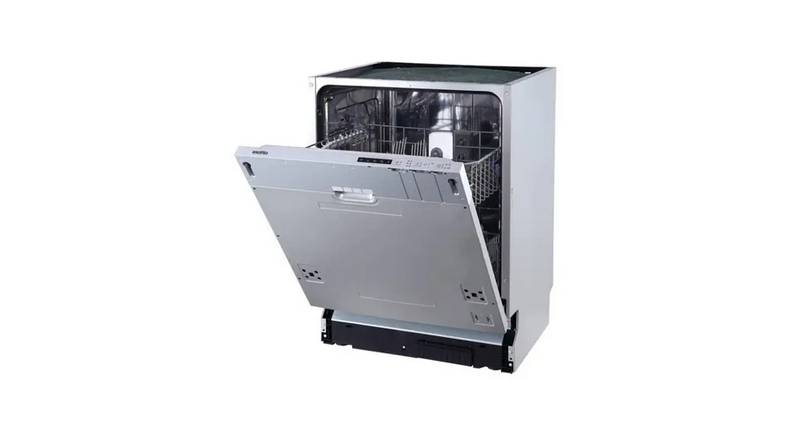
TEKNIX TBD606 Dishwasher

BOSH SBH4HVX00E Fully Integrated Dishwasher

FISHER and PAYKEL DD24STI9 N Dishwasher